Hi
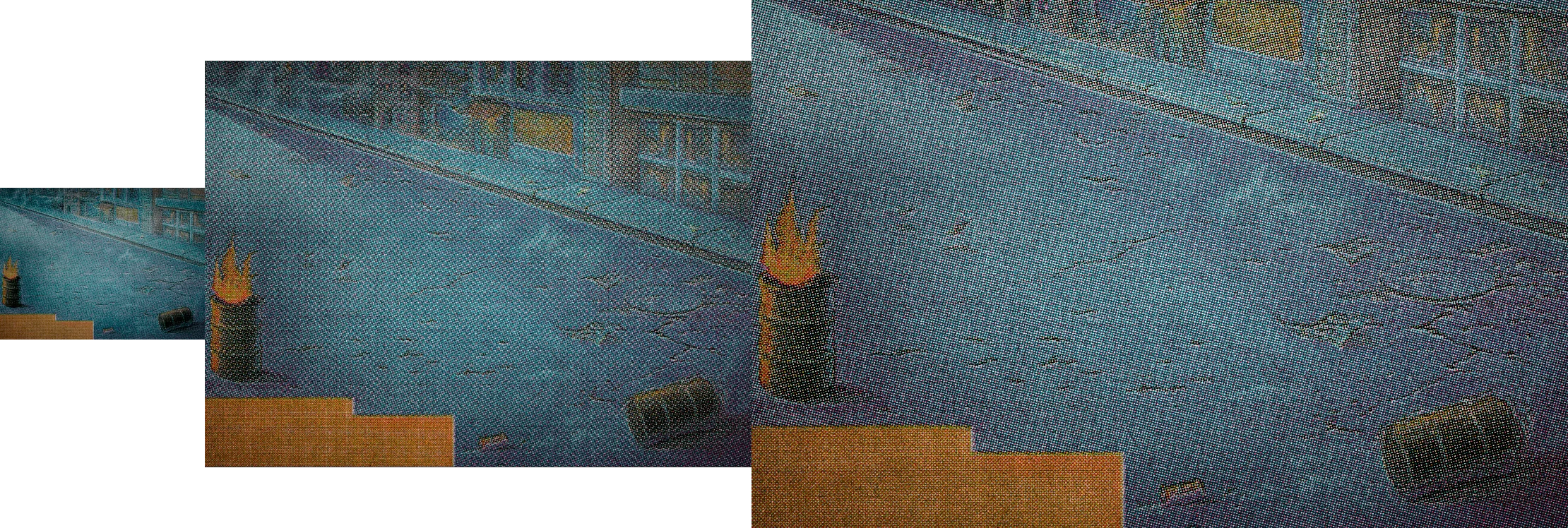
At 100% zoom - the image you see on screen is a full image composite with no interpolation - each image pixel is mapped to each screen pixel. This is the accurate preview of your image.
At 66.7% zoom the image is still composited as above but several image pixels are combined together to make a screen pixel. So this view loses some accuracy - it has to as at 66.7% 1.33x1.33=1.77 image pixels make up one screen pixel but of course there is no 0.33 of a pixel. So "in between" values have to be used.
At less than 66.7% the situation gets worse. The combination of multiple image pixels (including fractions) into screen pixels continues but in addition each layer is composited using 8 bit previews (even where the image document is in 16 bit). With certain blend modes this makes a very visible difference.
There is a further problem with the difference blend mode and fill values which act differently in 8 bit and 16 bit. This also shows up when the zoom between 66.7% and less changes the preview from 16 bit composition to 8 bit
Photoshop: Difference blend mode change from 8 bit to 16 bit | Photoshop Family Customer Community
Whether that affects your image I cannot tell without seeing the detailed layers
So always check your image at 100% zoom - if you see any difference then 100% zoom is the one that is fully correct. Adjust to make that view correct.
Dave

 AdChoices