Participant
August 25, 2021
Question

Problem with exporting

  • August 25, 2021
  • 3 replies
  • 275 views

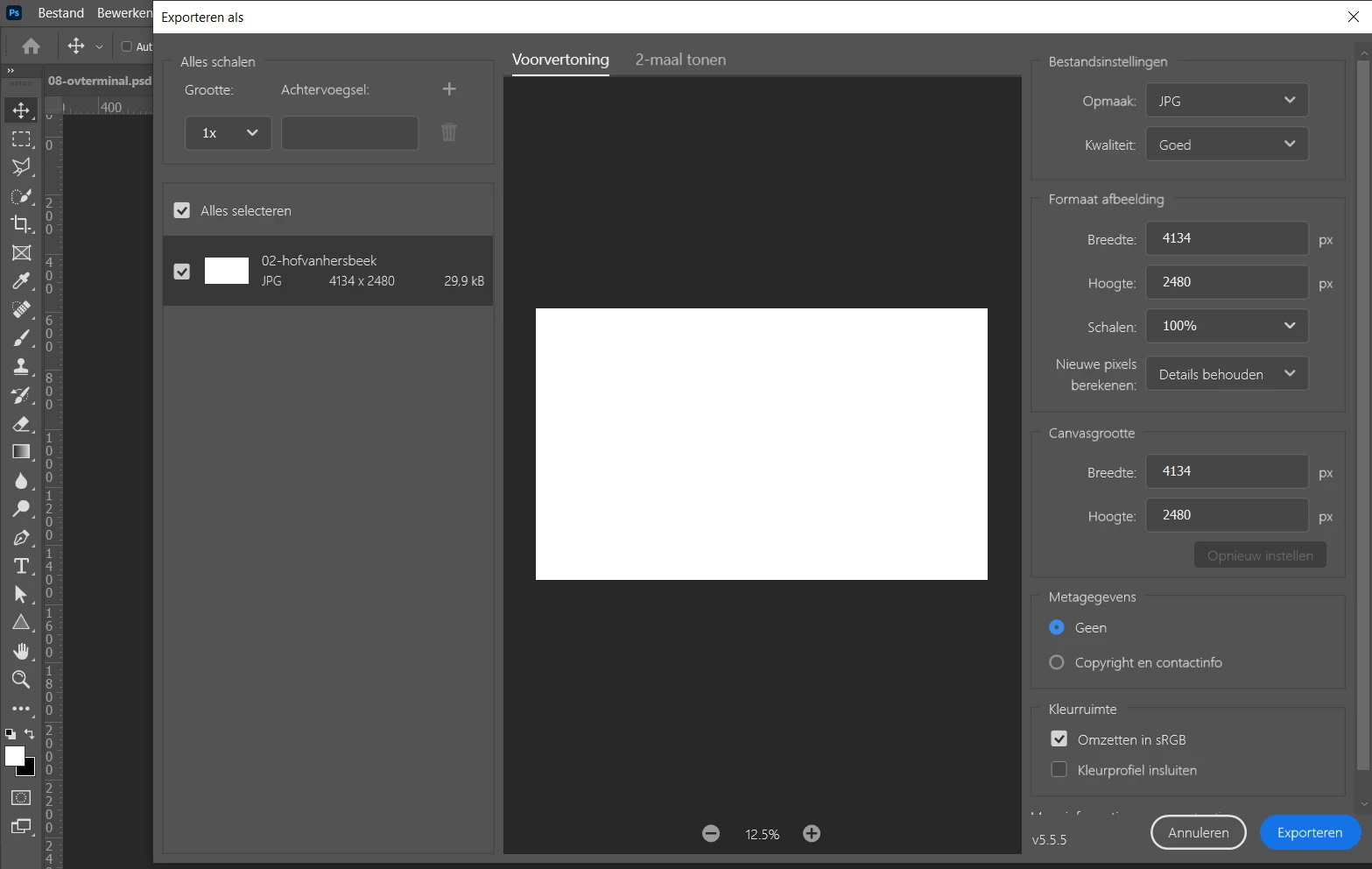
After the update of photoshop, I can't export my images anymore. 
They turn white like you can see here. I tried jpg, png, export as and save as, all with the same result.

Somebody who knows how to fix this?
 

This topic has been closed for replies.

3 replies

Participant
August 26, 2021

I changed back to an older version and know I don't have any problems anymore.

Thanks for the comments!

BrettN
Community Manager
Community Manager
August 25, 2021

We changed the location of the option mentioned. The new Export As dialog is no longer a Technology Preview, but the default mode. However, you can still switch to the older version by going into the Export Preferences and checking the Legacy checkbox at the bottom. 


Could you share or post a screen shot of your image out side of Export As? Specifcially, I would want to see the layer structure of the image. 

PECourtejoie
Community Expert
Community Expert
August 25, 2021

Gooie dag!

I would first try to use the other export in preferences>technology preview> uncheck "optimized export as"? then restart, and check in that version.


Then, if this works, I'd undo the change you made, but also  change the language to english, by switching the install language in the CC application, then in Ps preferences>interface, select the international english version, then restart, to check if it is unique to the Dutch version.

Participant
August 25, 2021

I don't see the option you mention?
Also I have this problem on my mac and windows laptop. The mac just got adobe. And I just updated my windows and now I have this problem, before the update I didn't have this problem, so I don't know how I can undo an update?


PECourtejoie
Community Expert
Community Expert
August 25, 2021

Is it an M1 Mac? Are you running Ps 22.5?
