
Participating Frequently
June 13, 2018
Question

Problem with GIF making :(

  • June 13, 2018
  • 2 replies
  • 1031 views

Hey! I had this problem some time ago and hoped it would go away when I tried again next, but my GIFs are turning out really really grainy. I understand that GIFs aren't really a go to in the first place - but they were fine just some time ago and randomly started becoming barely legible. Before the question of "what did you change," I'll answer that right now and say nothing. At least I think I didn't, because I didn't touch my render settings other than my looping in the GIF exportation tab.

Here are some photos.

Here is screenshot of the original video.
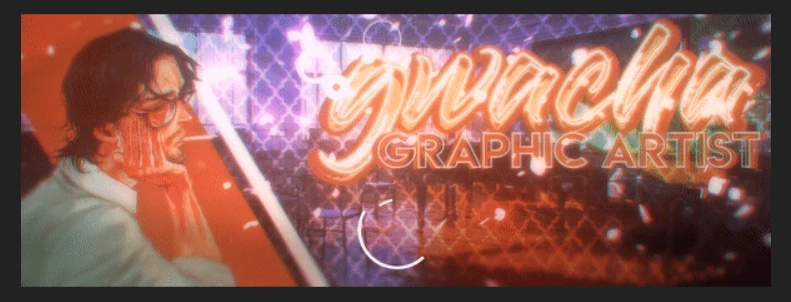
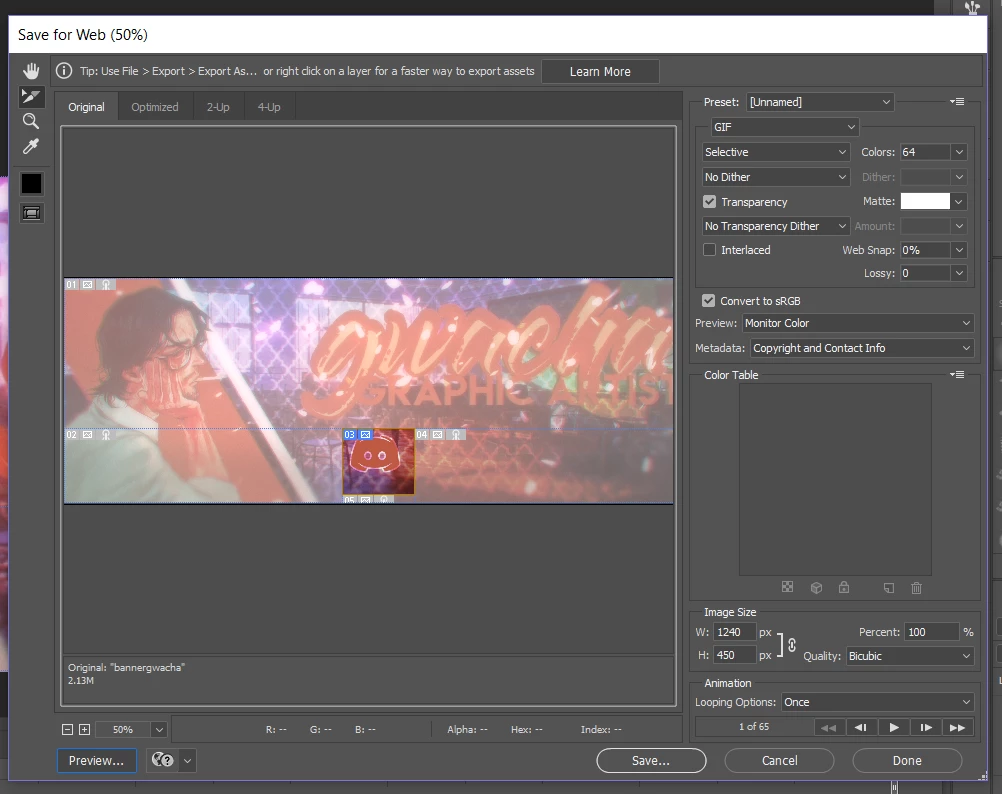
Now in Photoshop, my current "save for web" tab looks like this.
But when I hit preview or rendered it, it all becomes super grainy and looks like this.
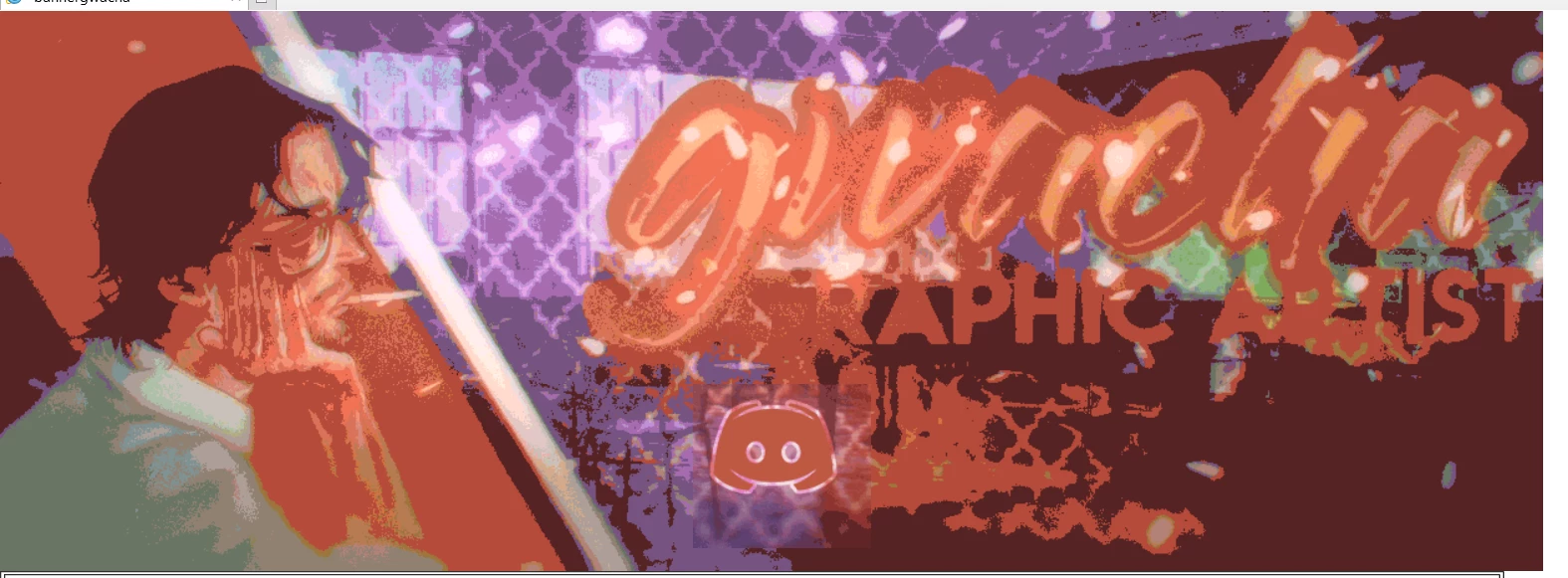
I noticed the icon stayed the same, for some reason. Also, a reminder - it wasn't always like this, and it wasn't gradual or slow! I had rendered this video a few times before and they all came out really nice, they just suddenly started turning out like that. Any help or advice would be appreciated ❤️

I've also changed around all the settings, some of them looked worse than before but none of them came even close to the quality I was getting before.

Thanks!

This topic has been closed for replies.

2 replies

c.pfaffenbichler
Community Expert
Community Expert
June 13, 2018

Why only 64 Colors?

Why »No Dither«?

gwachaAuthor
Participating Frequently
June 13, 2018

I've tried putting it to 256 colors. It still looks really grainy. It looks higher quality, but still not even close to what was being produced before and like 6x the file size

I've also tried all the options other than "No Dither." This is what I remember I was doing at the beginning so that's why I set it as that, hoping to replicate what I was getting before. In fact they all look the same which is worrying

c.pfaffenbichler
Community Expert
Community Expert
June 13, 2018

I've also tried all the options other than "No Dither."

If »Diffusion« and »No Dither« produce the same results:

What have you done for trouble-shooting so far?

Restoring Preferences after making sure all customized presets like Actions, Patterns, Brushes etc. have been saved might be a good starting point:

https://helpx.adobe.com/photoshop/kb/basic-trouble-shooting-steps.html

Derek Cross
Community Expert
Community Expert
June 13, 2018

Why have you chosen this format?

gwachaAuthor
Participating Frequently
June 13, 2018

What do you mean?

Derek Cross
Community Expert
Community Expert
June 13, 2018

There are a number of formats available – why did you choose GIF – it has some useful features but unless you have a specific need it's not the best format for artwork.