
Answered
Problem with halo in Gaussian blur
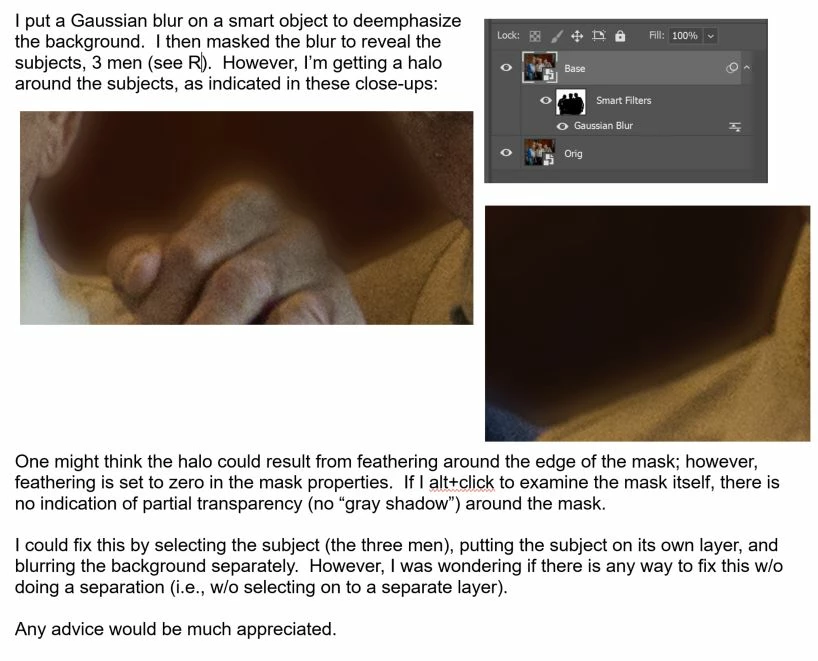

I think this is the normal behavior of a gaussian blur.
What you see is the blur of the persons extending beyond the actual mask.
If you don't want that you should actually enlarge and feather the mask to mask the blurred area
What people usually do is cut and paste the background on another layer, enable the transparency lock then blur not to have the blur polluted
Already have an account? Login
Enter your E-mail address. We'll send you an e-mail with instructions to reset your password.
 AdChoices