
Inspiring
June 20, 2018
Answered

Problem with Opacity

  • June 20, 2018
  • 1 reply
  • 372 views

So for some reason if I click once with a brush it is opaque like below
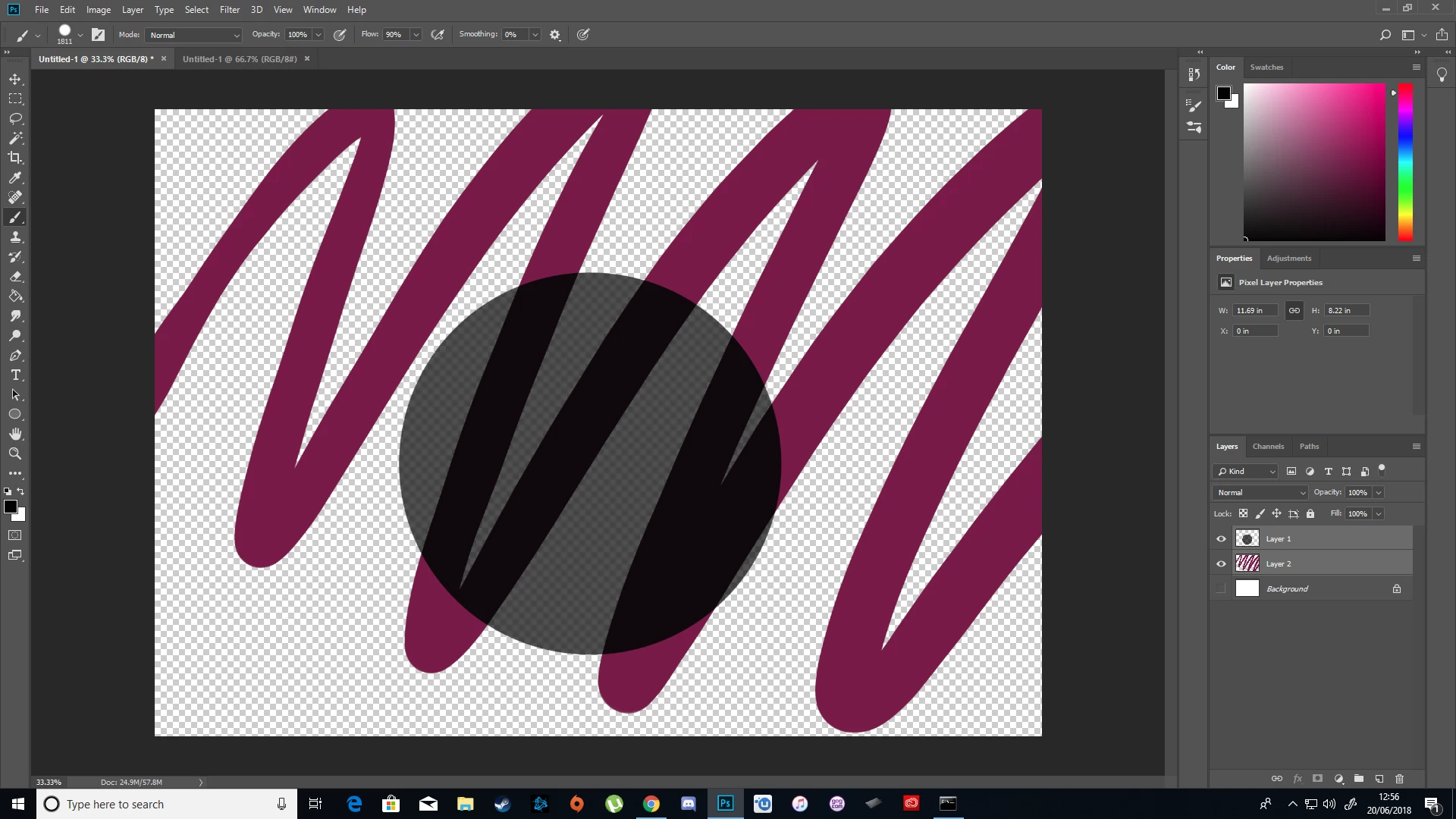
Both the brush settings and layer settings are set to opacity: 100%. I've tried this on multiple files, both a mouse and drawing tablet, and I've clicked "Restore Default Brushes".

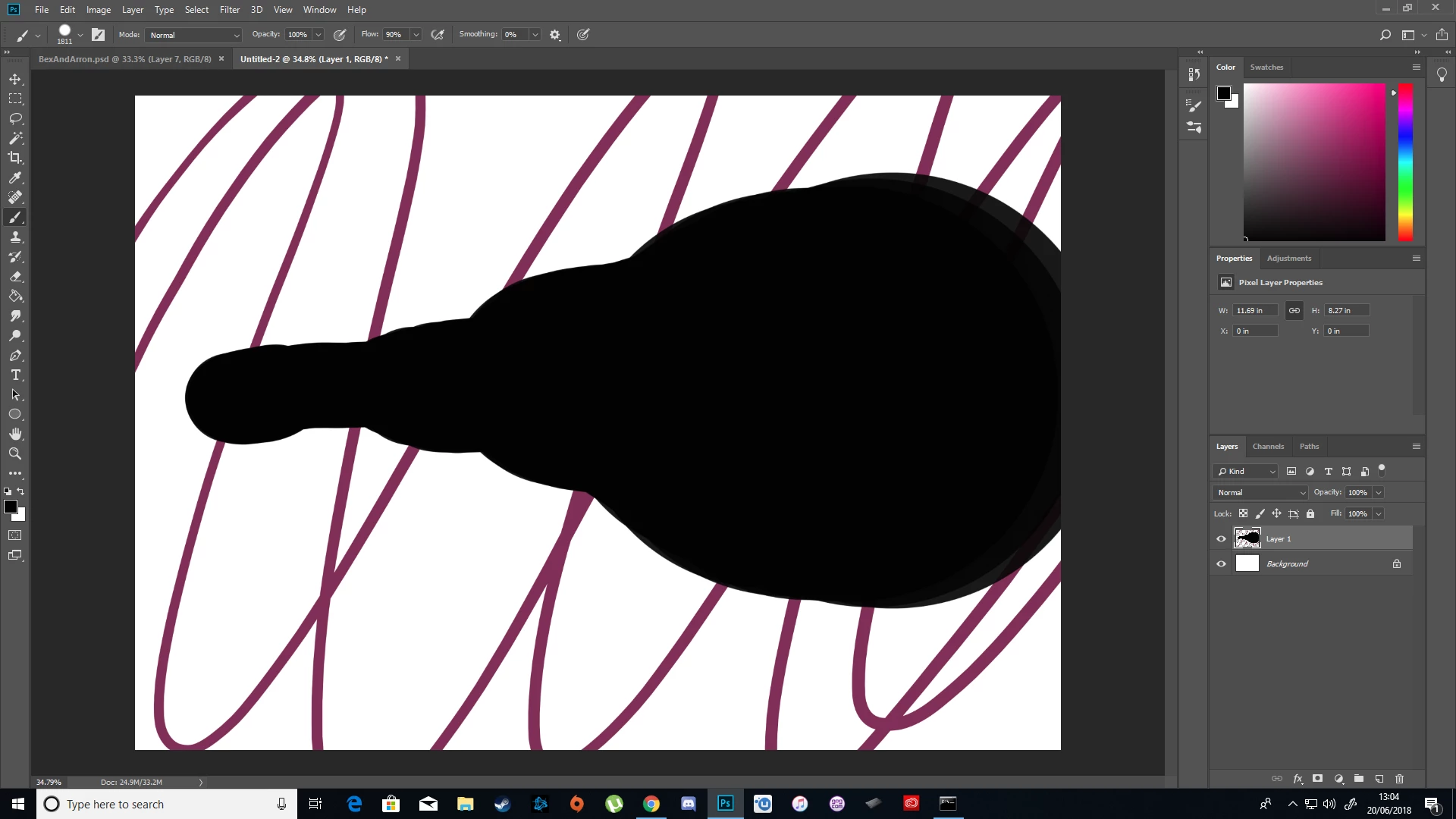
If I drag the brush however it does become opaque, but it's more pressure sensitive than usual on the tablet. Below is a single stroke. It would often not vary that much from a single stroke.
    This topic has been closed for replies.
    Correct answer alexa50707689

    Update: I don't know what the problem was but it was solved by resetting the tool by clicking on the brush icon in the top left when the brush is selected, clicking on the gear icon, and clicking "Reset tool".

    1 reply

    alexa50707689AuthorCorrect answer
    Inspiring
    June 20, 2018

    Update: I don't know what the problem was but it was solved by resetting the tool by clicking on the brush icon in the top left when the brush is selected, clicking on the gear icon, and clicking "Reset tool".

    Inspiring
    June 20, 2018

    Second Update: The problem seemed to be that Flow was at 90%, when changing it to 100% the problem stopped