
Problem with Photoshop cc 3d extrusion. Everything I do turns out white, even though I'm following the tutorial exactly
I have been trying to figure this out for hours. I just started exploring photoshop's 3d features for the first time. I watched a tutorial about a guy making a simple stroke and turning it into a 3d extrusion. I followed his instructions exact and tried several other tutorials but I can't get the same results.
Instead of my stroke becoming a 3d object, it turns white and so does the shadow. I can't see any of the perspective grid lines unless I move it, at which point it almost immediately disappears. NONE of the people I watched from tutorials about depth maps or 3d extrusions had any of these issues. I tried googling this beforehand and can't find any information on how to fix this, so I came here.
You will see from my pictures I was eventually able to at least SEE the 3d model. ONLY after pressing render. Of course I hit the esc button after the image loaded up b/c it takes forever, but It isn't a solution because I still can't see the grid until moving and when I move it it turns white again.
Please help!
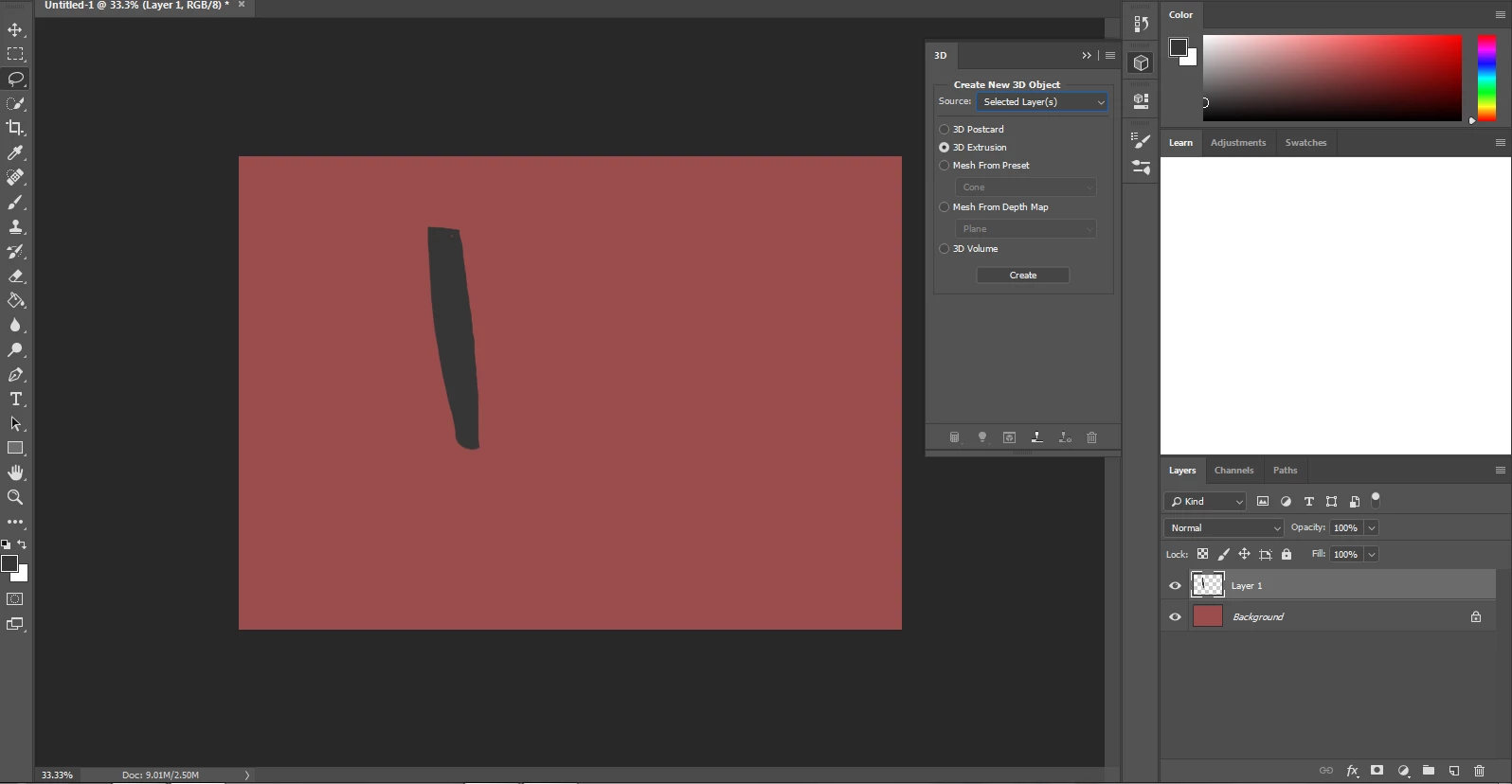
I made the background color and then a stroke of a different color on another layer, just like the guy
from the tutorial I was following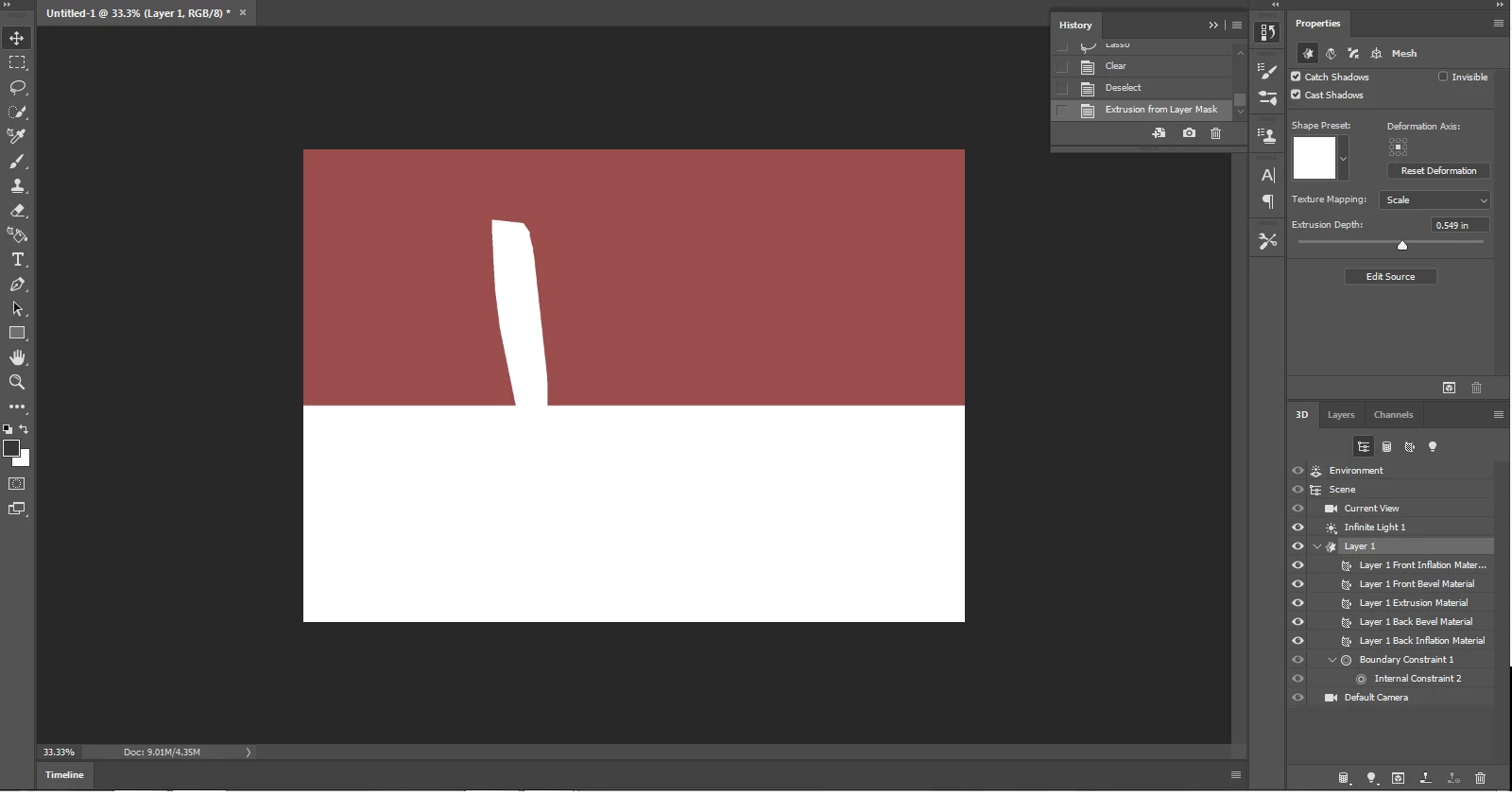
When I press 3d extrusion and create, my object turn white, and so does my cast shadow.
I've been struggling with this for HOURS nothing changes it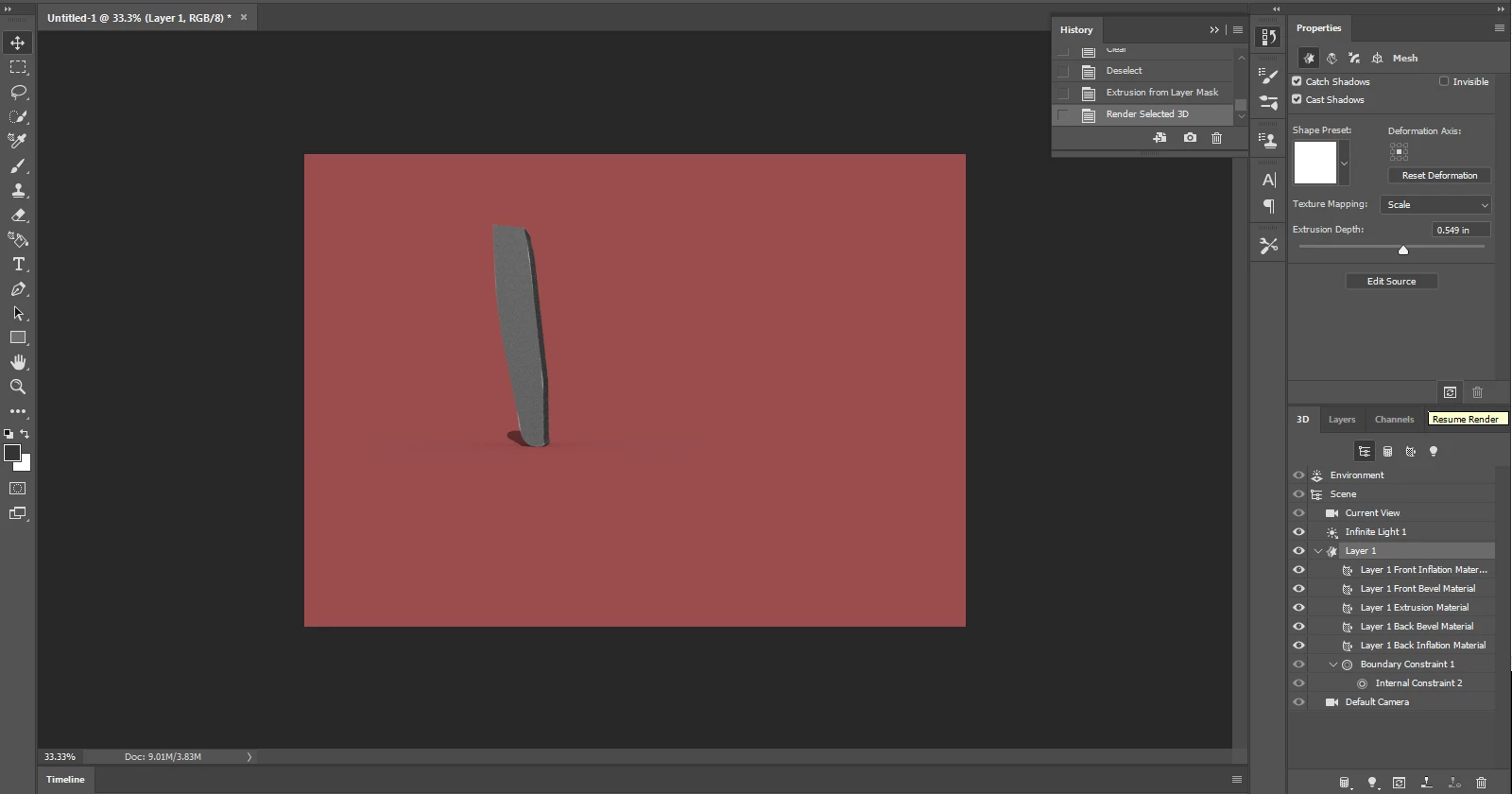
The only thing I could do to get a similar result to the tutorial I was watching was to press the render button on the layer 1 properies. But I should be able to see a preview, the person in the tutorial I was watching did not do this. As soon as he press create, it just came up. I don't know why this is happening
 AdChoices