
Known Participant
May 15, 2021
Question

Problem with selections - getting a warning that the pixels cannot be display

  • May 15, 2021
  • 2 replies
  • 1070 views

After updating to 22.4.0 I see a problem with selections - getting a warning that the pixels cannot be display
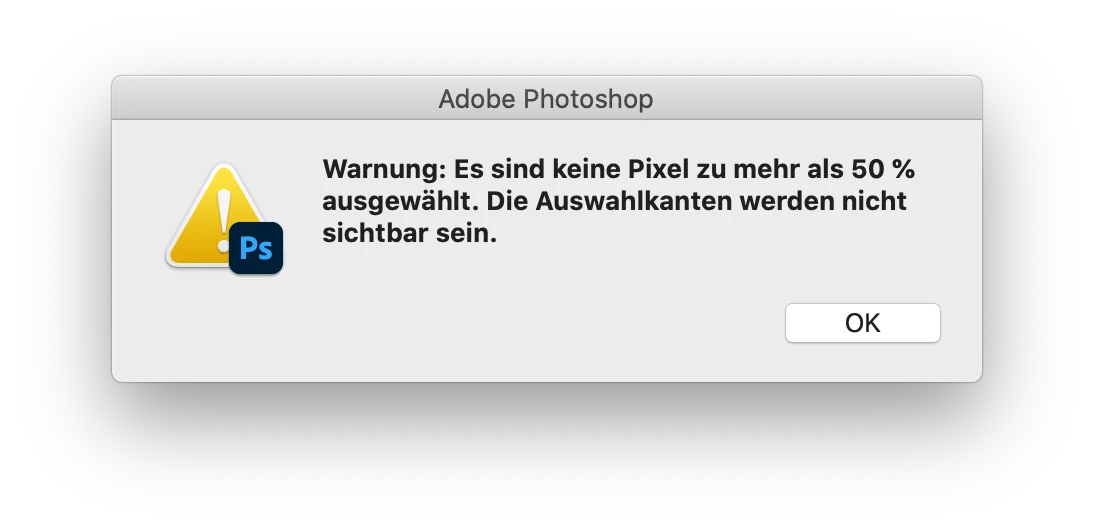
This problem does not show up in 21.2.8 - and 22.3.1 before. It looks like the action script for sharpening in use is still doing what it should, but I do not feel fine with it.

This topic has been closed for replies.

2 replies

Participant
May 15, 2021

I've the same message when running an action that creates luminosity masks by using intersect channel and duplicate selection while pre-22.4 the same action wasn't showing any pop-ups.


Any way to disable this pop-up message?

jane-e
Community Expert
Community Expert
May 15, 2021

@julianrv wrote:

Any way to disable this pop-up message?


No, not currently. You can add to the thread on the feedback forum that is read by the product developers:

https://feedback.photoshop.com/conversations/photoshop/photoshop-remove-unnecessary-warnings-like-no-pixels-are-more-than-50-selected-the-selection-edges-will-not-be-visible/5f5f46044b561a3d426e7340


~ Jane

jane-e
Community Expert
Community Expert
May 15, 2021

The marching ants only show if the pixels are more that 50% selected. I can't translate your screen shot, but I do see "50%".


See this help page in the section "Define a feathered edge for an existing selection"

https://helpx.adobe.com/photoshop/using/adjusting-pixel-selections.html

"A small selection made with a large feather radius may be so faint that its edges are invisible and thus not selectable. If you see the message “No pixels are more than 50% selected,” either decrease the feather radius or increase the size of the selection. Or click OK to accept the mask at its current setting and create a selection in which you cannot see the edges."


~ Jane

macz5024Author
Known Participant
May 15, 2021

Thanks Jane

This is the right screen for sure. What I do not understand is, why 22.4.0 shows this warning whereas it did not show up until 22.3.1 - and it still does not do so with 21.2.8???

jane-e
Community Expert
Community Expert
May 15, 2021

Hi

Which tool did you use to make the selection? Can you show the options bar for the tool you used? 

~ Jane