Participant
October 27, 2020
Question

Problem with spanish accents

  • October 27, 2020
  • 1 reply
  • 1091 views

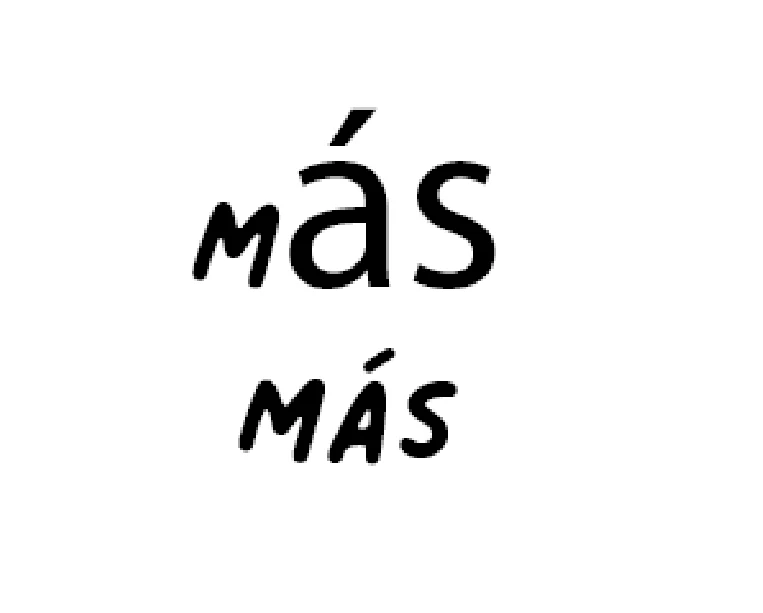
hi guys, i bought an opentype font that includes punctuation and accents, however photoshop can't recognize them. Something strange is that in word processors like Pages (From mac) it works without problem, however in photoshop the typeface changes to Myriad Pro when I try to use a Spanish accent like "Más""Cuánto"


when I write the whole word and select it and then choose the font, then it does recognize the accent, but it doesn't when I write with the active font


If anyone can help me I will appreciate it very much
This topic has been closed for replies.

1 reply

jane-e
Community Expert
Community Expert
October 28, 2020

Hi

One thing you didn't say is the name of the OpenType font you are using. Is it from Adobe Fonts? Not all typefaces have all glyphs, and you may be using one that does not include that accent. Here I have the accent with Myriad Pro.


Here are some things to try:

  • Use the Mac keyboard shortcut of Option+e > release > then type "a"
  • Open the Glyphs panel, confirm it is set for your typeface, and see if the glyph exists


If it doesn't exist, then the type designer did not create it, and you may have to choose another typeface. Try this first.


~ Jane