Participant
February 24, 2017
Answered

Problème avec texte sur photoshop

  • February 24, 2017
  • 2 replies
  • 535 views

Bonjour

j'ai photoshop 13.0 sans mise à jour.

J'ai essayé de prendre la dernière version en démo, même souci.

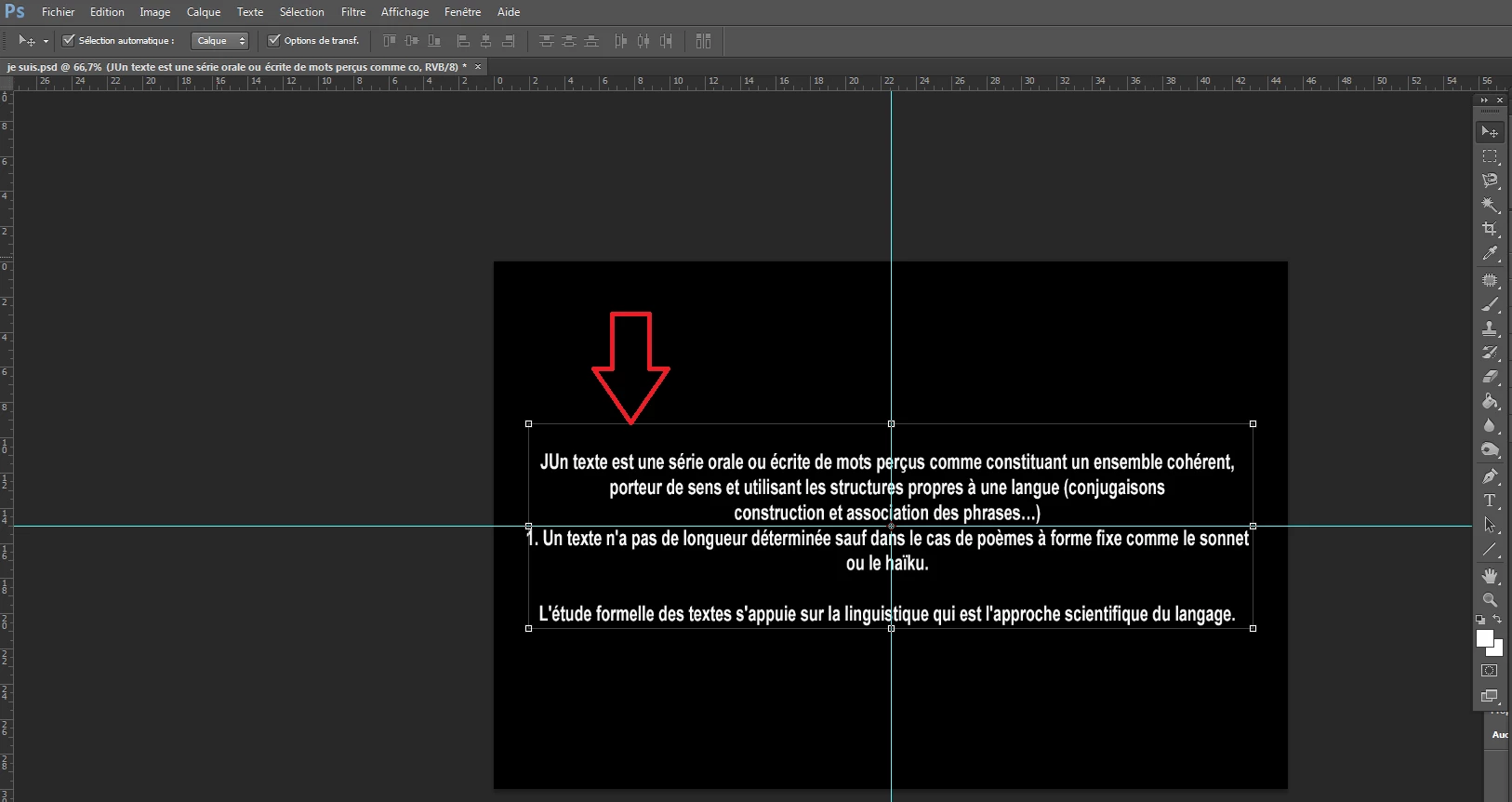
Voila mon souci, dès que je fais du texte je n'arrive pas à avoir un cadre centré sur la page, le cadre de sélection déborde et du coup impossible de le centrer sur le carré noir; avez vous un idée ?

Merci par avance
    This topic has been closed for replies.
    Correct answer postrophe

    Hi

    See : Specify alignment > Format paragraphs in Photoshop

    Pierre

    2 replies

    postrophe
    postropheCorrect answer
    Inspiring
    February 26, 2017

    Hi

    See : Specify alignment > Format paragraphs in Photoshop

    Pierre

    Participant
    February 26, 2017

    hi

    Merci pour vos réponses, je vais tester

    Thanks

    c.pfaffenbichler
    Community Expert
    Community Expert
    February 24, 2017

    Hello

    I have photoshop 13.0 without update.

    I tried to take the latest version demo, same problem.

    That's my concern, as soon as I do the text I can't have a framework centered on the page, the bounding box is full and so impossible to Center on the black square; do you have an idea?

    Thank you in advance

    Not sure I understand the problem.

    Have you tried using Point Text instead of Paragraph Text?

    Participant
    February 24, 2017

    Hi

    How to use point text?

    c.pfaffenbichler
    Community Expert
    Community Expert
    February 26, 2017

    See

    Change the orientation of a type layer

    on this page:

    https://helpx.adobe.com/photoshop/using/editing-text.html