Participating Frequently
October 12, 2020
Question

Problème couleurs JPG et PNG

  • October 12, 2020
  • 2 replies
  • 1236 views

Bonjour,

J'éspère qu'il y a des francophones par ici.

Je débute avec Photoshop et je suis audodidacte.

Je ne comprend pas pourquoi mes fichiers PNG sont ternes. Et je viens de voir que les JPG c'est pareil. Ils sont plus ternes que ce que j'ai lorsque je retravaille la lumière et les couleurs sous Photoshop.

A gauche de l'image le PNG que j'ai importé et qui a été crée depuis mon travail sous photoshop. A droite j'ai juste copié-collé de l'onglet travail a cette nouvelle page. Celui de droite les couelurs sont plus vibrantes.

Le JPG est comme l'image de gauche quand je l'importe.
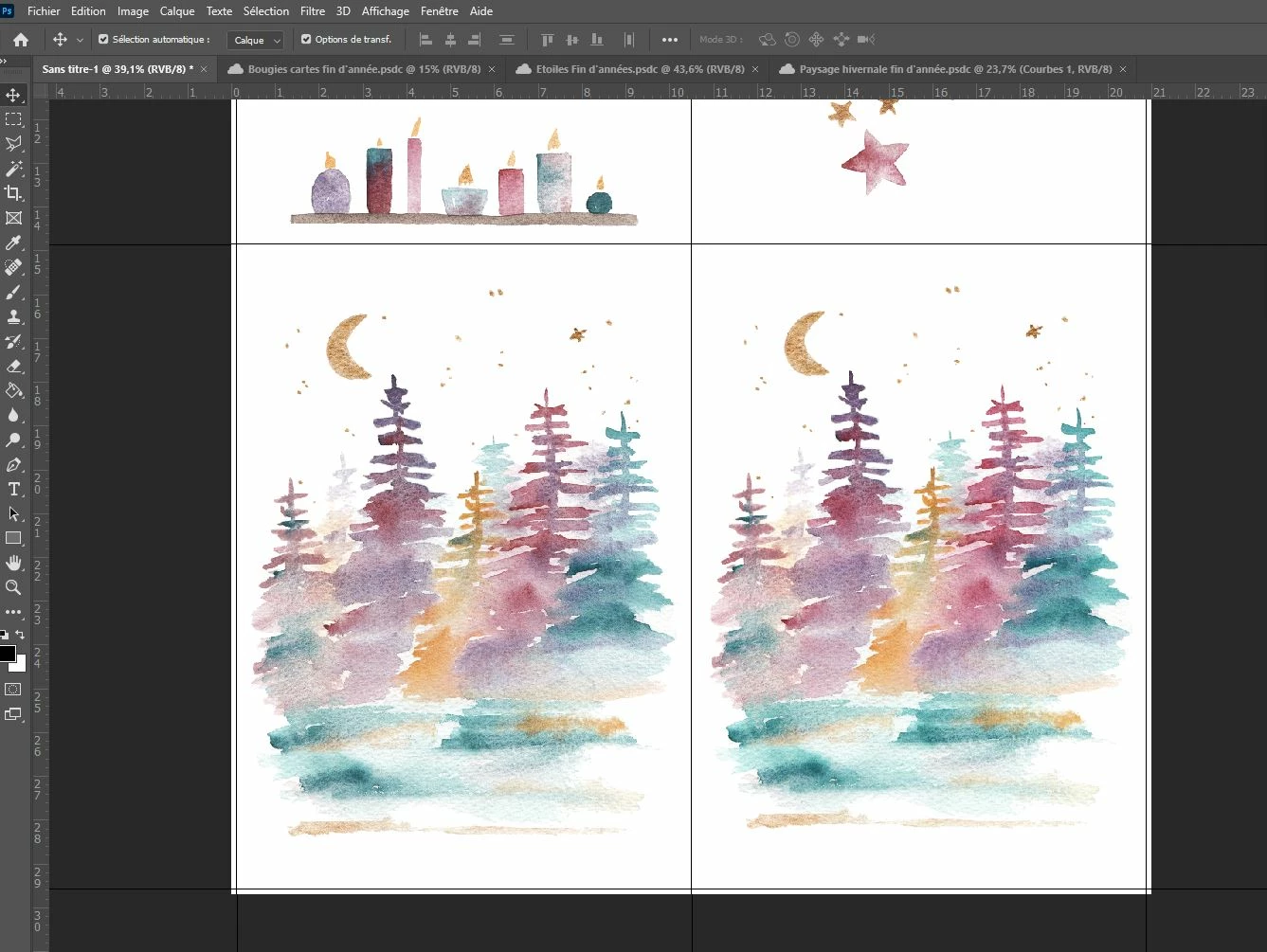


Je suis en RVB/8

Voici ce que j'ai aussi dans Couleurs
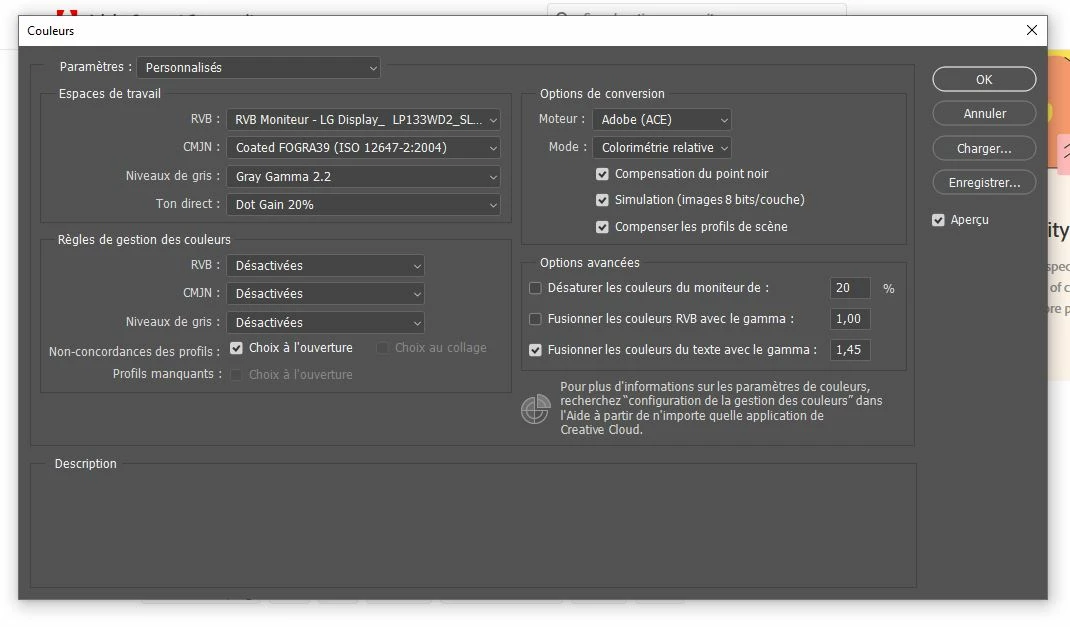
 

Si vous aves des pistes de reflexions. Merci beaucoup

This topic has been closed for replies.

2 replies

NB, colourmanagement
Community Expert
Community Expert
October 16, 2020

Bonjour, this might help you I hope.

Here is some reading on ICC profiles and how they work for you to provide accurate colour through the digital workflow: https://www.colourmanagement.net/advice/about-icc-colour-profiles/


I hope this helps

thanks
neil barstow, colourmanagement.net :: adobe forum volunteer
[please do not use the reply button on a message within the thread, only use the blue reply button at the top of the page, this maintains the original thread title and chronological order of posts]

c.pfaffenbichler
Community Expert
Community Expert
October 12, 2020

Please set the Status Bar to »Document Profile« and post meaningful screenshots. 


You seem to have your Color Management Policies set to »Off« (»Desactivee«).

And you seem to be using the monitor profile as the RGB Working Space.

That seem like two huge mistakes and you may want to read up on Color Management.   

Participating Frequently
October 15, 2020

Hi,


Here the document profile

Thank you, I will read some documentation 😉

c.pfaffenbichler
Community Expert
Community Expert
October 15, 2020

A screenshot of both images side by side please.