
Anteflores
Participant
November 25, 2019
Answered

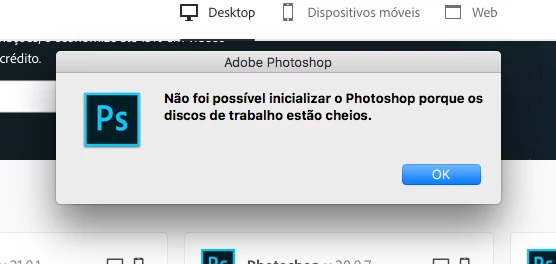
Problems to open the new version of Photoshop on macOS - Scratch Disk Full Error

  • November 25, 2019
  • 2 replies
  • 392 views

When i try to open Photoshop now, he send the message who "is not possible to inicialize photoshop 'cause the disks are full", but when i have 1G free in my HD he works fine, now i've 7G free, he's not open anymore. Can someone help me? #desperate
 

{Thread renamed by moderator}

This topic has been closed for replies.
Correct answer D Fosse

If that's 7 gigabytes free space, your disk really is full. That's next to nothing! I could fill that up in five minutes without even trying. You need to free up disk space ASAP.


Photoshop needs disk space to function. It moves large amounts of data around, and there's no such thing as enough RAM no matter how much you have. It has to go to disk.


Besides, your operating system needs free disk space as well. You risk freezing your whole machine pretty soon unless you do something.

2 replies

D Fosse
Community Expert
D FosseCommunity ExpertCorrect answer
Community Expert
November 25, 2019

If that's 7 gigabytes free space, your disk really is full. That's next to nothing! I could fill that up in five minutes without even trying. You need to free up disk space ASAP.


Photoshop needs disk space to function. It moves large amounts of data around, and there's no such thing as enough RAM no matter how much you have. It has to go to disk.


Besides, your operating system needs free disk space as well. You risk freezing your whole machine pretty soon unless you do something.

Sahil.Chawla
Adobe Employee
Adobe Employee
November 25, 2019

Hi there,

Sorry to hear about the scratch disk error, could you please try the steps mentioned here and let us know if it helps? https://helpx.adobe.com/in/photoshop/using/scratch-disks-preferences.html

Also, what opearting system version are you working on?

Regards,
Sahil