Participant
August 13, 2022
Answered

Problems Using Automate to Batch Resize Images

  • August 13, 2022
  • 1 reply
  • 800 views

Hi 

This is potentially quite a basic question but I am fairly new to photoshop and am running into problems using the Automate function in Photoshop. 


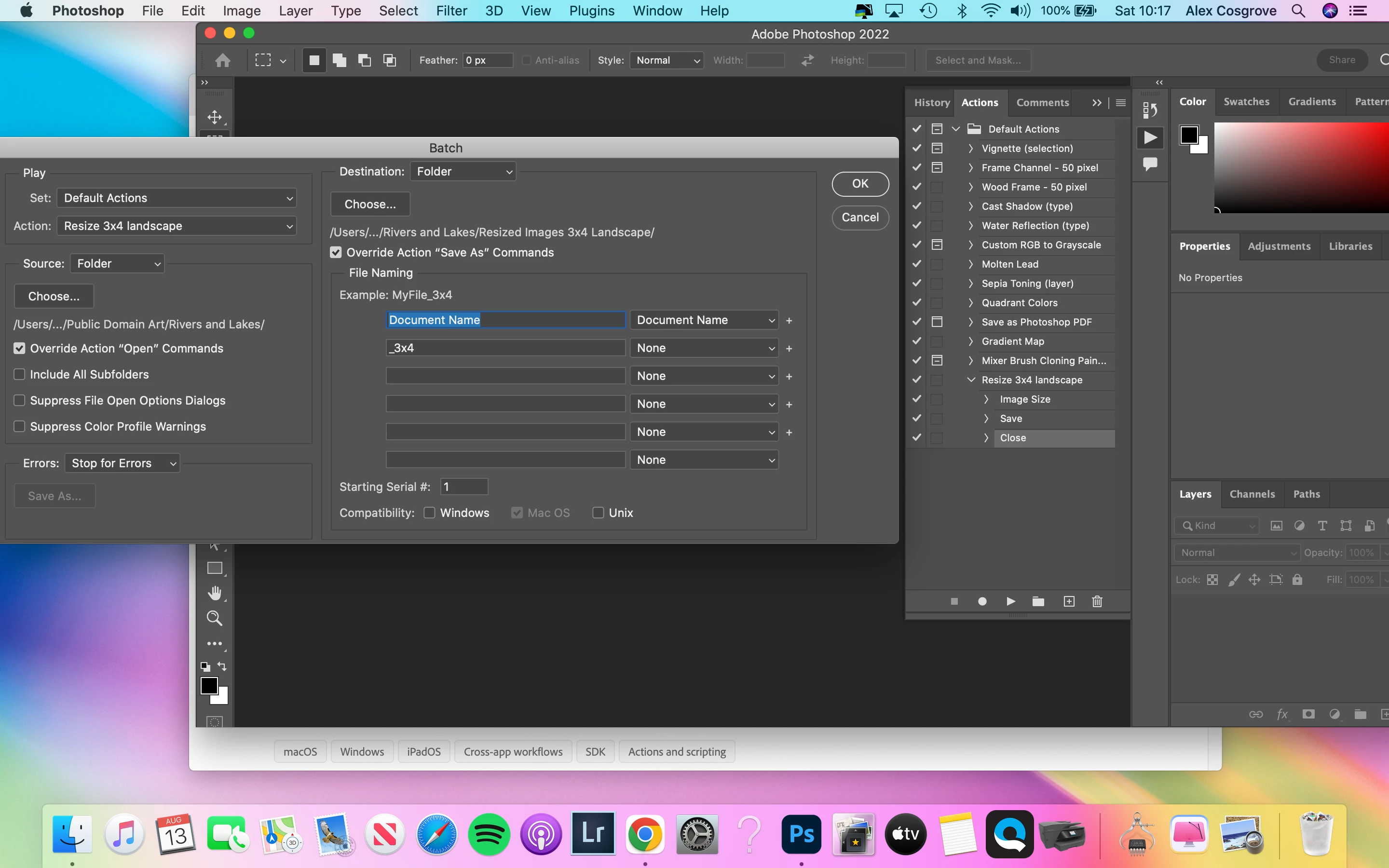
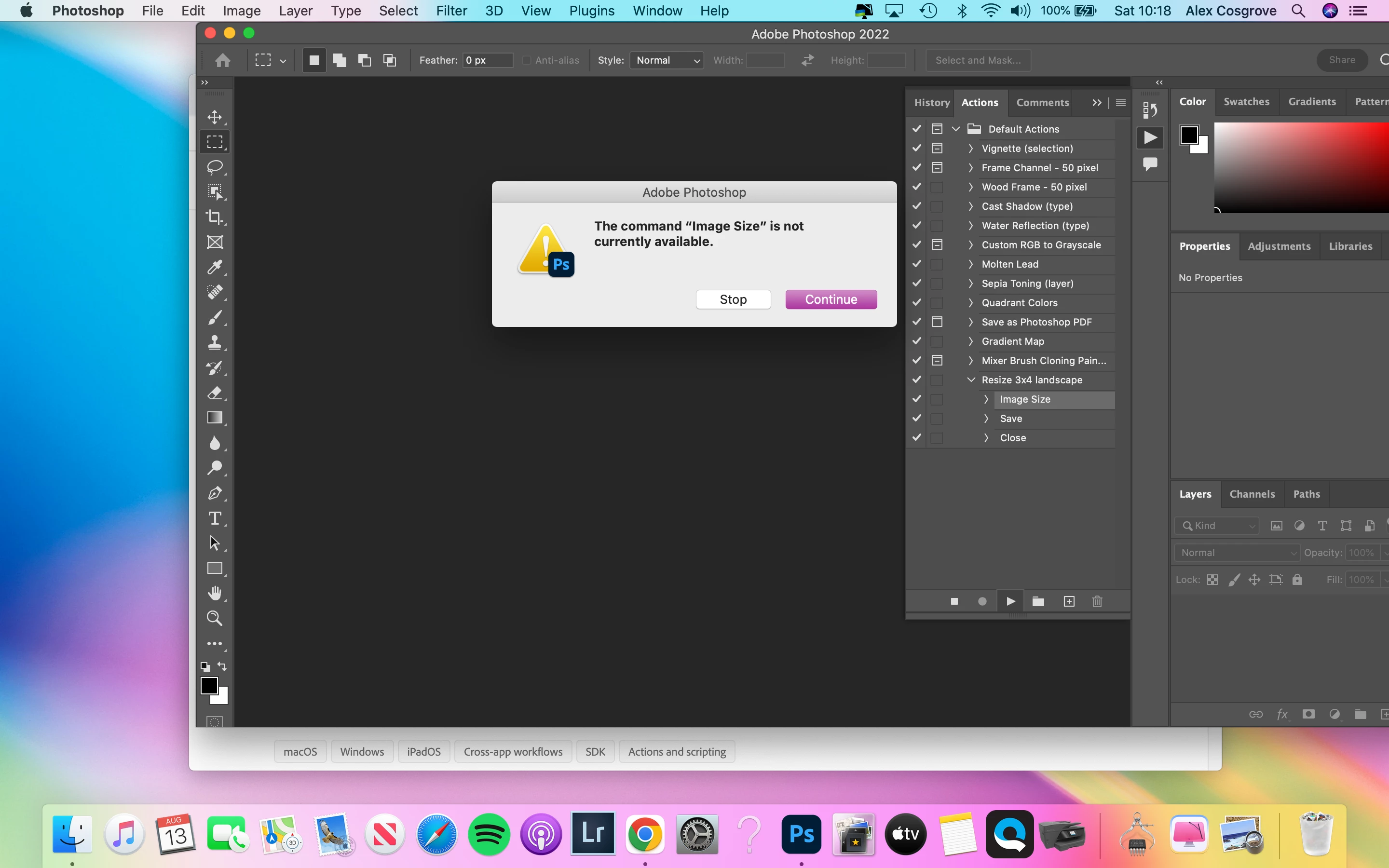
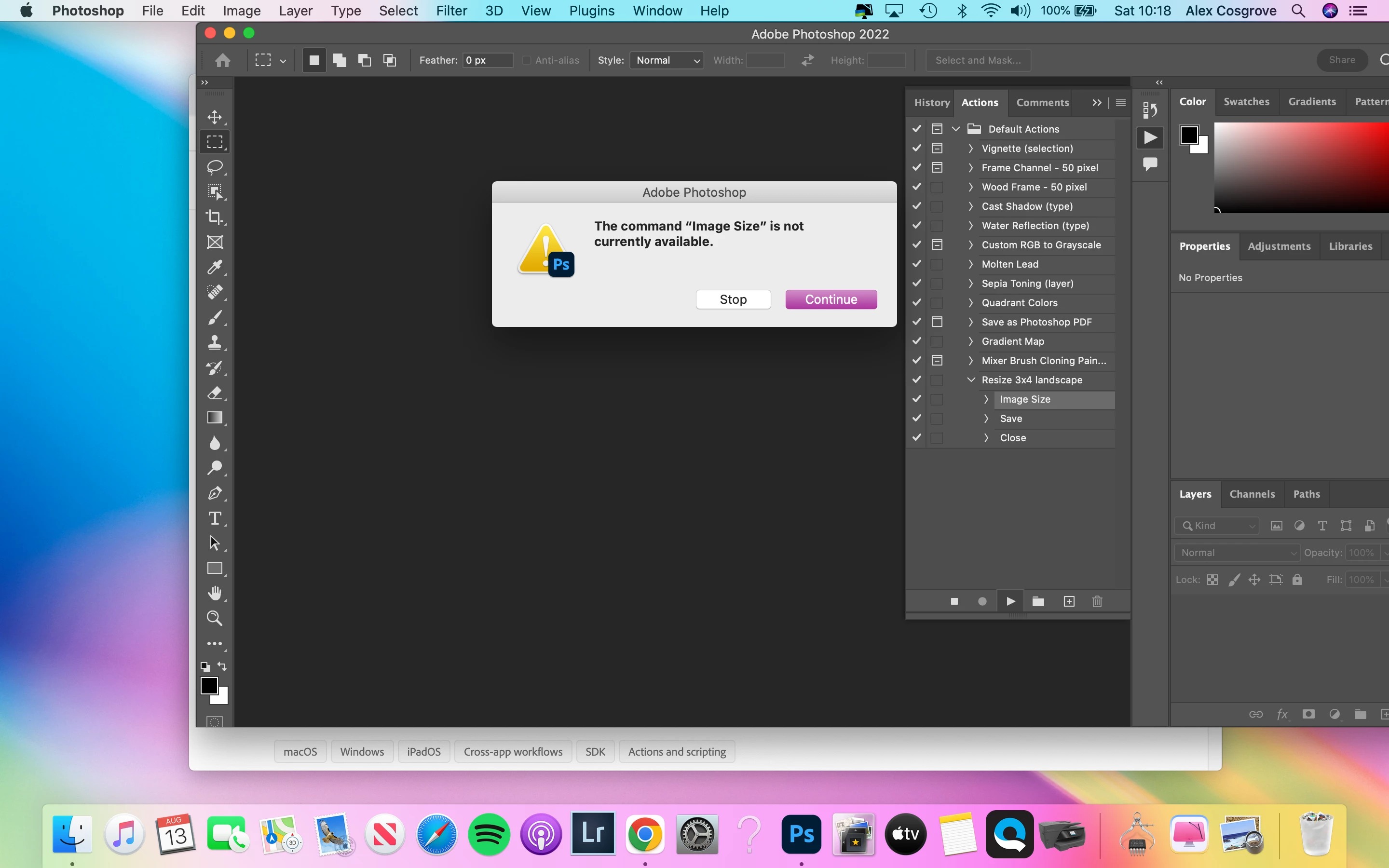
I created an action to resize the image and have tested it to check it works on a single file but then when I try and change file size using the automate function I get a pop up saying image size is not available, save is not available, close is not available.


Does anyone know what I am doing wrong ? Thank you in advance

(screen shots below)


This topic has been closed for replies.
Correct answer c.pfaffenbichler

There appears to be no open image so the various operations cannot be performed indeed. 

What exactly is in the Source Folder? 


1 reply

c.pfaffenbichler
Community Expert
c.pfaffenbichlerCommunity ExpertCorrect answer
Community Expert
August 13, 2022

There appears to be no open image so the various operations cannot be performed indeed. 

What exactly is in the Source Folder? 


Participant
August 13, 2022

Thank you! That's totally worked. I couldn't work out why it worked on an individual file but not the batch! Obviously you need to open them🤦🏼‍♀️ 

thanks