Participant
November 23, 2020
Answered

Problems with displaying masked images

  • November 23, 2020
  • 1 reply
  • 426 views

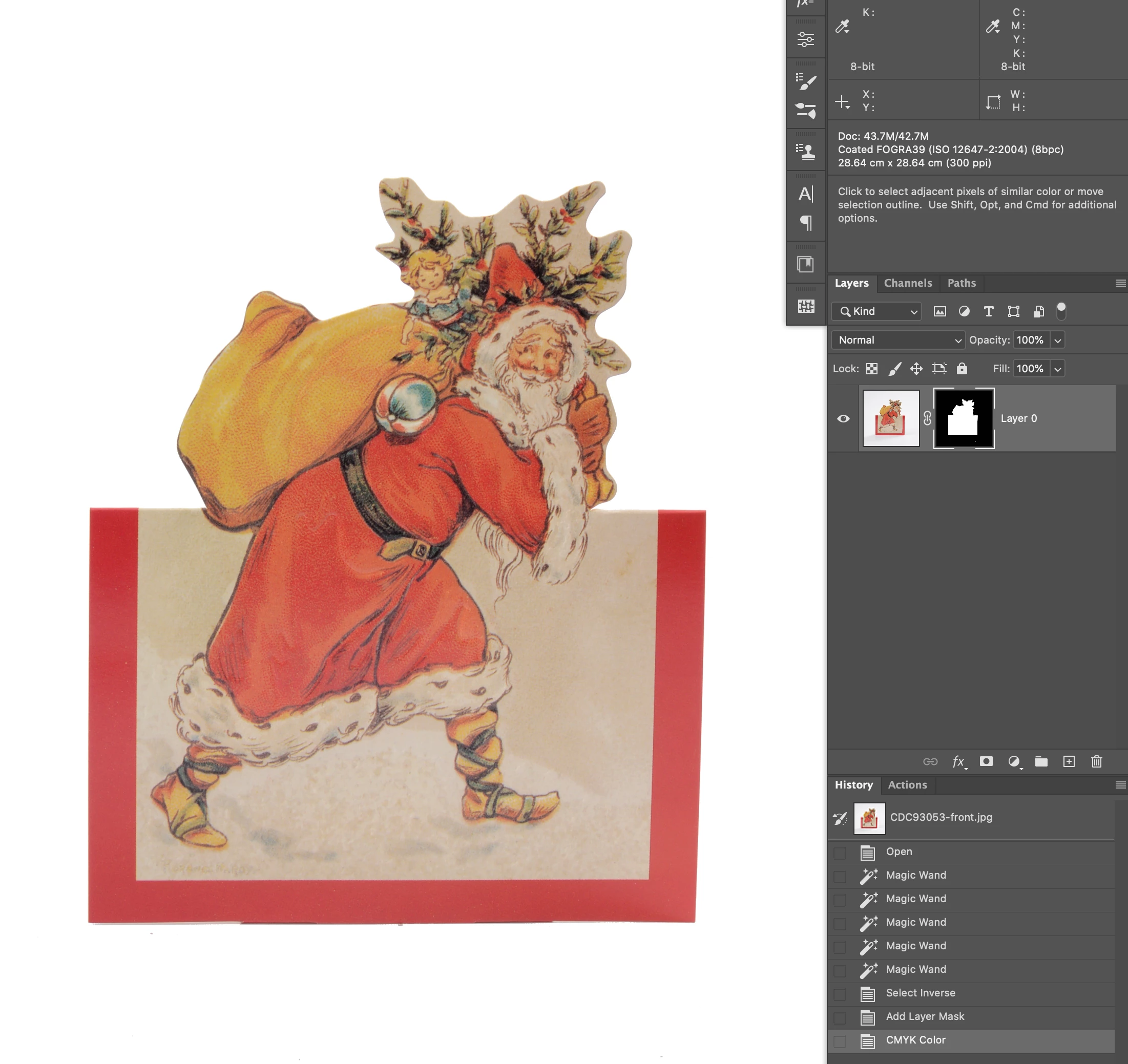
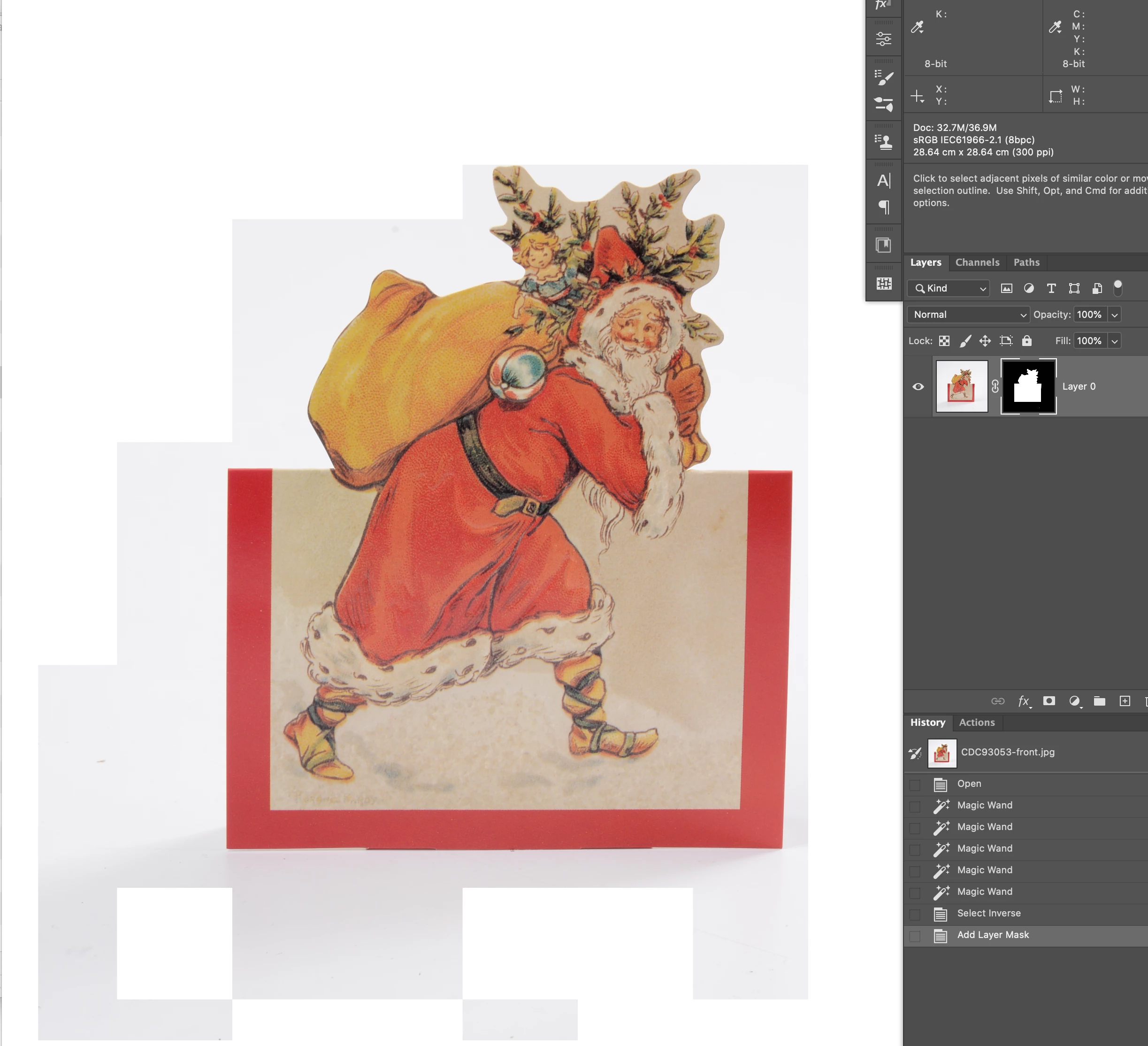
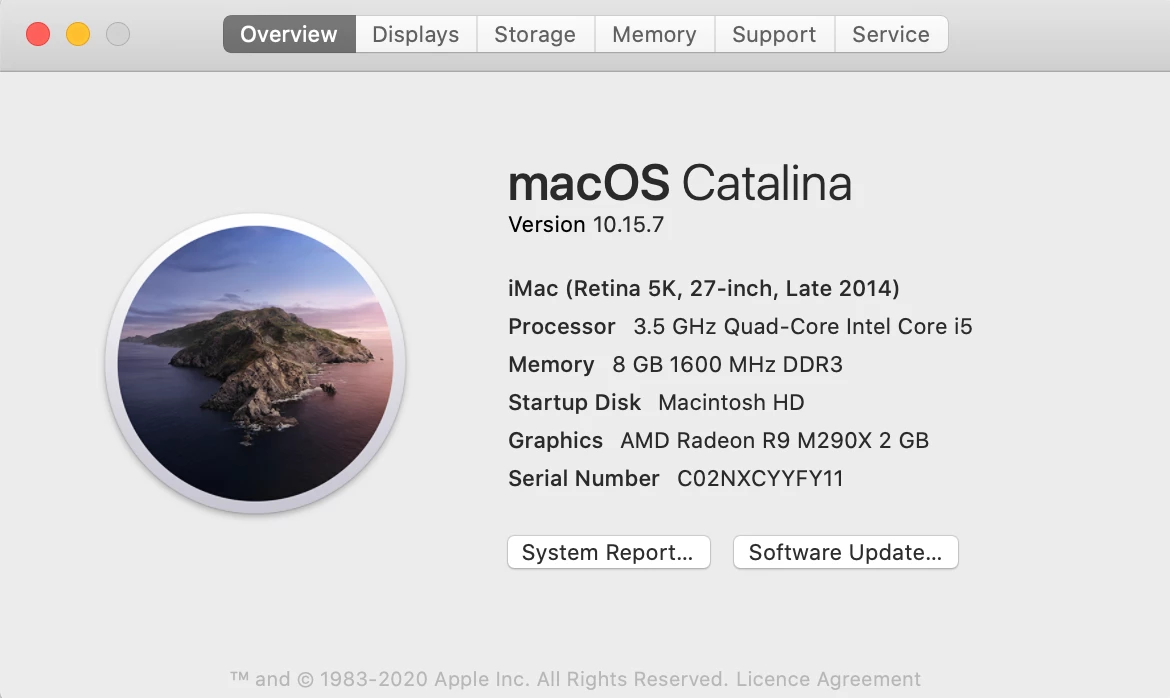
My masked images are not displaying correctly in RGB. When I convert to cmyk all is fine. The mask thumbnail displays correctly in the layers panel but not on the actual image. The image is fine as in if I save it and place into Indesign the masking is correct, but this problem is obviously making mask refinement impossible working in RGB. I have hobbled along with this problem for a while – it started with Photoshop 2019 but I could get round this by working in v2018 when required. Since upgrading to Catalina though my 2018 version won't launch. Currently using Photoshop 2021. Is this a hardware / graphics issue, or software. Screenshots attached of problems and my hardware set up (2014 imac – works absolutely perfectly for everything else). Hope someone can help!.
This topic has been closed for replies.
Correct answer IngridHn

Please try changing the Advanced Settings (and again restarting Photoshop). 


Do you still have Photoshop 2020 installed? Otherwise you could re-install it. 


In the advanced settings the Drawing Mode was set to Basic. I changed this to Normal – relaunched and it is now displaying perfectly. Thank you so much – I love you!!

1 reply

c.pfaffenbichler
Community Expert
Community Expert
November 23, 2020

To verify if it might be a GPU-driver-issue try turning off »Use Graphics Processor« in the Performance Preferences (Photoshop > Preferences > Performance > Graphic Processor Settings) and restarting Photoshop – does it have any bearing on the issue? 

IngridHnAuthor
Participant
November 23, 2020

It makes no difference – exactly the same result.

c.pfaffenbichler
Community Expert
Community Expert
November 23, 2020

Please try changing the Advanced Settings (and again restarting Photoshop). 


Do you still have Photoshop 2020 installed? Otherwise you could re-install it.