Participating Frequently
November 6, 2019
Question

Problems with Photoshop CC 2020

  • November 6, 2019
  • 3 replies
  • 3180 views
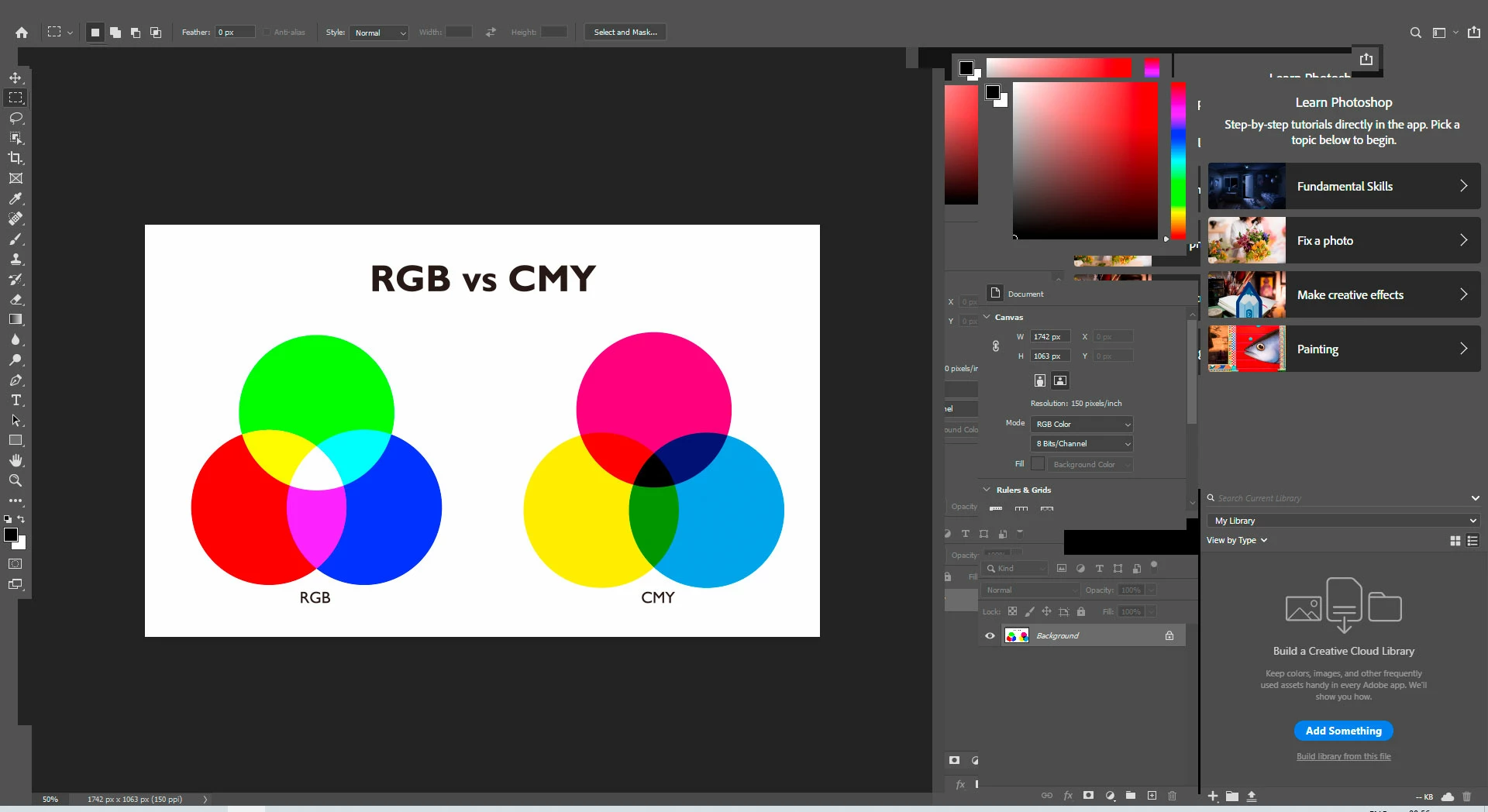
I downloaded the new update (V 21.0) today and have been having major issues. The program appears to be 'locked', and menus, icons and panels are not displayed (sometimes partially). I have uninstalled and installed several times. I am running on Windows 10.
 
If I can't fix the problem, I want to go back to the old 2019 version, because it was running really smooth...
 
Any help is appreciated!?
 
This topic has been closed for replies.

3 replies

giorgosb42496683
Participant
January 28, 2020

Provisionally.

This measure should be seen as an interim solution.
Start your PC in safe mode on Windows 10 with the Internet.

https://support.microsoft.com/en-us/help/12376/windows-10-start-your-pc-in-safe-mode

Semaphoric
Community Expert
Community Expert
November 6, 2019

That last screen grab looks like it has the Home screen and the Workspace open at the same time.

∀S∀Author
Participating Frequently
November 6, 2019

I don't know what the problem is. But everything is just a mess! Interface is not working properly. All menus at the top is missing. The panels are also messy or destroyed.

∀S∀Author
Participating Frequently
November 6, 2019

November 6, 2019

Hi

Have you tried resetting your Photoshop preferences

If that doesn't help you can go back to the previous version via the Creative Cloud app

∀S∀Author
Participating Frequently
November 6, 2019

Yes I have tryed all that... but I went back to 2019. And everything is OK agen. But I don't know what the problem is...

November 6, 2019

Not seeing any real issues here with Photoshop 2020 on Windows 10, I always keep the previous version installed in case of bugs in the new version