Participant
April 27, 2021
Question

Problems with Scrubby Zoom and Graphics Driver
  • April 27, 2021
  • 2 replies
  • 565 views

I can't seem to use scrubby zoom.

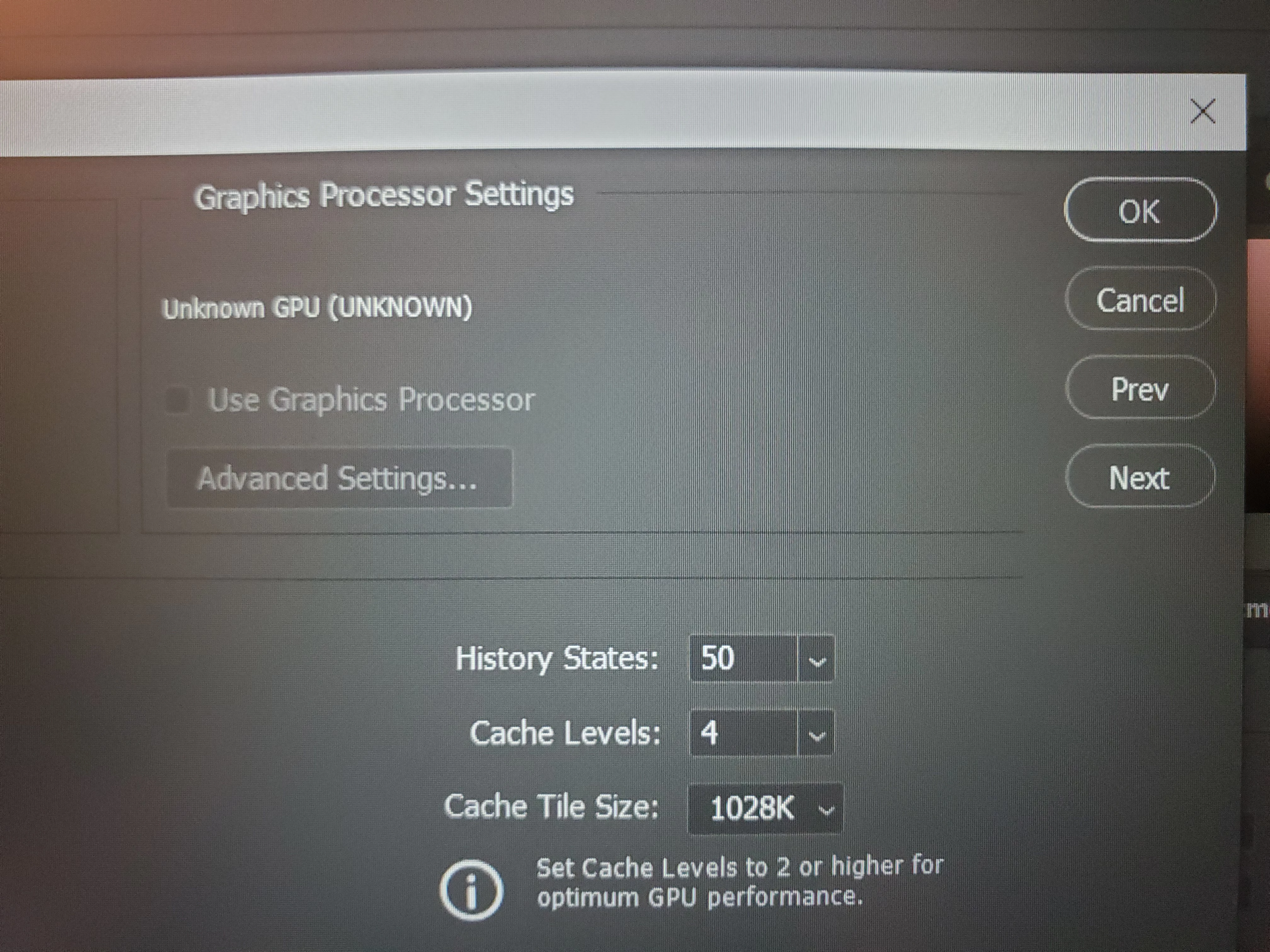
When I have the zoom tool selected, the scrubby zoom option is grayed out and I can't click it. I know the fix for this is to make sure use Graphics Processor is selected in the performance settings, but that is grayed out too.


I have windows 10.


I have the NVIDA Studio Driver and I have made sure it's updated. Photoshop is updated too.


This problem came up before, and I updated everything, then it went away. It's back even after I made sure everything is updated. 


Is there a setting in Windows that I need to change? Why doesn't Photoshop seem to recognize my driver? 

This topic has been closed for replies.

2 replies

Sahil.Chawla
Adobe Employee
Adobe Employee
May 7, 2021

Hi there,

Sorry to hear that you're not able to use the Scrubby Zoom feature in Photoshop after the last update.

Would you mind sending over Photoshop's Help > System Info dialog text to us? You could paste it in a message here, or use a paste service like http://pastebin.com to provide a link to the full text of the System Info.

Also, please try reverting to a previous version of Photoshop and see if that helps: https://helpx.adobe.com/download-install/using/install-previous-version.html

Regards,
Sahil

gener7
Community Expert
Community Expert
April 27, 2021

If you have 2021/v22.3.1, it's a well known problem.

See this thread:


https://feedback.photoshop.com/conversations/photoshop/ps-cant-detect-gpu/607682f11c425363485a1bcc?page=1


My solution was to roll back to 22.3