
PS 20.0.1 terrible banding with gradients
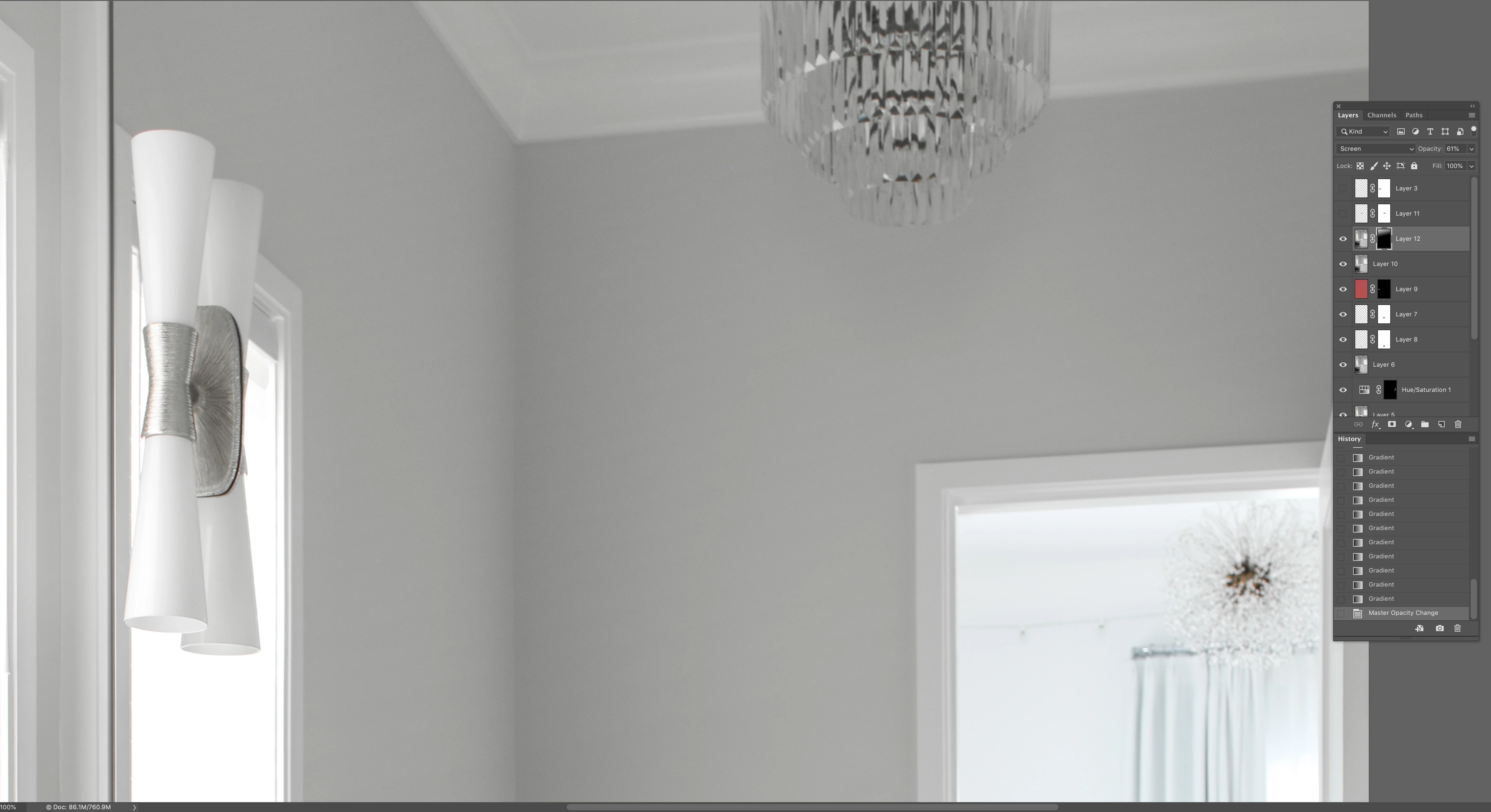
Hello, I am just noticing a pretty bad issue when working on photos in PS after the latest update. First the brushes seem laggy at times and cursors disappear while using for a few seconds and the program seems to "Think" then re-appear. But more importantly I am experiencing pretty sever banding when dragging out gradients. be them linear or radial, regardless of screen zoom level. For example, if I duplicate an image layer, change the blend mode to screen, or multiply to either help darken or lighten an area or portion of the image, and add a layer mask and use a gradient on the mask, that is when I will get a terrible and noticeably visible banding through the transition. I was curious if anyone else is experiencing this or if there is a setting I need to address. I am working on a 5k Imac late 2014 that is running Mojave 10.14.1 with a 4GHz i7 with 32GB memory and an AMD Raedon R9 M295x graphics card. Prior versions of PS were not exhibiting this behavior. The banding remains, but will change its spread when feathering in properties is altered, or the opacity of the layer is changed as well. It will also get locked into the file when flattened and resized or saved and remains visible. I have attached a screen shot which hopefully can show this well. Thank you in advance for any help or insight anyone may be able to offer.
 AdChoices