This might have happened as a side effect of the changes Adobe made to the Undo command in Photoshop CC 2019 (v. 20). They brought the behavior in line with other current applications where choosing Undo repeatedly moves you one more step back in the History panel, instead of toggling Undo and Redo.
If this the explanation, I would expect that your custom F1 shortcut was working fine in the versions before version 20. Since the shortcuts got changed around in v. 20, that might have affected customizations.
jnwbr wrote OK, this is weird. Going into Keyboard shortcuts I found this: 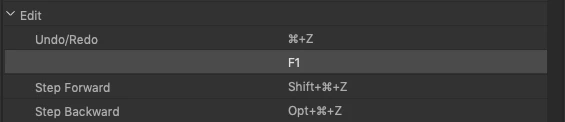
How F1 got assigned here is a mystery. |
F1 is there because it has been used as an alternate default shortcut for Undo in the past, on the Mac. There's no heading to the left of it in that dialog box because it's a second shortcut for Undo/Redo.
F1 as Undo/Redo by default is also documented in the Function Keys section of the online Photoshop shortcuts reference:
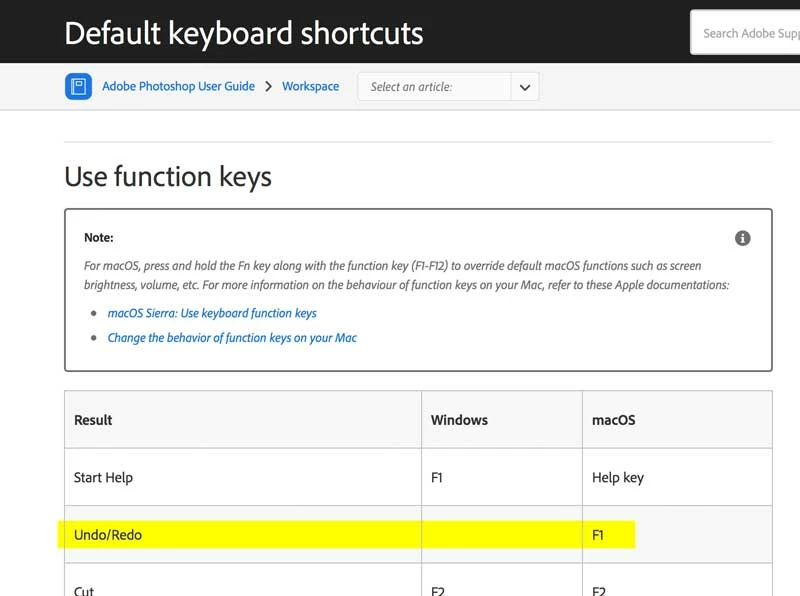
Apparently the change in Undo during the upgrade created some crossed wires somewhere, but it sounds like deleting and resetting things has now got it set the way you needed.

 AdChoices