
Participant
April 14, 2020
Answered

PS 2020 - Eliptical marquee tool

  • April 14, 2020
  • 4 replies
  • 936 views

I have just updated to 21.1.2 (automatic update) since when selecting the eliptical marquee tool generates a Warniing msg. - "No pixels are more than 50% selected.  The selection edges will not be visible".


This appears to be affecting only the Eliptical Marquee Tool.  Rectangular, Lasso, Polygonal all appear to function normally.  Problem tool worked perfectly before update.

Screenshot image included: -
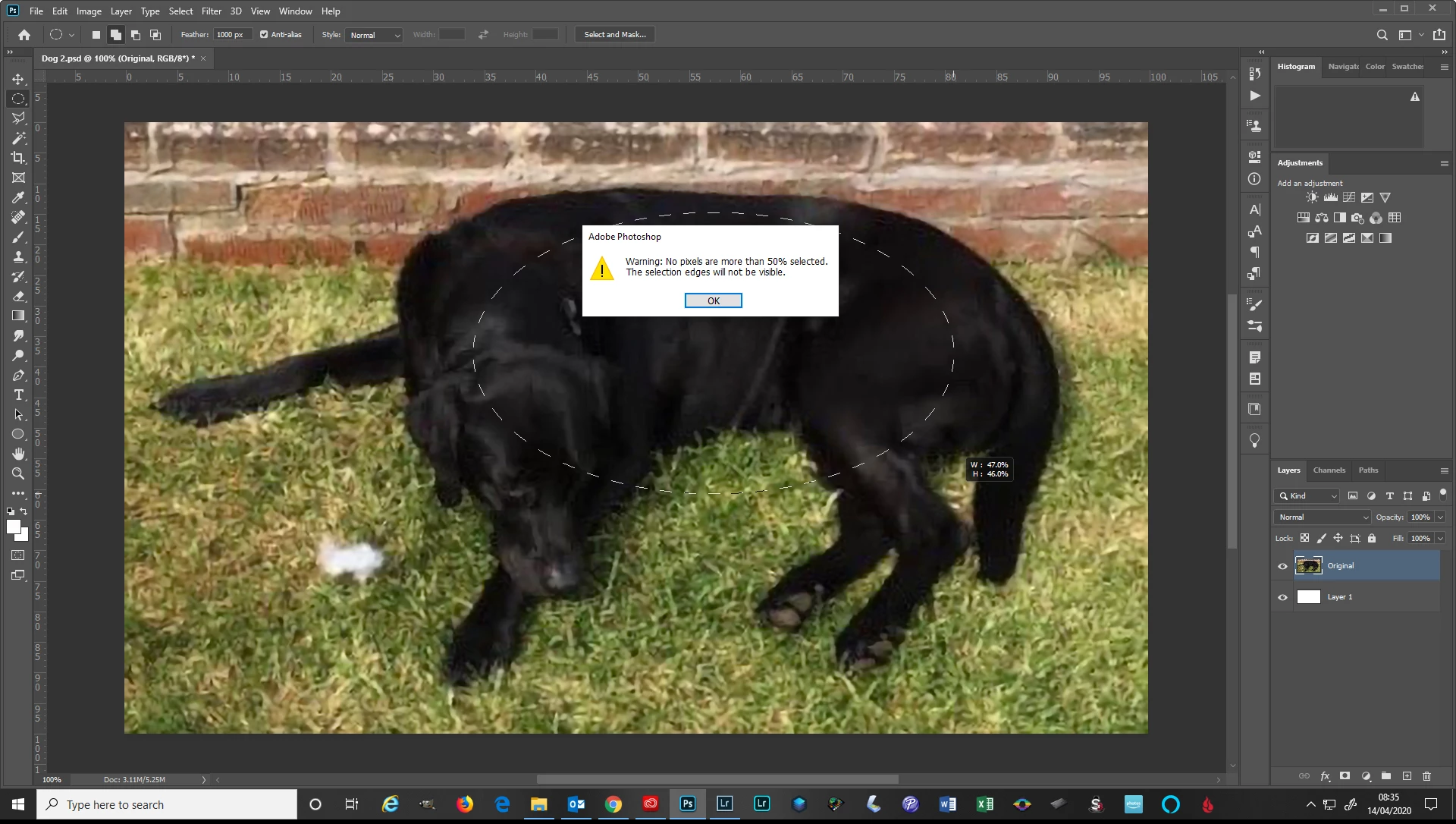
 

Please advise.  Thank you.


Ken Buck


This topic has been closed for replies.
Correct answer c.pfaffenbichler

Try setting the Feather in the Options Bar to 0px. 

4 replies

buxie44Author
Participant
April 22, 2020

Many thanks for the solution.

Marja de Klerk
Inspiring
April 14, 2020

Yes, your Feather is set to 1000 px. That way no pixels can be selected. 

lambiloon
Community Expert
Community Expert
April 14, 2020

Hi yes very simple way to reset preferences from edit menu to revert to defaults....regards

Ali Sajjad / Graphic Design Trainer / Freelancer / Adobe Certified Professional
c.pfaffenbichler
Community Expert
c.pfaffenbichlerCommunity ExpertCorrect answer
Community Expert
April 14, 2020

Try setting the Feather in the Options Bar to 0px.