PS 25 - PNG-JPG Imported into document at 100% displays with 1px offset
Hi,
Kindly see screenshot of the issue.
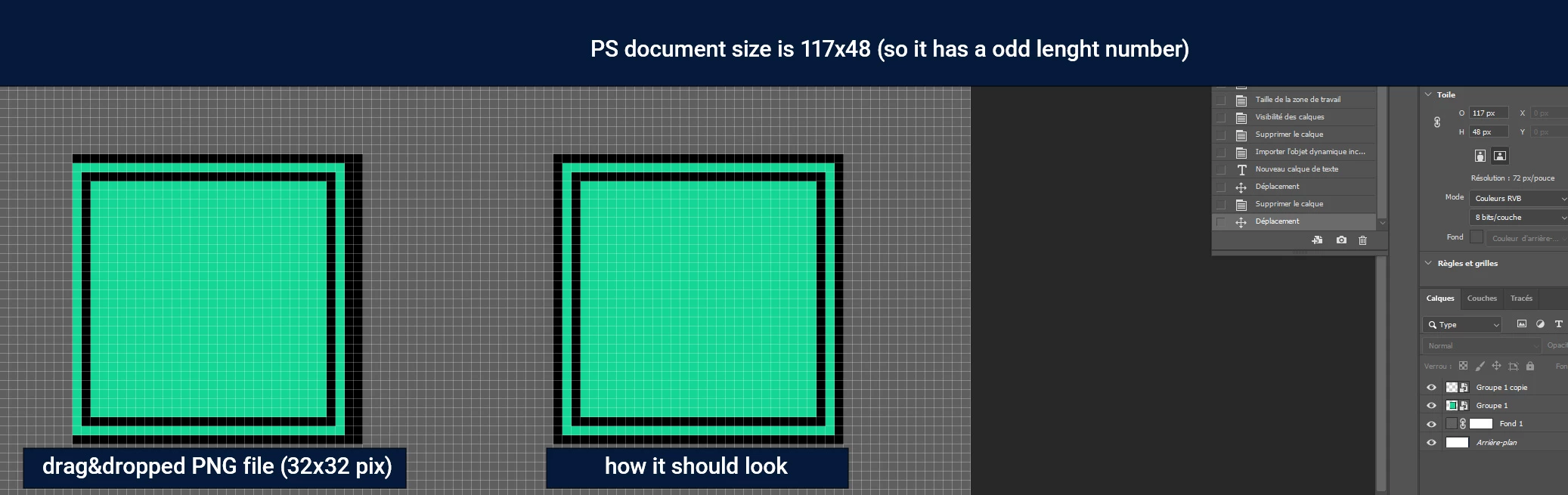
to reproduce make sure the assets are not resized on import and stay 100% size :
- create a document with an ODD number in lenght, for ex 117x48
- import an asset with EVEN numbers (png or jpg, for ex 32x32) with a drag and drop into the document. This create smartobject layers but the display is offset by 1 pixel.
- this can only be fixed by using transformation (ctrl+t) and hiting enter
You can "double" the issue with an odd number for height, it will offset also 1 pix looking like :
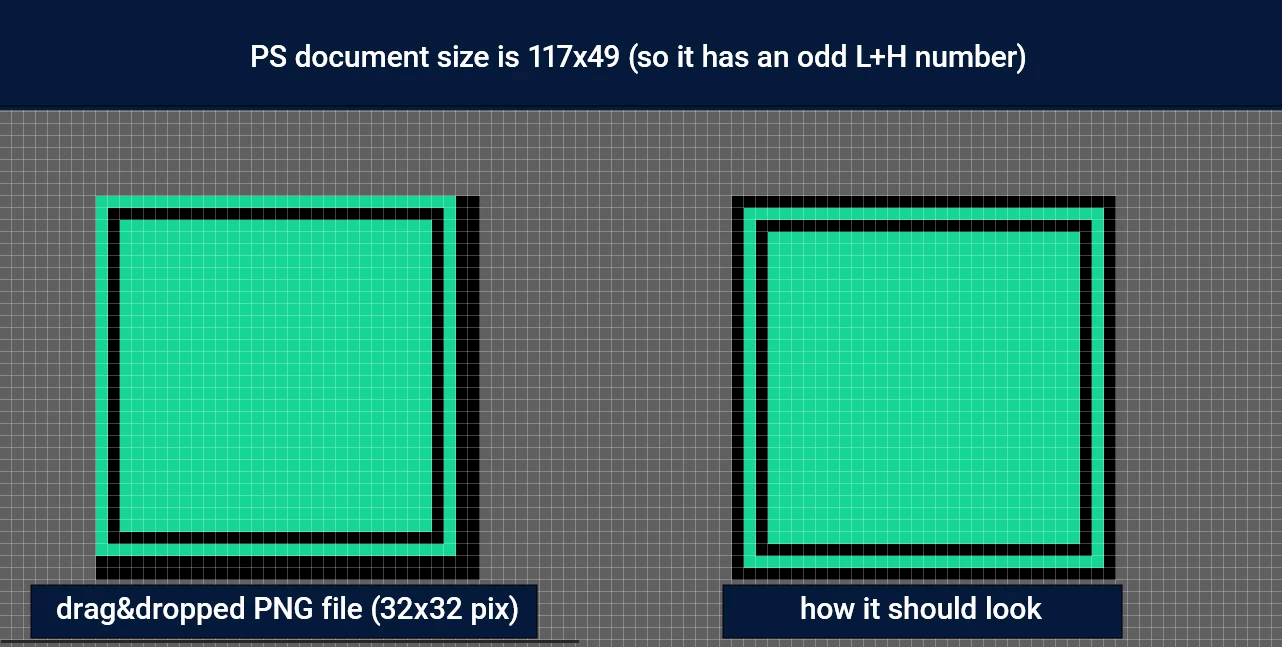
you can do a vice-versa with an even document (ex: 500x200) and odd asset size (ex 33x57) and have the same display bug. But here, the tranformation need to be nudged 1 pix to fix it, because the bounding box is on a half pixel.
This is really not optimal for UI design or any pixel perfect art for exemple and this issue has been happening since a few versions already on different windows PCs. Im surprised I havent found any mention of this on the community. Maybe it's a setting I'm not aware of ?
 AdChoices