
Answered
PS and IL shows different colors - same file
I'm working on a project using both Photoshop and Illustrator.
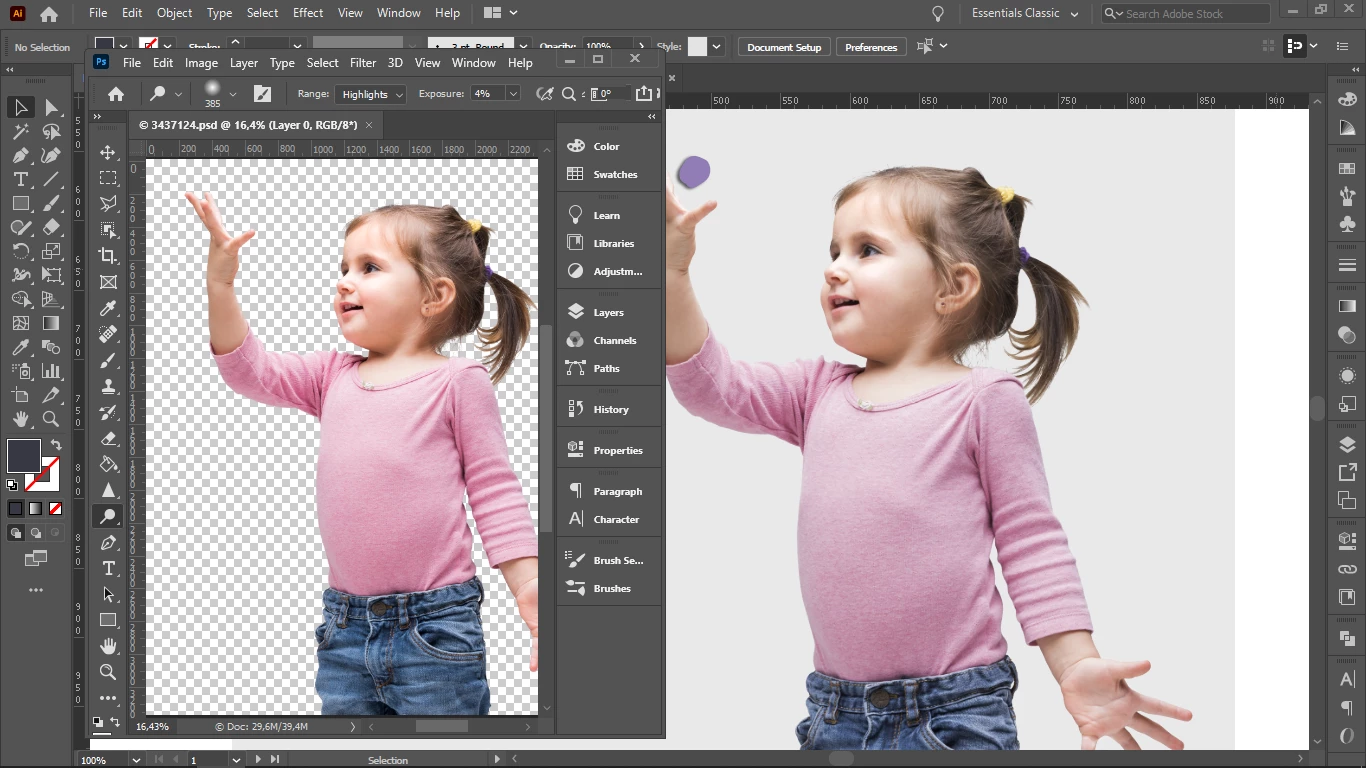
When I save a photo as png. in Photoshop and then place it in Illustrator I see the colors changed.
Every setting is synchronized and I am working in the same computer, so nothing has changed in between. I open both windows one next to the other and I see the same picture differently. In PS the colors are more saturated than in IL.
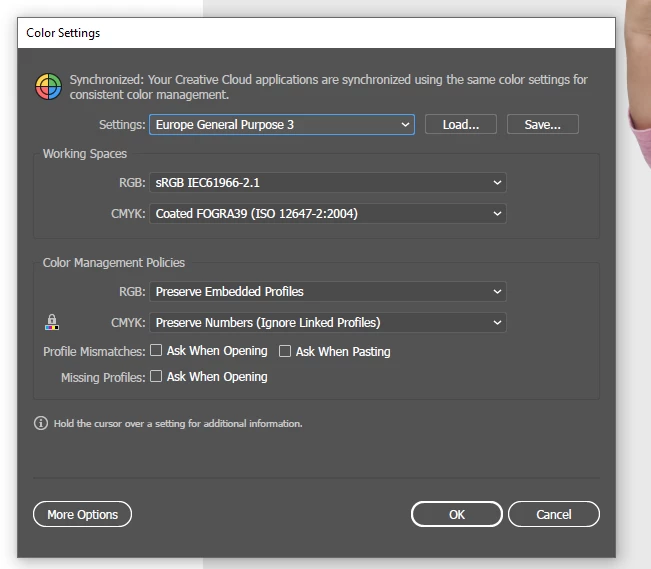
Both programs are in RGB and same resolution. When I click "Edit - Color settings" it says: "Your Creative Cloud applications are synchronized using the same color settings for consistent color management". Then why do colors change?
Please help!
 AdChoices