Photoshop Option:
This is another "proof of concept", the script could be written to handle batch processing using an action and or to save the files as well, without being dependent on the Batch command.
#target photoshop

// Keyword to Filename _Prefix.jsx

/*
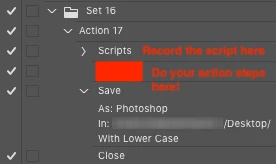
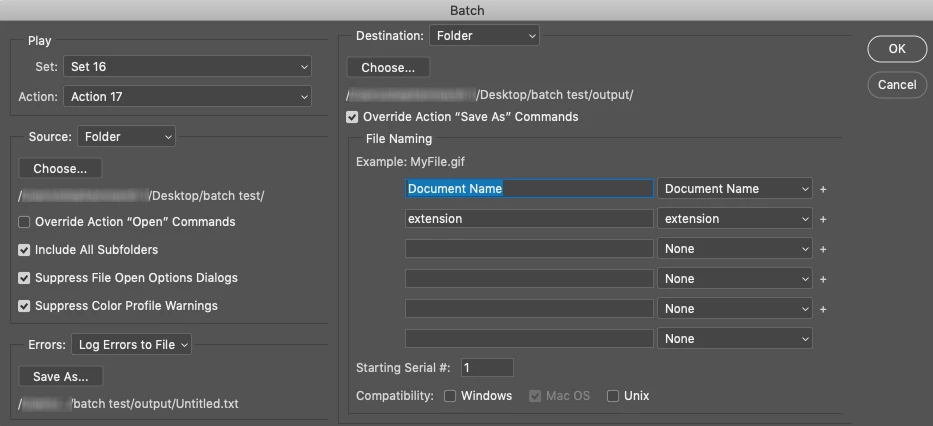
A "proof of concept" helper script for the Batch command using a Destination folder with Override action "save as" commands. The action should include "save" and "close" steps. This script should be added to the action as the first step.
*/

/* Start check for unsaved doc */
unsavedDocCheck();

function unsavedDocCheck() {
    if (!documents.length) return;
    try {
        var savePath = activeDocument.path;
    } catch (e) {
        alert("The document must be saved before running this script!");
        return
    }
    /* Finish check for unsaved doc */

    /* Start main code */
    var origDoc = app.activeDocument;
    var baseName = origDoc.name.replace(/\.[^\.]+$/, '');
    var sep = String("_");
    var prefix1 = origDoc.info.keywords;
    // RegEx1 to isolate the first keyword, RegEx2 to sanitize keyword
    var prefix2 = prefix1.toString().replace(/(.+?)(,.+)/, '$1').replace(/[^A-Z 0-9-_]/gi, '');
    var dupeName1 = prefix2 + sep + baseName;
    // RegEx to clean leading underscore if no keyword present
    var dupeName2 = dupeName1.replace(/(^_?)/, '');
    // true to merge layers
    origDoc.duplicate((dupeName2), false);
    // (SaveOptions.SAVECHANGES)
    origDoc.close(SaveOptions.DONOTSAVECHANGES);
    /* Finish main code */

}
https://prepression.blogspot.com/2017/11/downloading-and-installing-adobe-scripts.html


 AdChoices