
Participant
August 12, 2022
Question

PS Canvas border artifacts

  • August 12, 2022
  • 3 replies
  • 1969 views

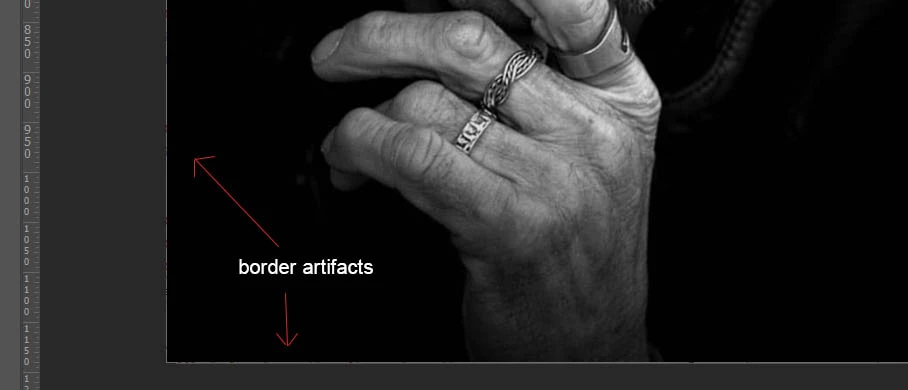
This is probably a bug, but has anyone been experiencing odd artifacts on the border area of an opened file? This seems to have started since the recent PS updates...including a message that popped up now saying My Graphics processor is incompatible--could this be the issue?

But the artifacts look like this:


As for the incompatible notice, this is what showed up after a recent update:
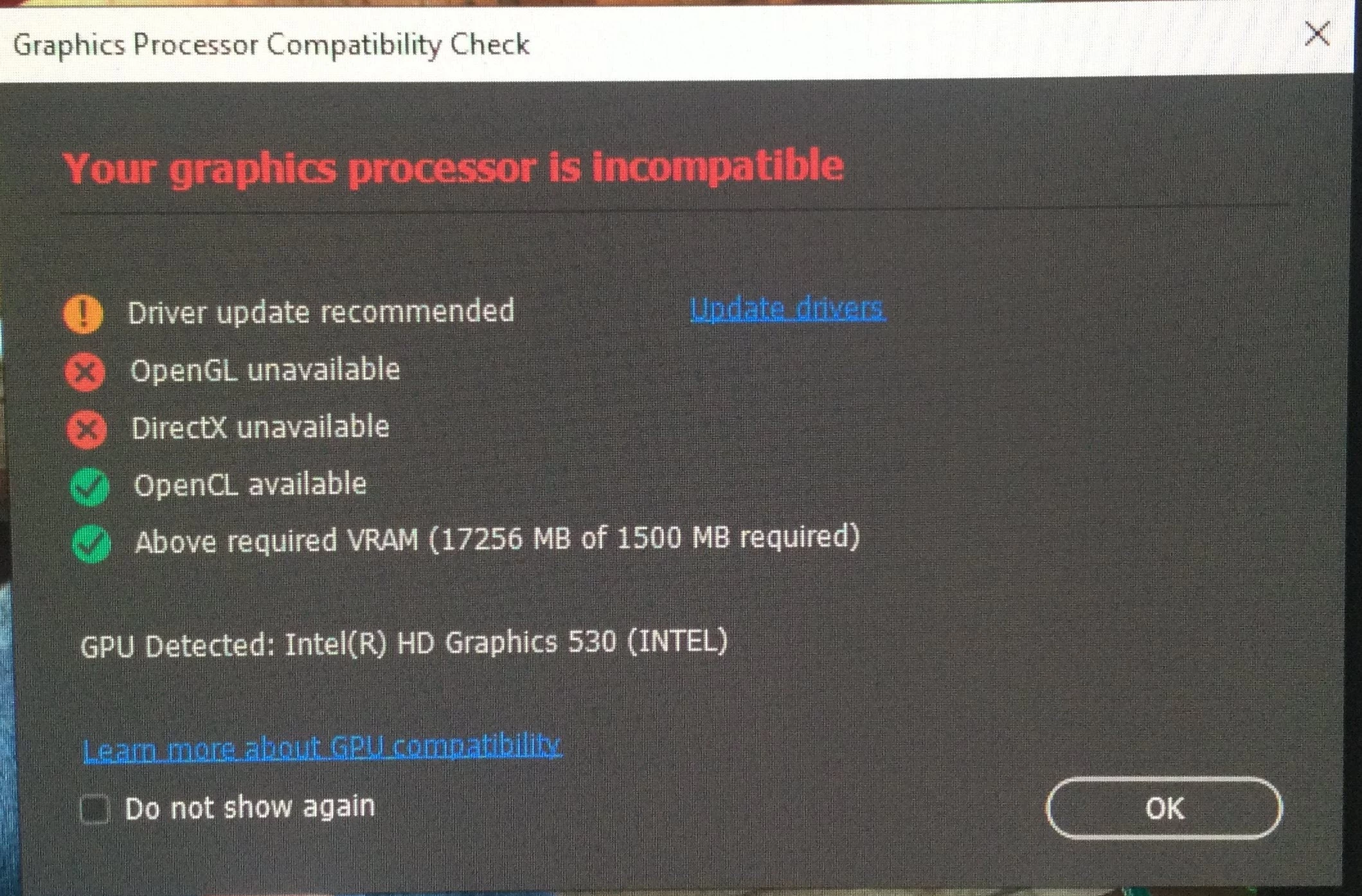


Basically, everything above started since the recent update to PS. As for my system, I have a Dell Precision Mobile workstation 7710, everything on the system is updated via Dell for drivers. My graphics is NVidia Quadro M3000M.


Anyway, these artifacts are driving me nuts. I tried one thing mentioned in another posting where to check the box next to "Deactivate Native Canvass". That froze PS when opening a file.

This topic has been closed for replies.

3 replies

TheDigitalDog
Inspiring
May 11, 2023

If you disable GPU, do the artifacts disappear?

Author “Color Management for Photographers" & "Photoshop CC Color Management/pluralsight"
LHClub
Participating Frequently
May 11, 2023
quote

If you disable GPU, do the artifacts disappear?


By @TheDigitalDog


Yes

TheDigitalDog
Inspiring
May 11, 2023

If turning OFF the GPU works, it's a GPU bug, and you need to contact the manufacturer or find out if there's an updated driver for it. This is why disabling GPU is an option as more and more functionality moves to the GPU in newer versions of many Adobe products. Disable third-party graphics accelerators. Third-party GPU overclocking utilities and haxies aren't supported.


Also see: https://helpx.adobe.com/lightroom-classic/kb/troubleshoot-gpu.html

If the GPU and display profile isn't causing the problem, see:

https://helpx.adobe.com/lightroom-classic/kb/lightroom-gives-error-preview-cache.html

Author “Color Management for Photographers" & "Photoshop CC Color Management/pluralsight"
LHClub
Participating Frequently
May 11, 2023

Same thing.
Photoshop 2023 24.4.1.449
Windows 11 Pro 22H2 22621.1702
Intel UHD Graphics 610

Bojan Živković11378569
Community Expert
Community Expert
August 12, 2022

Graphic card should be good enough. Have you tried to update driver from vendor site as requested in that dialogue?