Known Participant
December 11, 2018
Answered

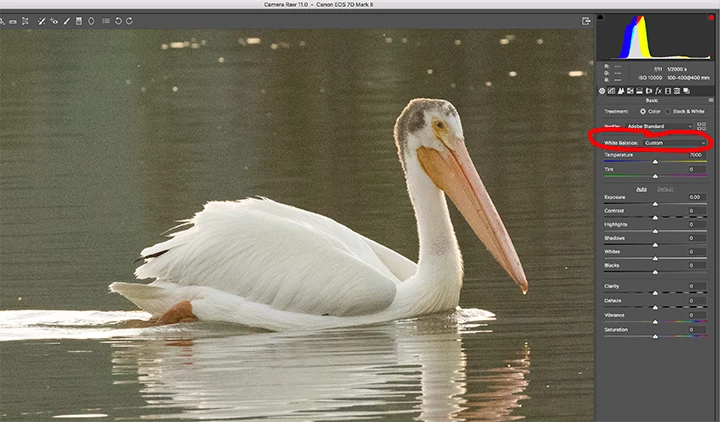
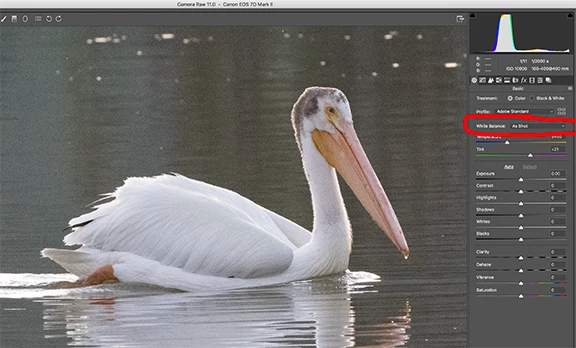
PS defaults to "Custom" instead of "As shot"

  • December 11, 2018
  • 1 reply
  • 314 views

I use Adobe Photoshop CC 2019 to process my CR2 raw files. Lately, when I open a CR2 file to save it as a TIF, the White Balance is defaulting to the "Custom" setting instead of "As shot." Please tell me how to change this to default to "As shot." Thanks.
This topic has been closed for replies.
Correct answer D Fosse

This is part of your ACR default settings. See here for setting new defaults:

https://forums.adobe.com/message/10789732#10789732

1 reply

D Fosse
Community Expert
D FosseCommunity ExpertCorrect answer
Community Expert
December 12, 2018

This is part of your ACR default settings. See here for setting new defaults:

https://forums.adobe.com/message/10789732#10789732

Sylvia_WAuthor
Known Participant
December 12, 2018

Perfect. Thank you, D Fosse!