Inspiring
May 18, 2022
Answered

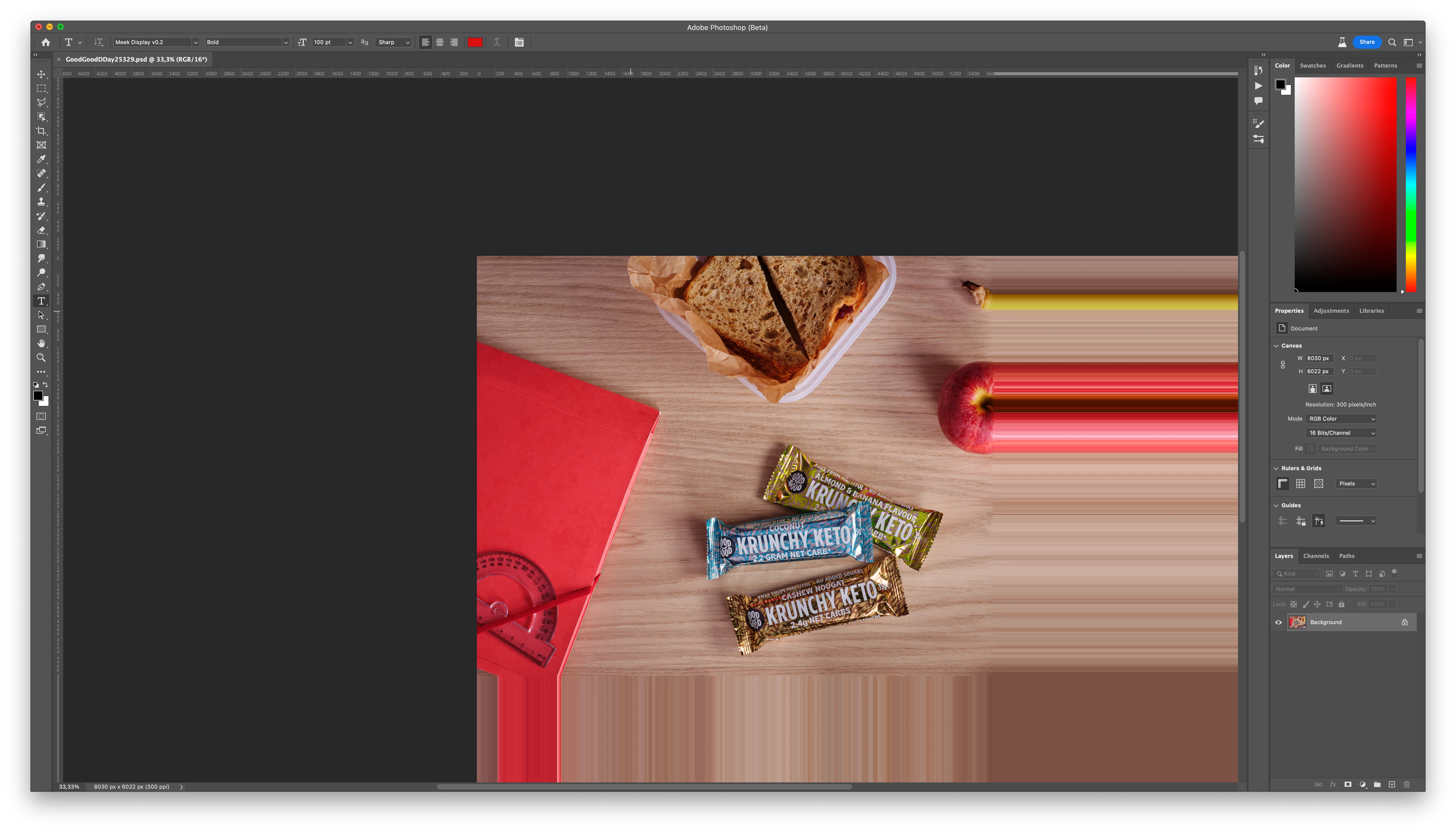
PS display glitch on 16bit rgb image.

  • May 18, 2022
  • 3 replies
  • 436 views

Opened photoshop.

Opened a 16 bit rgb psd file. Got this glitch. 

the lines persist in one place, so the stretch "effect" changes when I pan the image.

PS 23.4.0 beta

MBP 16" M1 Max.

MacOS Monterey 12.3.1


This topic has been closed for replies.
Correct answer Sveinbjorn Palsson

- restart fixed it. not anything urgent, just interesting.

3 replies

Inspiring
May 18, 2022

There was an update I could run, which I did, so I'm sure I can't add any useful data. Sorry about that. 

Sveinbjorn PalssonAuthorCorrect answer
Inspiring
May 18, 2022

- restart fixed it. not anything urgent, just interesting.

CShubert
Community Manager
Community Manager
May 18, 2022

Hi @Sveinbjorn Palsson , sorry you are having an issue.  Does this happen with ALL files, just this one?


Tested here with a 16bit rgb file and it appears to not show what you are seeing.  Could you share a video of the process from opening to this stretch effect?


It may help if we could see your Photoshop System Info. Launch Photoshop, and select Help >System Info...and copy/paste the text in a reply. 


Thank you,