
Participant
September 30, 2022
Answered

PS Javascript script help: How to automate file save with layer names in file name?

  • September 30, 2022
  • 4 replies
  • 1200 views

Disclaimer: I am not a programmer and is my first time working with anything related to Javascript. I do know some coding/programing terms but my knowledge is admittedly rather limited. 


-


Hello, I would like to ask for help regarding a Javascript script. So I'm working on a personal creative project involving randomly generated/gachapon-style collectibles. My plan is to place the art assets into folders in Photoshop and use this free script I found to automatically generate images using layers that are randomly selected from each folder. (Link goes to video explaining how to use script. My project is not NFT-related, by the way, but the script happens to suit my needs for this project.)


I did not create this script (credit goes to benlaorg on Youtube), but it is free to download and use, so I will share it here:

function Visible(){var Grps=app.activeDocument.layerSets;for(var i=0;i<Grps.length;i++){var tmp=app.activeDocument.layerSets[i].layers.length;app.activeDocument.layerSets[i].visible=true;var groupChildArr=app.activeDocument.layerSets[i].layers;var randLays=Math.floor(Math.random()*tmp);groupChildArr[randLays].visible=true;Save();}
Revert();}
function Save(){var outFolder=app.activeDocument;var outPath=outFolder.path;var fName="PNG";var f=new Folder(outPath+"/"+fName);if(!f.exists){f.create()}
var saveFile=new File(outPath+"/"+fName+"/"+"image-"+num+".png");pngSaveOptions=new PNGSaveOptions();pngSaveOptions.interlaced=false;app.activeDocument.saveAs(saveFile,pngSaveOptions,true,Extension.LOWERCASE);}
function Revert(){var idRvrt=charIDToTypeID("Rvrt");executeAction(idRvrt,undefined,DialogModes.NO);}
var count=prompt("How many versions you want","");for(var x=0;x<count;x++){var num=x+1;Visible();}


The image generation itself works as intended. It's the automated file naming for each generated image that I wish to change. By default, the images are saved as image-num.png, with "num" being a variable (as you can see in the code). I would like the file name to be something like image-num_layer1name_layer2name_layer3name.png. So for example, a generated image using the layers B01, P03, E02, and A03 would be named: image-248_B01_P03_E02_A03.png. 


For context, each layer in my .psd has an certain name/code that corresponds to a different trait. It's like a DNA code that will be used to track and sort these collectibles according to the traits they have. As such, it's important that these trait codes are present in the file names. Here's a section of my .psd folder setup for example


Is that even possible? I'm guessing I need to make variables that change depending on name of the layers that are randomly selected from each folder. But I have no idea how to even begin doing that. I haven't had any luck finding resources relating to this, hence why I'm asking here.


I'm not sure this is something I can ask here or if this even makes sense. I figured I'd give it a shot anyway. If anyone is willing to lend their expertise, I would greatly and truly appreciate it. Thank you in advance for your time.


(and in case it's needed, I made a quick dummy file set up similarly to mine for reference and testing purposes if anyone wants to test the script themselves. I'll attach it to this post.)


I'm also using Photoshop CS6 on MacOS if that matters.
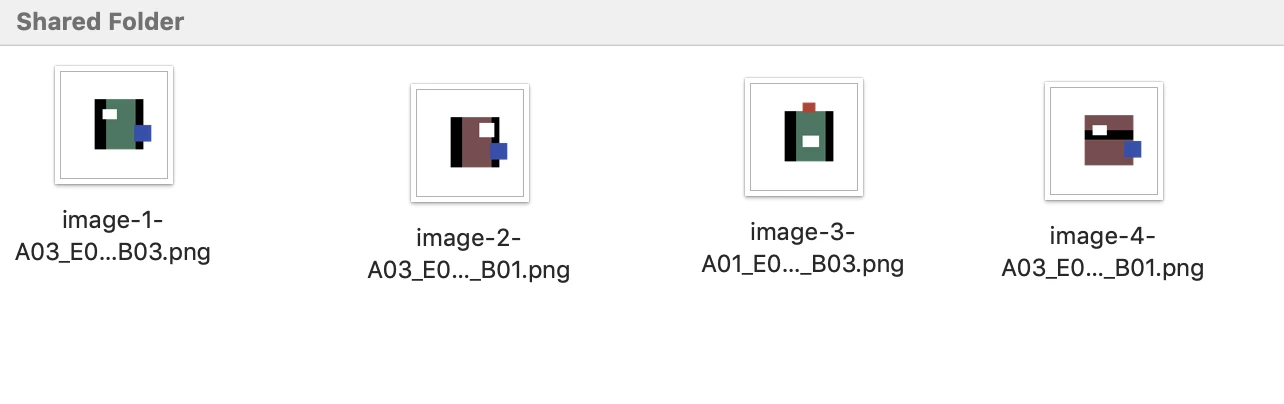
This topic has been closed for replies.
Correct answer rob day

Hi Stephen, Thanks, not sure if it’s what @Crow26362741bzyz wants—my script is writing the number of layer groups x the count—if the requested count is 4, 16 PNGs are written.


If we take the save function out of the loop then 4 files are written. So (EDIT: I simplified the variables functions):


var count = prompt("How many versions you want","");
var num, doc;
for(var x=0;x<count;x++){
    num=x+1;
    savePNGs();
}

/**
* Save PNGs from randomized layers 
* @ return void 
* 
*/

function savePNGs(){
    doc = app.activeDocument;
    var outPath=doc.path;
    var fName="PNG";
    var f=new Folder(outPath+"/"+fName);
    if(!f.exists){f.create()};

    var grps = doc.layerSets;
    for(var i=0;i<grps.length;i++){
        grps[i].visible = true;
        var randLays = Math.floor(Math.random()*grps[i].layers.length);
        grps[i].layers[randLays].visible = true;
    }
    
    var a = getArtLayers(doc, new Array())
    var saveFile=new File(outPath+"/"+fName+"/"+"image-"+num+"-" + a.join("_") + ".png");
    app.activeDocument.saveAs(saveFile,new PNGSaveOptions({interlaced:false}),true,Extension.LOWERCASE);
    executeAction(charIDToTypeID("Rvrt"),undefined,DialogModes.NO);
}


/**
* Get document’s visible art layer names as an array 
* @ param p the document or layer group 
* @ param arr the art layers array
* @ return an array of all art layers 
* 
*/
function getArtLayers (p, arr){
    for (var i = 0; i < p.layers.length; i++){
        var cl = p.layers[i];
        if (cl.typename === "ArtLayer"){
            if (cl.visible) {
                arr.push(cl.name);
            } 
        }else{
            getArtLayers(cl, arr);
        }
    }
    return arr;
}


4 replies

rob day
Community Expert
Community Expert
October 3, 2022

Hi @Crow26362741bzyz , Not sure if this is exactly what you are looking for, but I added a function to get an array of layers that are visible for the naming. Try this:


var count = prompt("How many versions you want","");

var num;
for(var x=0;x<count;x++){
    num=x+1;
    Visible();
}

var doc;
function Visible(){
    doc = app.activeDocument;
    var Grps=doc.layerSets;
    for(var i=0;i<Grps.length;i++){
        var tmp=doc.layerSets[i].layers.length;
        doc.layerSets[i].visible=true;
        var groupChildArr=doc.layerSets[i].layers;
        var randLays=Math.floor(Math.random()*tmp);
        groupChildArr[randLays].visible = true;
        Save();
    }
    Revert();
}
function Save(){
    doc = app.activeDocument;
    var outPath=doc.path;
    var fName="PNG";
    var f=new Folder(outPath+"/"+fName);
    if(!f.exists){
        f.create()
    }
    var a = getArtLayers(doc, new Array())

    //$.writeln(outPath+"/"+fName+"/"+"image-"+num+"-" + a.toString() + ".png")
    //$.writeln(outPath+"/"+fName+"/"+"image-"+num+".png")
   
    var saveFile=new File(outPath+"/"+fName+"/"+"image-"+num+"-" + a.join("_") + ".png");
    pngSaveOptions=new PNGSaveOptions();
    pngSaveOptions.interlaced=false;
    app.activeDocument.saveAs(saveFile,pngSaveOptions,true,Extension.LOWERCASE);
}

function Revert(){
    var idRvrt=charIDToTypeID("Rvrt");
    executeAction(idRvrt,undefined,DialogModes.NO);
}


/**
* Get document’s visible art layer names as an array 
* @ param p the document or layer group 
* @ param arr the art layers array
* @ return an array of all art layers 
* 
*/
function getArtLayers (p, arr){
    for (var i = 0; i < p.layers.length; i++){
        var cl = p.layers[i];
        if (cl.typename === "ArtLayer"){
            if (cl.visible) {
                arr.push(cl.name);
            } 
            
        }else{
            getArtLayers(cl, arr);
        }
    }
    return arr;
}


Stephen Marsh
Community Expert
Community Expert
October 3, 2022

Great work Rob! You should answer scripting questions in the Photoshop forum more often! I'm guessing most of your time is spent helping folks in the InDesign forum though...

rob day
Community Expert
rob dayCommunity ExpertCorrect answer
Community Expert
October 4, 2022

Hi Stephen, Thanks, not sure if it’s what @Crow26362741bzyz wants—my script is writing the number of layer groups x the count—if the requested count is 4, 16 PNGs are written.


If we take the save function out of the loop then 4 files are written. So (EDIT: I simplified the variables functions):


var count = prompt("How many versions you want","");
var num, doc;
for(var x=0;x<count;x++){
    num=x+1;
    savePNGs();
}

/**
* Save PNGs from randomized layers 
* @ return void 
* 
*/

function savePNGs(){
    doc = app.activeDocument;
    var outPath=doc.path;
    var fName="PNG";
    var f=new Folder(outPath+"/"+fName);
    if(!f.exists){f.create()};

    var grps = doc.layerSets;
    for(var i=0;i<grps.length;i++){
        grps[i].visible = true;
        var randLays = Math.floor(Math.random()*grps[i].layers.length);
        grps[i].layers[randLays].visible = true;
    }
    
    var a = getArtLayers(doc, new Array())
    var saveFile=new File(outPath+"/"+fName+"/"+"image-"+num+"-" + a.join("_") + ".png");
    app.activeDocument.saveAs(saveFile,new PNGSaveOptions({interlaced:false}),true,Extension.LOWERCASE);
    executeAction(charIDToTypeID("Rvrt"),undefined,DialogModes.NO);
}


/**
* Get document’s visible art layer names as an array 
* @ param p the document or layer group 
* @ param arr the art layers array
* @ return an array of all art layers 
* 
*/
function getArtLayers (p, arr){
    for (var i = 0; i < p.layers.length; i++){
        var cl = p.layers[i];
        if (cl.typename === "ArtLayer"){
            if (cl.visible) {
                arr.push(cl.name);
            } 
        }else{
            getArtLayers(cl, arr);
        }
    }
    return arr;
}


Participant
October 2, 2022

Hi @Stephen Marsh

Thank you for taking the time to look things over and for your responses. Your first recommendation seems to be just what I'm looking for. I spent some time tweaking the code and integrating it with my current script, and I may have gotten the file naming part to be functional, at least as far as I can tell. The layer name does get appended to the file name like I wanted.


However, I ran into a problem. The original script requires all layers to be hidden, but the new variable (activeColor) requires at least one of the layers to be visible or else it appears as undefined in the file name. (example: image-1_undefined.png) But if I leave any/all layers visible, they are visible in the generated images in addition to what was randomly selected, and only the topmost layer name is included in the file name. It could be that I messed something up or the codes just aren't compatible for my purposes. If it's not too much trouble, may I ask for suggestions on what I can do to fix this, if it's even possible? 


This is the code I ran. I'm only testing with one variable for now but will add more for the other layer groups if I can get this to work.


// Checking which layer is visible in layerset (group) "Base" in activeDocument and store its name for later use in the "save" part.
var colors = activeDocument.layerSets.getByName("Base");
for (var m = colors.layers.length - 1; m >= 0; m--)
{
  var theLayer = colors.layers[m];
  if (theLayer.typename == "ArtLayer")
 {
    if (theLayer.visible == true)
    {
      // Sets a variable for the name of the visible Layer in the "Base" Group
      var activeColor = theLayer.name;
    }
  }
};


function Visible(){var Grps=app.activeDocument.layerSets;for(var i=0;i<Grps.length;i++){var tmp=app.activeDocument.layerSets[i].layers.length;app.activeDocument.layerSets[i].visible=true;var groupChildArr=app.activeDocument.layerSets[i].layers;var randLays=Math.floor(Math.random()*tmp);groupChildArr[randLays].visible=true;Save();}
Revert();}
function Save(){var outFolder=app.activeDocument;var outPath=outFolder.path;var fName="PNG";var f=new Folder(outPath+"/"+fName);if(!f.exists){f.create()}
var saveFile=new File(outPath+"/"+fName+"/"+"image-"+num+"_"+activeColor+".png");pngSaveOptions=new PNGSaveOptions();pngSaveOptions.interlaced=false;app.activeDocument.saveAs(saveFile,pngSaveOptions,true,Extension.LOWERCASE);}
function Revert(){var idRvrt=charIDToTypeID("Rvrt");executeAction(idRvrt,undefined,DialogModes.NO);}
var count=prompt("Number of images to generate","");for(var x=0;x<count;x++){var num=x+1;Visible();}


I tried out the alternative script you shared as well. The file naming is close to what I need, but it doesn't generate combinations randomly or allow me to choose the number of images generated. I appreciate the recommendation nonetheless and I will certainly look into it more if the first script doesn't work out.


Many thanks again for your time and help.

Stephen Marsh
Community Expert
Community Expert
October 3, 2022

@Crow26362741bzyz 


I'd like to be of more help.


Perhaps a more knowledgeable scripter can join the discussion?


The following returns the visible layers, however, as it is in a loop, each layer is returned separately. I haven't had any luck in working out how to create separate variables or an array of items from the loop that can then be accessed.


var collection = [];
var allLayers = [];
var theLayers = collectAllLayers(app.activeDocument, 0);

// function collect all layers
function collectAllLayers (theParent, level)
{
  for (var m = theParent.layers.length - 1; m >= 0; m--)
  {
    var theLayer = theParent.layers[m];

    if (theLayer.typename == "ArtLayer")
    {
      // find the art layers
      if (theLayer.visible === true)
      {
          alert(theLayer.name);
      }
    }
    else
    {
      allLayers.push(level + theLayer.name);
        collectAllLayers(theLayer, level + 1);
    }
  }
}
Stephen Marsh
Community Expert
Community Expert
October 1, 2022

@Crow26362741bzyz 


Perhaps this script will be suitable as an alternative?


https://github.com/mechanicious/photoshopCompositionComposer


It is easier to change the file name.

Stephen Marsh
Community Expert
Community Expert
September 30, 2022

@Crow26362741bzyz - I'll give it a look when I have time. I'll be interested to see what others come up with too...


Edit:


I have taken a look at the script and your PSD file. I don't believe that this is going to be trivial...


You will need code to loop over each layer set, then determine which layer is visible, store that as a variable and use that variable as part of the naming process.


https://stackoverflow.com/questions/43017137/photoshop-script-get-name-of-visible-layer-in-group-layerset