
Known Participant
January 19, 2018
Question

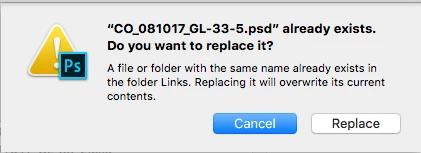
PS keeps asking me if I want to replace my document

  • January 19, 2018
  • 2 replies
  • 686 views

When jumping back and forth between PS and InDesign, Photoshop keeps asking me if I want to replace the document. It's as if it's creating a new, duplicate document. Often, I like to grab the icon in the title bar and drag that into InDesign. If I try that, (Or if I hold down option + click on the document name to show the file's Finder location), the document icon disappears, and the title bar becomes unfunctional, as if it has no home on the hard disc... and I'm left with this annoying dialog box upon save. Eventually, I'll wind up with a handful of open, duplicate documents. It's not specific to working with InDesign, but that happens to be my typical workflow.

This seemed to start happening when I upgraded to the High Sierra.
I've uninstalled/reinstalled PS, reset prefs to no avail.

Mac Pro (Late 2013), 24GB Ram, PS 19.0, OSX 10.13.2

Any help would be appreciated.

Chuck
    This topic has been closed for replies.

    2 replies

    Known Participant
    February 28, 2018

    I figured this out after reinstalling OS X, downgrading to Photoshop 7 and experiencing the same issue. It's a freaking Suitcase Fusion plugin. Disable it and the problem goes away. Unbelievable.

    JJMack
    Community Expert
    Community Expert
    January 20, 2018

    Are you using menu File>Save or menu File>Save As?

    JJMack
    Known Participant
    January 22, 2018

    I can save/save as, and it asks me if I want to replace it. It's as if it's spontaneously creating a duplicate document that has no home on the hard drive.

    JJMack
    Community Expert
    Community Expert
    January 22, 2018

    If you use save and there is a backing file that can store the documents content  you should not get any prompt the file should just be saved updating the backing file.

    If you opened a jpeg and add some layers an use save without first flatting the document Save will switch to Save as and may default to "save as" to type PSD and filename JpegName.PSD.  If there is a file with that name existing in the output folder when you click save you will be asked if you want to replace the existing file.  You will get the prompt when ever you use save as and the output file already exist.  If you make the nane unique and click save you will not get that prompt.

    If the output file is being created before you use "Save AS"  it would not be something the Photoshop would do spontaneously something would need to have been used to do that an Action, script, Script event handler, plug-in.  Photoshop does not spontaneously create file.  Photoshop does have bugs but I have not seen one reported about Photoshop creating file one it own.

    JJMack