Participant
November 16, 2025
Answered

PS not creating a new file

  • November 16, 2025
  • 2 replies
  • 94 views

Hi,


I started using the PS today, but couldn't get too far.

I tried to create a file, which I need for college, but nothing happens.


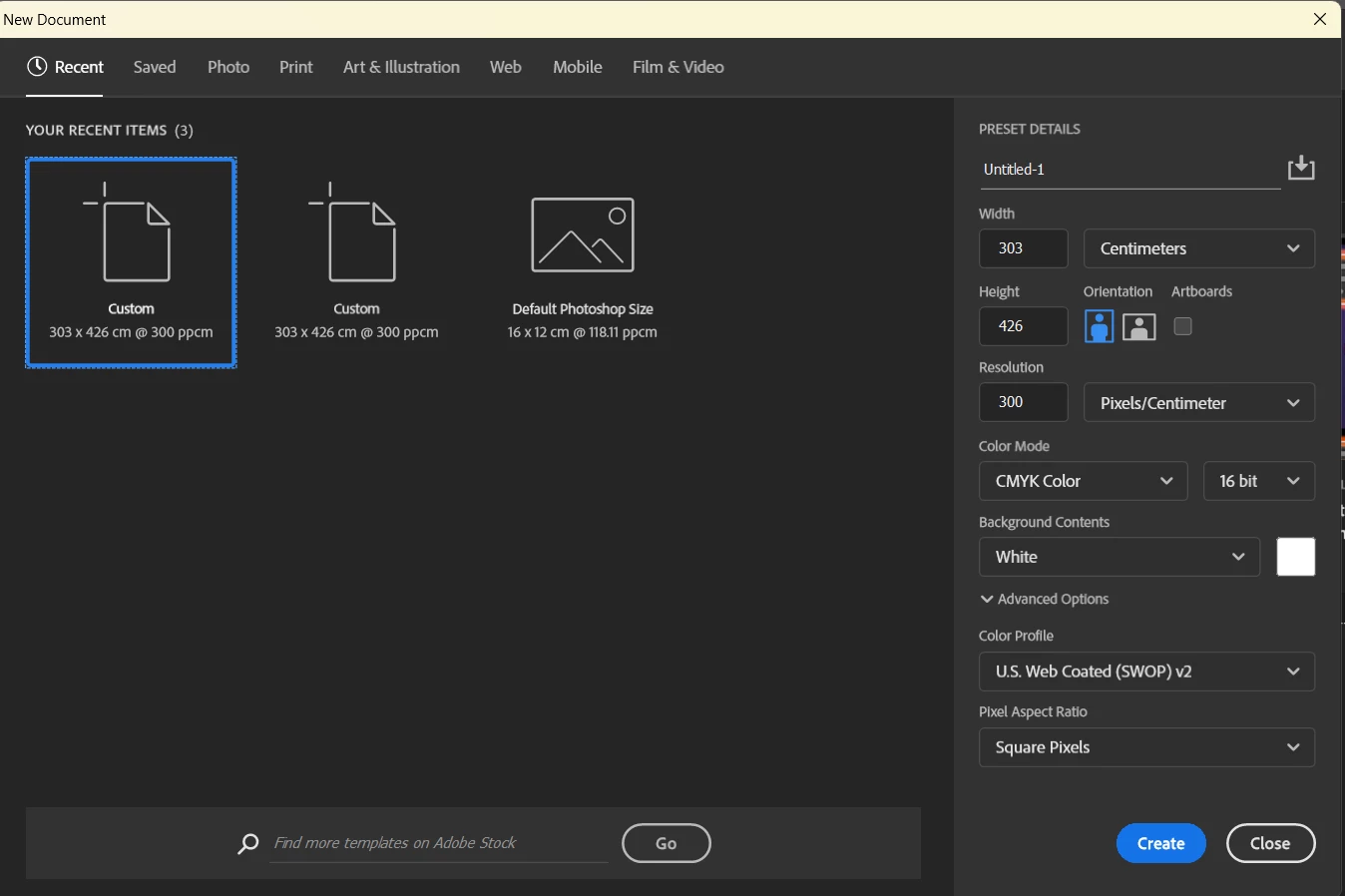
This is the setting.


Note here, it does let me create 8bit file.

I am using a gaming laptop, Lenovo Ideapad Gaming 3. I should have memory left at least 50GB.


Thanks,

Jenni.


Correct answer Per Berntsen

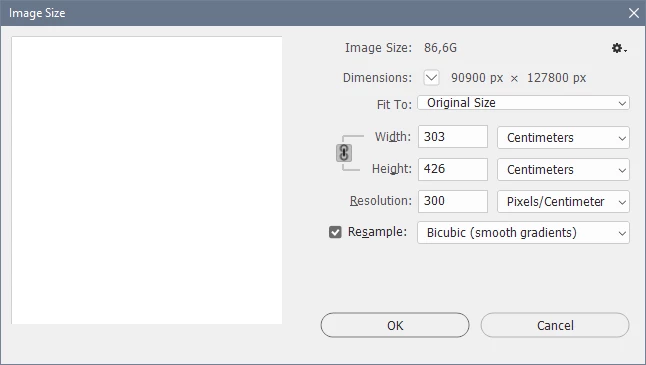
Yes. this is a gigantic file, 86.6 GB!

When I created this file, Photoshop immediately claimed 115 GB scratch disk, so if you have only 50 GB free, that's probably the reason you can't create it.


What is this file going to be used for?

If it's for printing, you probably don't need more than 100 pixels per inch. (you have entered 300 pixels per centimeter, which equals 762 pixels per inch (PPI).


Note that there is no generic CMYK profile, you have to talk to the printer about which profile to use.

US Web Coated is just the default, and is not a profile that's used in Europe.

Also, the normal procedure is to work in RGB, and then convert to CMYK once you're done.

This will also let you work on a file that's 25% smaller (file size) than in CMYK.
 

2 replies

Per Berntsen
Community Expert
Per BerntsenCommunity ExpertCorrect answer
Community Expert
November 16, 2025

Yes. this is a gigantic file, 86.6 GB!

When I created this file, Photoshop immediately claimed 115 GB scratch disk, so if you have only 50 GB free, that's probably the reason you can't create it.


What is this file going to be used for?

If it's for printing, you probably don't need more than 100 pixels per inch. (you have entered 300 pixels per centimeter, which equals 762 pixels per inch (PPI).


Note that there is no generic CMYK profile, you have to talk to the printer about which profile to use.

US Web Coated is just the default, and is not a profile that's used in Europe.

Also, the normal procedure is to work in RGB, and then convert to CMYK once you're done.

This will also let you work on a file that's 25% smaller (file size) than in CMYK.

 

Participant
November 16, 2025

Thank you for your help.


Both replys help me realize that what I needed was millimiters instead of centimeters 😂


We are creating A3 posters and last class just really confused me.


Huge thank you for both of you 😊

Trevor.Dennis
Community Expert
Community Expert
November 16, 2025

Hi Jenni.   You are asking it to create a document 303cm x 426cm at 300 pixels per centimetre.  That is HUGE

90,000 x 127,000 pixels.  My NZ$10K workstation would struggle with that!  I would expect most computers would hang when asked to create that image.


Set the image size units to pixels instead of cm, and use a sensible number.

NOTE:  Restart Photoshop before you create the new image at the smaller size, as there is a chance that Photoshop has already created a MASSIVE temp file on your Scratch drive, and Photoshop is not good at releasing memory or scratch space.