Inspiring
August 12, 2019
Answered

PS question: Can’t see the layers

  • August 12, 2019
  • 4 replies
  • 866 views

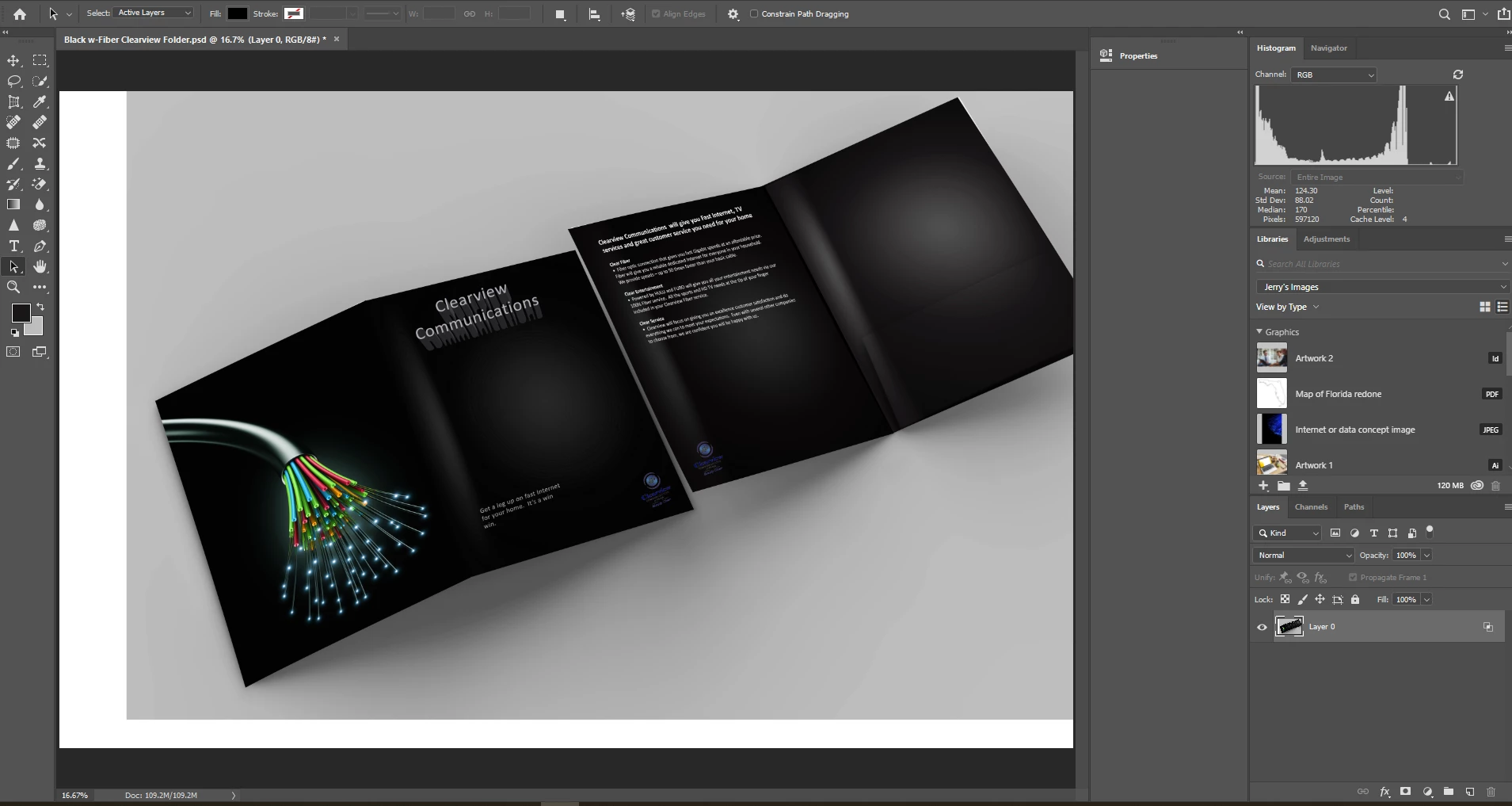
I have this folder I created but for some reason, I'm not seeing the layers so I can make changes to the pictures.  How can make any changes?
[Title edited for clarity by moderator. Was “PS question”.]

This topic has been closed for replies.
Correct answer jane-e

Hi

There is only one layer (layer 0) and no folders in this file. If you don’t have a Time Machine or another backup, you will need to start over.

What are the edits you need to make? Maybe there are some workarounds.

4 replies

Derek Cross
Community Expert
Community Expert
August 14, 2019

If you have to create the document again and you have access to InDesign, it would be better to create the brochure in that application. Obviously, optimise your images in Photoshop first. Place them in InDesign as native PSD files in RGB color mode.

Having Placed your images in InDesign you would add the text and backgrounds. When the document was completed you'd you'd export it for your (commercial) printer, selecting the preset PDF/X-4  and ticking Crop Marks and Use Document Bleed Settings.

Norman Sanders
Legend
August 12, 2019

You seem to have flattened the file. If have worked on this I mage for more than hour, and re-saved earlier versions using the same file name, and are working on a Mac with Time Machine running, you may be able to retrieve the earlier files and reconstruct a layered file. If you have just flattened the file and did not close it, try Cmd-Z

Inspiring
August 12, 2019

That's the only file I have.  Cmd-Z don't work because I created this awhile back and just noticed this now while trying to make changes.

jane-e
Community Expert
jane-eCommunity ExpertCorrect answer
Community Expert
August 12, 2019

Hi

There is only one layer (layer 0) and no folders in this file. If you don’t have a Time Machine or another backup, you will need to start over.

What are the edits you need to make? Maybe there are some workarounds.

Bojan Živković11378569
Community Expert
Community Expert
August 12, 2019

From your screenshot it appears that you have flat file. Do you have another version with layers or this is the only version you have?

Derek Cross
Community Expert
Community Expert
August 12, 2019

Do you have Layers with say a type layer?

If not, maybe you Flattened the image.