
Inspiring
December 10, 2019
Question

PS version confusion

  • December 10, 2019
  • 1 reply
  • 2177 views

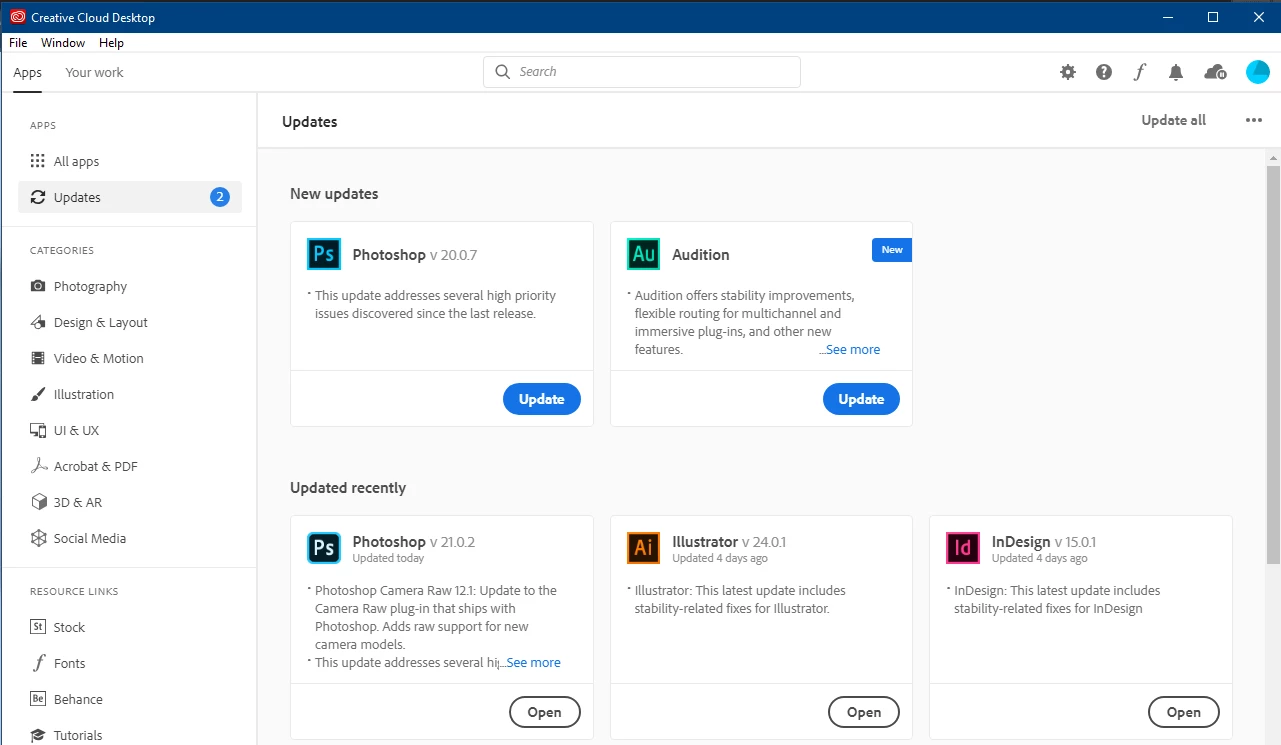
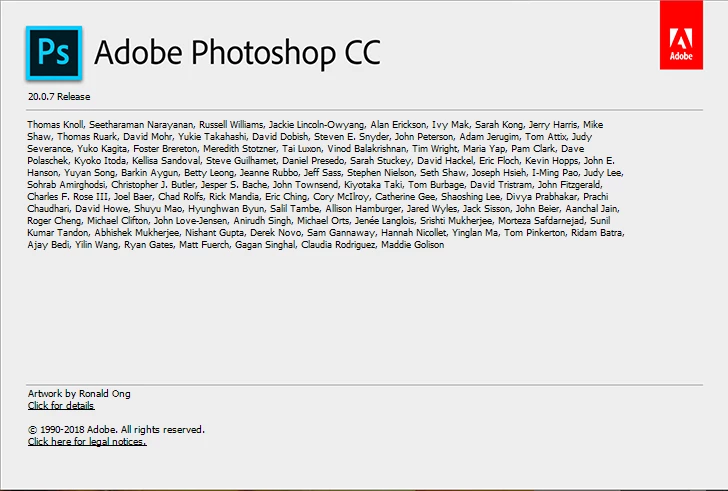
I've just updated PS and while I was watching the update process another PS update popped up in my CC desktop application. When the first update process was finished it says I'm at version 21.0.2 but the other update still sits in my desktop application waiting to be activiated but that version number is lower at 20.0.7. When I go into PS to see what version it detects it says 20.0.7 - so what happened to the 21.0.2 update that is confirmed in the desktop manager? I've had similar version conflicts occuring before with many Adobe apps and accepting the latter "update" for a lower version has always created version havoc and issues. Why do I get these?! How do I remove the update request for 20.0.7? It obviously isn't the latest version.


This topic has been closed for replies.

1 reply

davescm
Community Expert
Community Expert
December 10, 2019

Hi,  you can have both CC2019 = v20   and CC2020 = v21 installed on the same PC. It was given as an option when you updated CC2020. Many of us keep the last version around just in case the new version brings any major bugs.


Today bug-fix updates were issued for both v20.0.7 taking it to v20.0.8    and  for v21.0.1 taking it to v21.0.2


You can safely uninstall v20.x.x. if you no longer need it.


Dave

perrybrusAuthor
Inspiring
December 10, 2019

What do you mean? I was never presented with any options. I have just installed 21.0.2 but inside PS it says I'm at 20.0.7. So why does it say my version is 21.0.2 in the desktop manager, shouldn't it actually reflect what version I have installed? Isn't that supposed to be the version I recently downloaded like it says in the manager? Makes me wonder what version I have installed of course cause theres a conflict between what it says in the manager and what the application says I have. I tought the possibility to roll back was an option, so why is the older version presented as a prompt in the manager? And why isn't PS detecting the version I installed? I think this back and forth strategy is confusing. If this is a fixed strategy then why doesn't it occur all the time with  every update for all the programs? As mentioned the 20.0.7 version suddenly popped up in the manager while I was installing 21.0.2. I haven't accepted the 20.0.7 innstallment. Am I running the version that PS defines in the Help - About Photoshop menu or am I running the version that CC manager states I recently innstalled?! Confusing.

davescm
Community Expert
Community Expert
December 10, 2019

It sounds like you have both v20.0.7 and v21.0.2 installed, as I have here, in fact I also have v19.1.9 installed.


When there is a major update (not minor bugfix) for example from version 20 to 21, the desktop app has always given you the option to keep or delete the older version. It used to default to delete, but it now defaults to keep which is better , provided you have the disk space as, if there is a big issue with the newer version, you can always try opening your files in the older version.

When there are bugfix updates, as there was today, you will be offered updates for all installed versions for which there is an update. So, today that was for both v20.0.7 taking it to v20.0.8 and  for v21.0.1 taking it to v21.0.2


As I said earlier, if you don't want the older version (v20) just click on the three dots in the desktop app, and uninstall it


Dave