
Participant
January 24, 2024
Answered

PS2024 crash during startup

  • January 24, 2024
  • 2 replies
  • 1345 views

Since today on my MacBook Pro Intel version (MacOS: Sonoma 14.2.1 (23C71)) Photoshop CC 2024 (25.3.1) crashes during startup with or without a file.
Using Command+Option+Shift with starting up does not help.
Installed PS 2023/2021/Beta give the same result, all crashes during startup.
Deinstalled all versions and removed preferences. Restarted MacBook. Reinstalled PS2024 (25.3.1). Same crash during startup.
The generated crash report does not give any clue, what the problem is and how to solve.

Can anyone from Adobe explain this and tell how to solve this issue, because now PS does not work at all! And more important how to prevent in the future?!
Thanks, Albert.
This topic has been closed for replies.
Correct answer Jeff Arola

Your crash report is missing the first part that would tell the cause of the crashing.


You could just copy the contents of the crash report and paste it here on the forum.


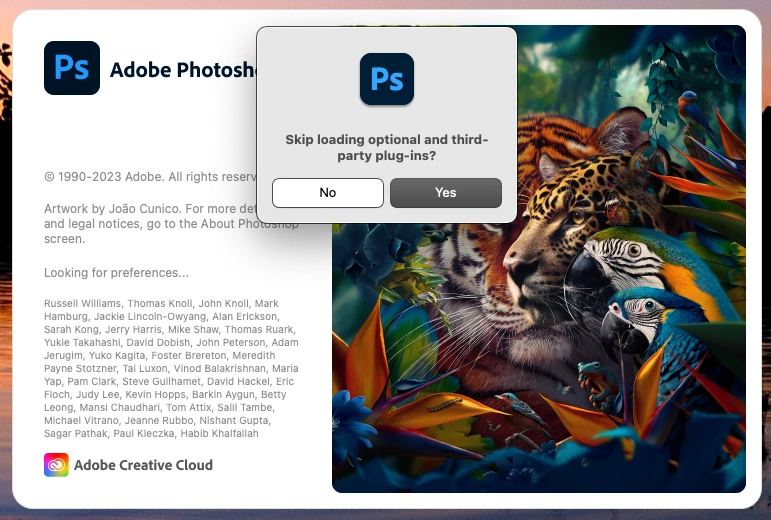
Try holding down the Shift key while starting photoshop to skip loading third party plugins and see if that makes a difference.


2 replies

Participant
January 25, 2024

Thx Jeff for your reply.
Problem has been solved in the meanwhile. After using the Shift key during opening and skipping the load of third party plugins PS started up normally. After finding some more info, the ON1 Effects v2023 plugin, that I had installed the day before, caused it.

Jeff Arola
Community Expert
Jeff ArolaCommunity ExpertCorrect answer
Community Expert
January 25, 2024

Your crash report is missing the first part that would tell the cause of the crashing.


You could just copy the contents of the crash report and paste it here on the forum.


Try holding down the Shift key while starting photoshop to skip loading third party plugins and see if that makes a difference.