Inspiring
July 10, 2022
Answered

PsCC v 23.4.1 No Crop Tool Anywhere

  • July 10, 2022
  • 3 replies
  • 974 views

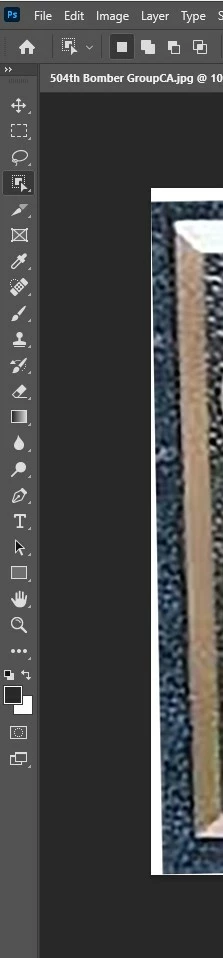
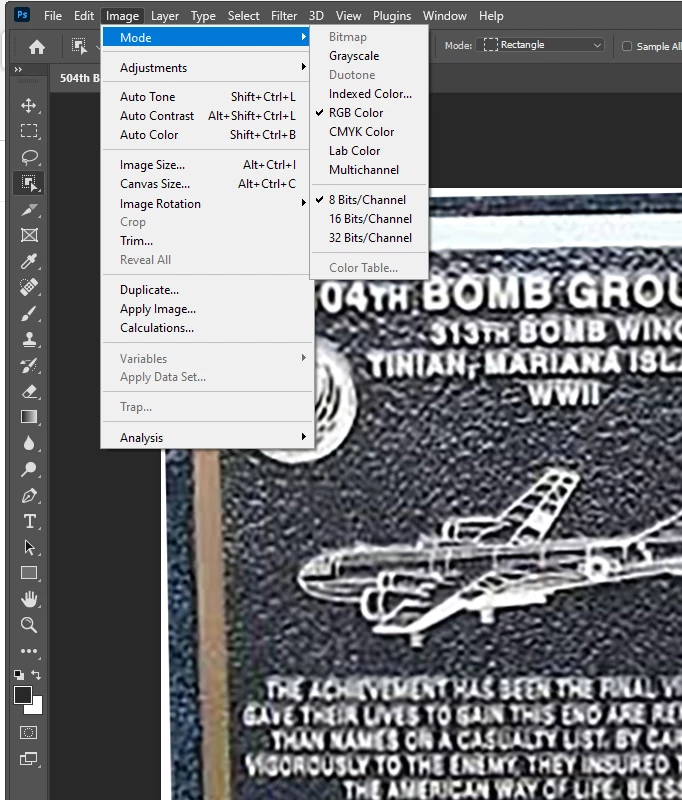
I have discovered that I have NO Crop Tool Anywhere! I have read all the previous "Discussions" and there is no issue with those "Fixes".

Here is screen shoots.
This topic has been closed for replies.
Correct answer DanPBPhoto14053041

Thanks Warren!

Works!!!!!

Dan

3 replies

Inspiring
July 11, 2022

THANK YOU EVERYONE!


I was pulling what little hair I have left at 75yrs old. All was working fine until the latest Ps update.


Appreciate you patience and non-demeaning replies to an olde farx!LOL

Warren Heaton
Community Expert
Community Expert
July 11, 2022

A quick way to bring up any tool:  Command F, Mac or Control F Widnows, and then enter the name of the tool.


DanPBPhoto14053041AuthorCorrect answer
Inspiring
July 11, 2022

Thanks Warren!

Works!!!!!

Dan

Myra Ferguson
Community Expert
Community Expert
July 10, 2022

Try either of the following:

  • Change your workspace to Essentials using the Workspace icon in the upper right or by going to Window > Workspace > Essentials.

    or

  • Click on the 3 dots below the tools in the toolbar, click •••Edit Toolbar..., in the Customize Toolbar dialog, drag Crop Tool from the Extra Tools in the right column into the Toolbar column on the left, and click Done.
jane-e
Community Expert
Community Expert
July 10, 2022

Hi

What Myra said will work. You can also try right-clicking your Slice tool (5th tool down in your screenshot) to see if the Crop tool is now hidden behind it. The four tools that share the space all use "C" for the shortcut, so you can also use that again until the Crop tool is once again at the front of the group.


Jane

