
Known Participant
April 22, 2018
Question

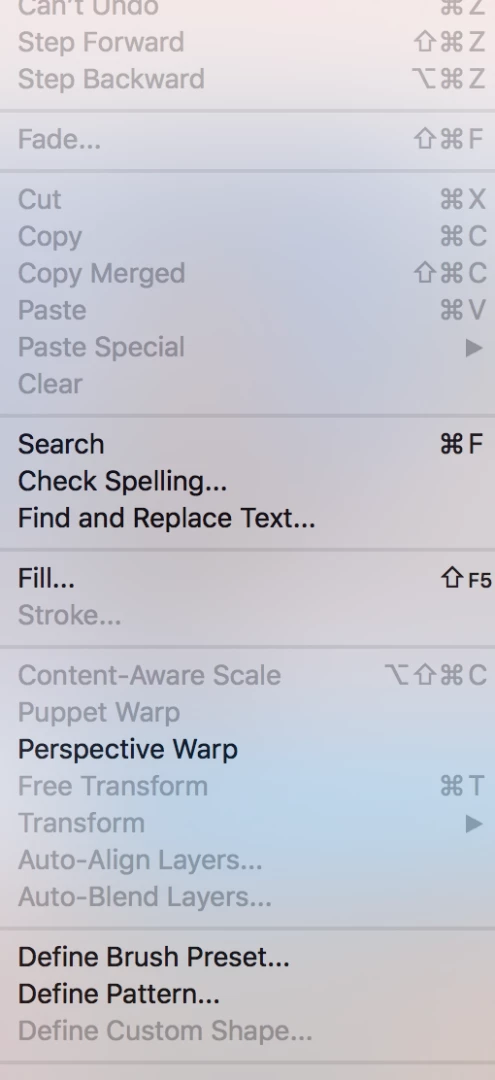
Puppet Warp Grayed out

  • April 22, 2018
  • 3 replies
  • 2842 views

I can't get Puppet Warp to work. Have not touched the photo at all yet. They are imported photos from my iPhone. All have large files. Image size is 56" width and 42" high Resolution is 72.

Please help.

Thank you, Penni
This topic has been closed for replies.

3 replies

c.pfaffenbichler
Community Expert
Community Expert
April 22, 2018

Could you please post a screenshot taken at View > 100% and with the pertinent Panels (Layers, Channels, Options Bar, …) visible?

You may want to use Puppet Wars as a Smart Filter to maintain edibility, if so transform the Layer to a Smart Object before applying the effect.

davescm
Community Expert
Community Expert
April 22, 2018

When you first open the jpeg photo file it will be a background layer which is locked for transformation.

Click as shown to turn it into a normal layer and unlock it

Dave

Mylenium
Legend
April 22, 2018

Have you actually created selections or transparency to define the boundaries of the warp mesh? It seems you do not understand how the tool actually works. Of course it won't do anything if as per your own words you "hav not touched the photo".

Mylenium