Taylor5C60
Participating Frequently
August 1, 2022
Question

Question about adjusting light levels / angles

  • August 1, 2022
  • 1 reply
  • 216 views

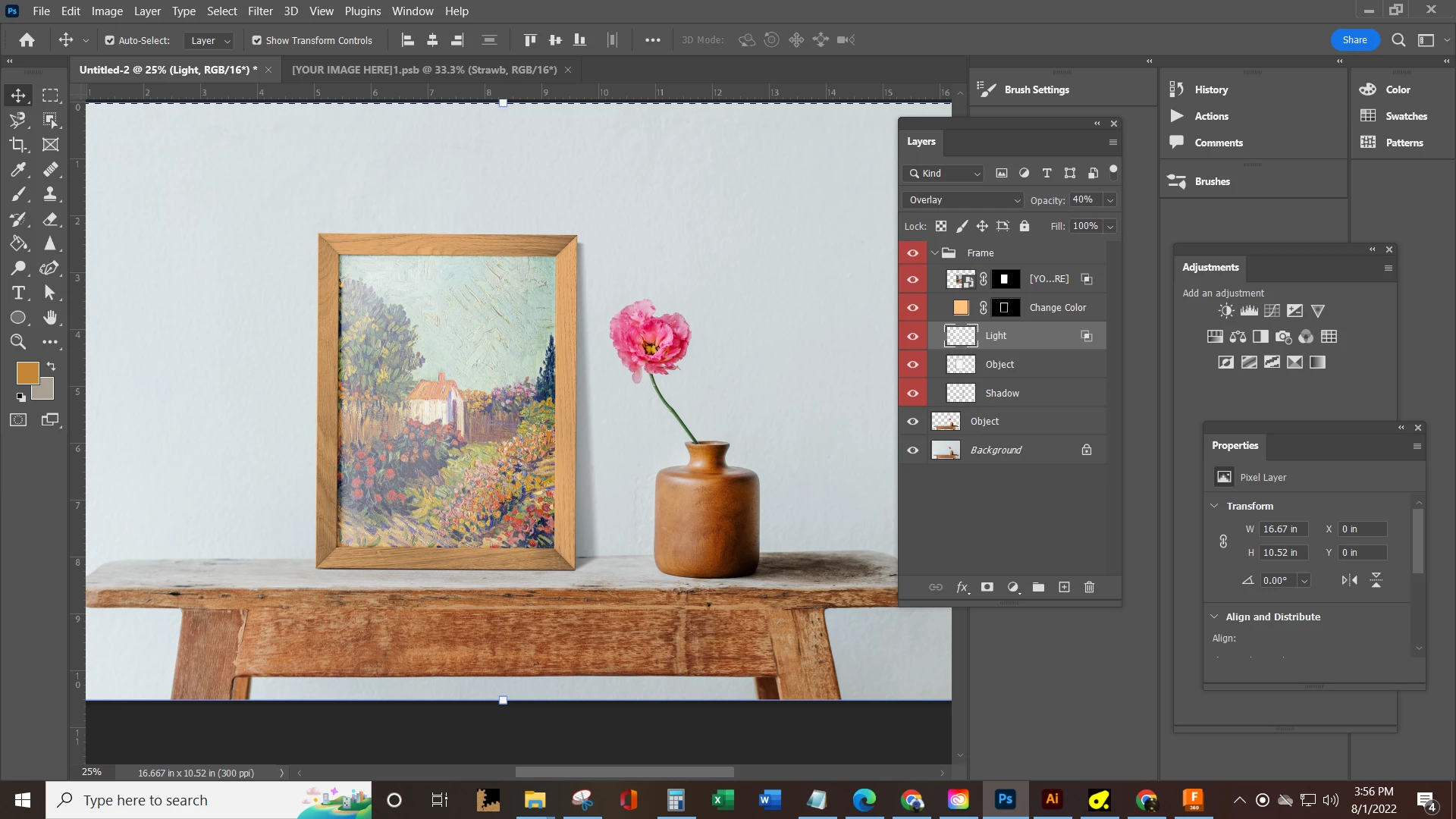
Ok so I am starting to sell my art prints online and I used one of my Adobe Stock tokens to download this template in order to create

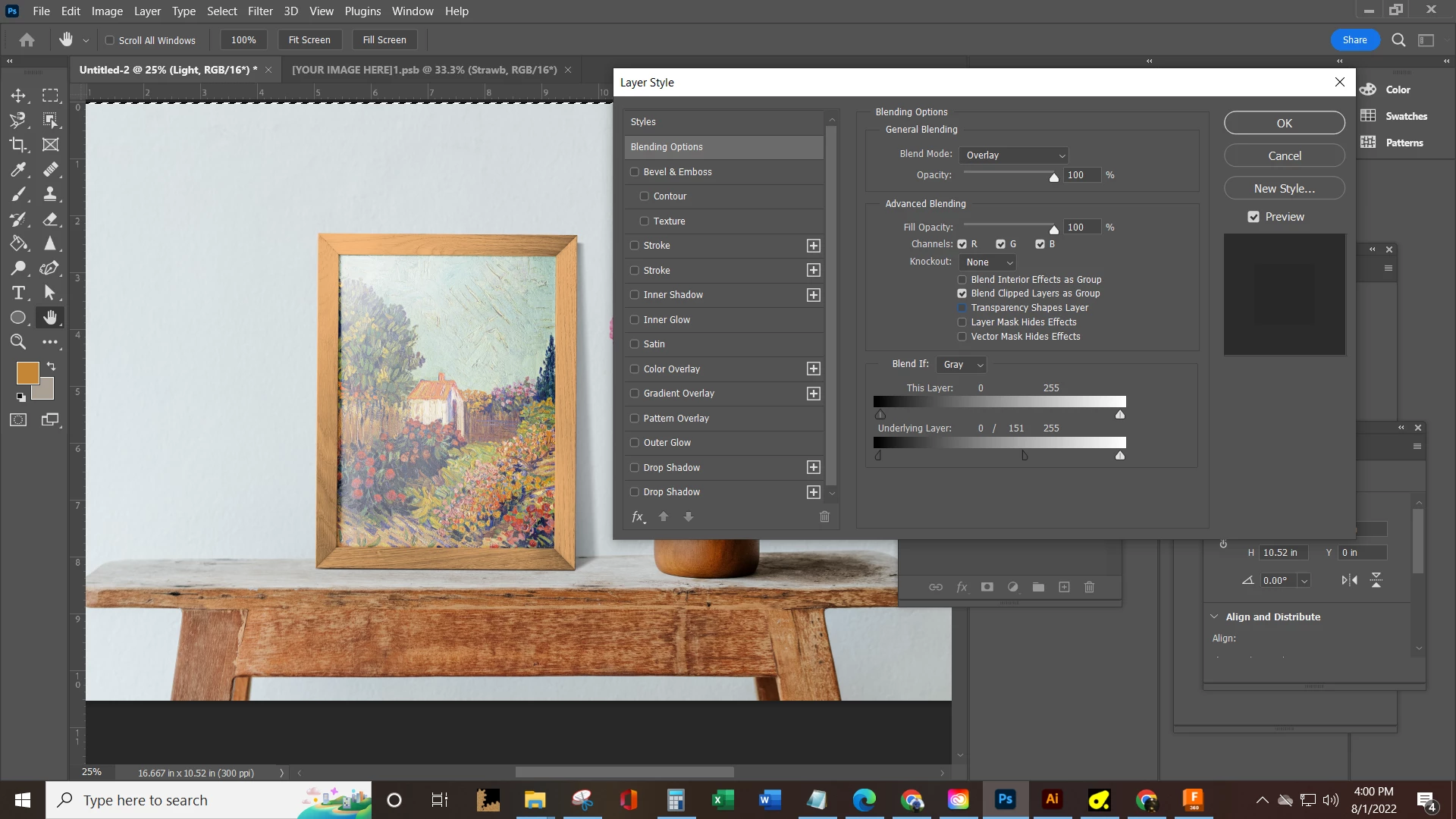
realistic mockups, I was hoping there would be more of an ability to adjust the light levels and or instructions with this 500+ mb PSDT on how to achieve desired results. First issue is when i hover over the light layer it say "indicates layer has advanced blending" but when i double click the preview doesnt really seem to be consistent with the image . I also dont see a "light levels" tab on the advanced layers options. Can someone please help point me in the right direction or recomend a PSDT template with a frame that has a bit more flexibility than this one.


Thanks in advance 


Starving Artist
 

This topic has been closed for replies.

1 reply

c.pfaffenbichler
Community Expert
Community Expert
August 2, 2022

I also dont see a "light levels" tab on the advanced layers options.

Who said there would be such a setting? 

The screenshot shows a split handle for underlying color. 


I don’t understand what the problem is exactly.

If you don’t like the effect of the Blend Mode Overlay and the accompanying Advanced settings,  what have you done so far to achieve the effect you are looking for? 

Taylor5C60
Participating Frequently
August 2, 2022

Ok so I was able to narrow down the issue is the template itself, I need to be able to adjust the overlay of the background and also the overlay that appears to be simulating the glass on the picture frame. The template (for what i suspect is protection of the proprietary settings) does not allow me to adjust the overlay completley. Basiclly no matter what I do the image i place in the smart object always appears to be washed out. What is most confusing is how the background layer washes out the colors on my smart object. Why would a background layer change the color of an image in front of it on the layer stack? Also these templates by Raw Pixel are what i suspect to be the problem in that there appears to be a intentional reduction of adjustment so that the template format cannot be re sold. Perhaps I will make my own . I have messed with the slider bar that you pointed out on nearly every overlay setting it simply doesnt do anything compared to the built in un changed effect that the background layer and the object frame layer has to wash out and whiten the smart object layer. These stock images are expensive and that they dont come with adjustability or instructions is silly.