
Participating Frequently
November 1, 2017
Answered

Question about canvas size so that file size is not huge

  • November 1, 2017
  • 4 replies
  • 2688 views

I have a school project where the dimensions are 13 feet by 89 feet. What would i set my canvas size to get a small enough file size that will take a long time to load for the client to see?
    This topic has been closed for replies.
    Correct answer Derek Cross

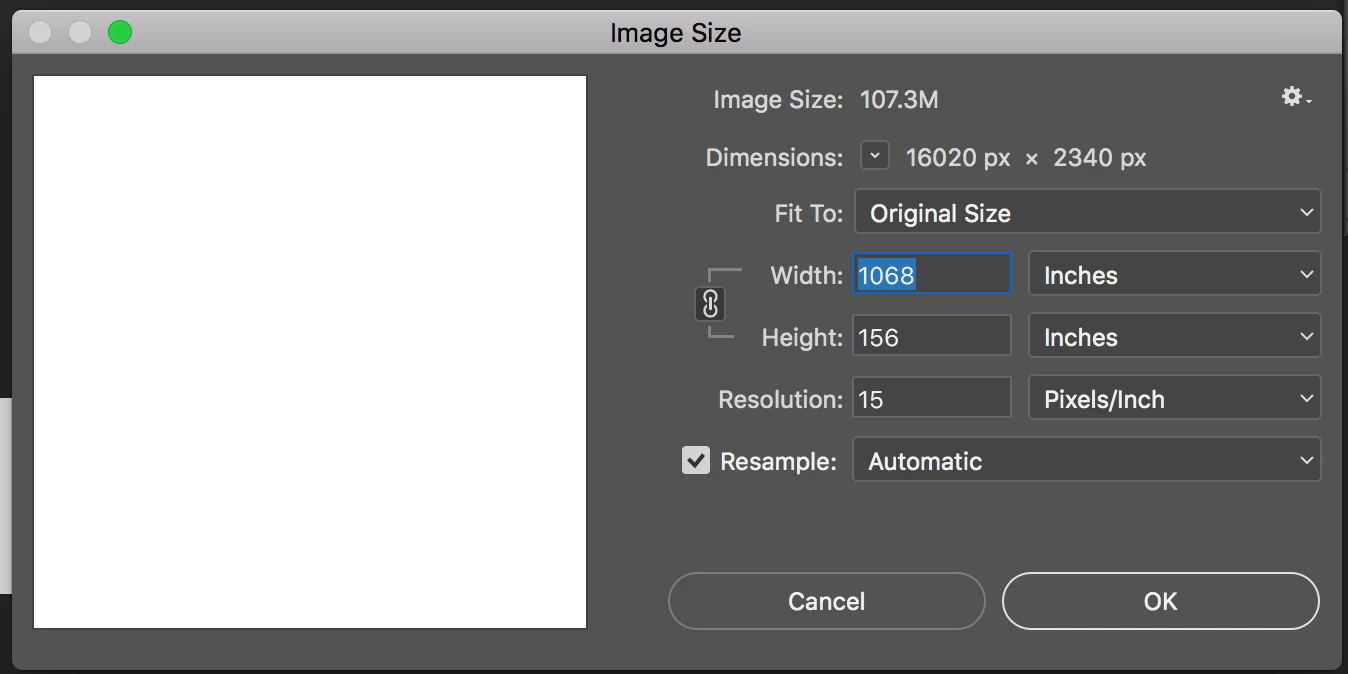
    If you set the resolution to 10PPI or maybe 15PPI you might manage it!

    Why this huge size?

    4 replies

    D Fosse
    Community Expert
    Community Expert
    November 2, 2017

    Here's the relationship between ppi and viewing distance:

    Terri Stevens
    Legend
    November 1, 2017

    Oh I don't know, this seems doable to me. I created a new file at 156"x1068" at 100pixels/inch and put in a few high definition Adobe stock images and the memory usage was 1.25GB and it saved to disk as a *.psb file at 908MB and still had 100% efficiency on the scratch disks. You do see the computer slow down though and I wasn't applying filters or doing anything creativity as I suspect that would be slow. Seems strange for a school project though. It would probably be broken into smaller sections for printing, but 100ppi would look fine.

    Jacob_WAuthor
    Participating Frequently
    November 1, 2017

    yes, i am just trying to get it to a smaller file size so that it can be loaded by my teacher to show to client cause she is quite strict that if the file size is too large she will not open it.  It is also being done in sections, just trying to figure out a good canvas size so that i keep the file size from going to gb.  This is a school project yes, but the city came to our class specifically for this project to be done, whomever's design is selected is forever immortalized on the wall that it is going on. It is a mural showcasing history of the city that I live in, for when people ride the city transit from in town and out of town.

    Terri Stevens
    Legend
    November 1, 2017

    try doing the actual design work at 100ppi and save as *.psb file, but to show your teacher a preview resample the image down to 72ppi and save it as a Tiff file with LZW compression. When I tried that I got a 200MB file which would easily fit on a memory stick. An image that size will be sluggish on even a well specified computer, but your teacher should know that.

    Derek Cross
    Community Expert
    Derek CrossCommunity ExpertCorrect answer
    Community Expert
    November 1, 2017

    If you set the resolution to 10PPI or maybe 15PPI you might manage it!

    Why this huge size?

    Jacob_WAuthor
    Participating Frequently
    November 1, 2017

    It is for a mural for a bus depot in tallahassee named after C.K. Steele. it is to showcase the history of the city and that is how big the wall is that they are wanting to put it on.

    melissapiccone
    Community Expert
    Community Expert
    November 1, 2017

    That is a crazy size. I'm assuming if a school project you have to do it in Photoshop? Illustrator would be better. I would do it in a few files - 13 x 30 and not a smaller size - 1/2 or 1/4 size. Is this something that will be output and printed that size?

    Melissa Piccone | Adobe Trainer | Online Courses Author | Fine Artist
    Jacob_WAuthor
    Participating Frequently
    November 1, 2017

    yes the wall that they are going to put it on is 13 feet high and 89 feet wide. it is going to be a mural showcasing the history of tallahassee florida from 1920-today