
Question about Photoshop color picker - V 22.3.0 realese
Hi there so i tried searching for this problem 1st before asking and could not find it. I was trying to start creating a new "face" for my Behance Portfolio and was trying to set my color BG so i could start working, but here is the funy thing that i noticed thats buging me, i opened a sample image i found online on photoshop that had a cool color scheme, used the eyedroper tool, then went to the color picker to check the color info ... here is how the color picker presented it self.
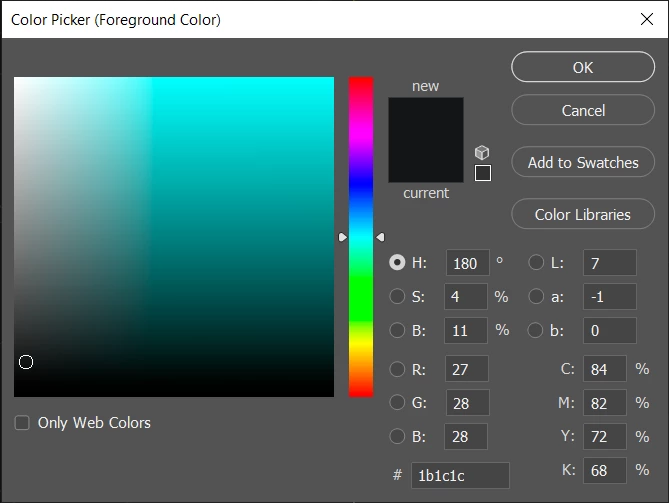
Then i went to my project and started doing my BG with said color, but there was something wrong the color on the 1st color picker was darker and on my project for some reasong was lighter so i went and opened the color picker on my project and this is how it looks.
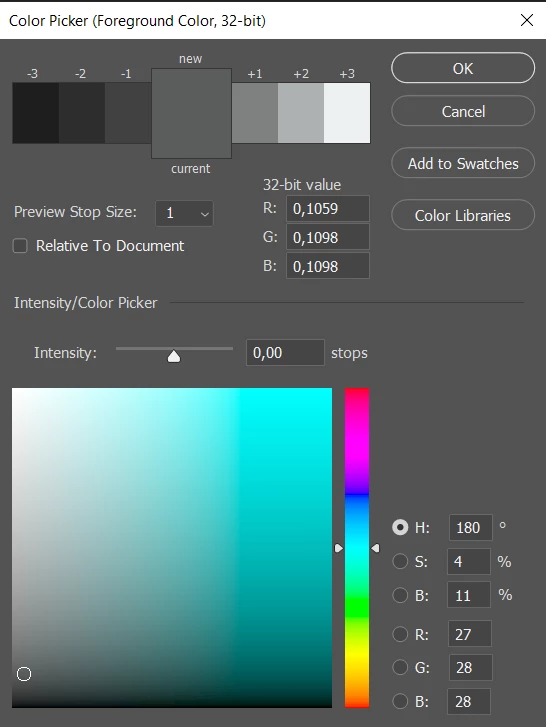
Can someone please tell why is this like this ? did i do some seting wrong by mistake ??? honestly im confused and dont know how to fix it.
Regards ASilva
 AdChoices