
Question on Hue/Saturation adjustment layer:
Hi all, lately I've been having troubles with layers as follows, where if I leave the layer control, then come back to it, it isn't in the state it was previously. Here are the details:
SCENARIO: (de-saturating parts of image)
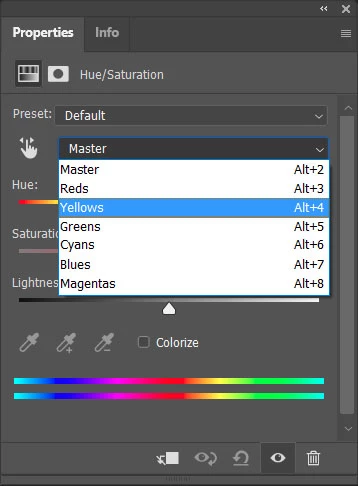
- Create Hue/Saturation adjustment layer
- Click part of image that contains hue to adjust
- Adjust saturation (example: -25%)
- Invert Mask, use eraser to paint areas to de-saturate
So far so good.
The problem is when I go to another panel/layer to do something else, then come back to that adjustment layer, I find that the saturation is at 0 and the color range is at full (rather than the sub-range specified in step 2 above). If I adjust the saturation slider, it adjusts all hues for the entire image, even though the painted mask is still there on the layer.
I can click on the either icon of that layer in the layer panel and it doesn't seem to matter — I can't get back to where it was.
What I've been doing, if I want to make further hue adjustments, is to recreate layer and repaint the mask — a total PITA. What am I doing wrong?
(this may apply to other adjustment layers as well)
Thanks much,
Chris
 AdChoices