

Hugh5FEC
Inspiring
January 10, 2022
Question

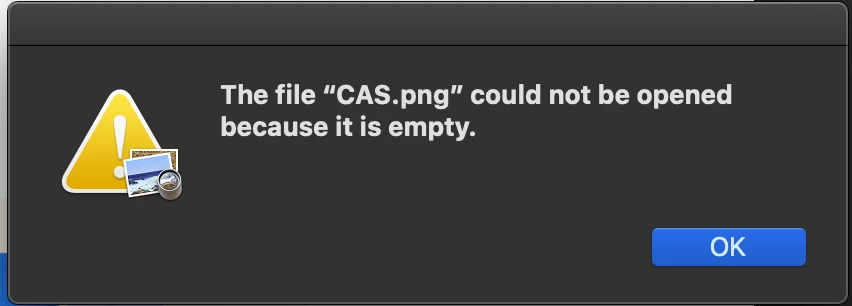
Quick Export As PNG Error

  • January 10, 2022
  • 1 reply
  • 353 views

Hey,

When I attempt to take a design in photoshop (v 22 or whatever is the most recent as of today), the image icon appears on my laptop but when I try to open it I just get an error message. I had some scratch disk errors recently but was for the most part able to resolve it by deleting copious amounts of files from my MacBook Air (I still experience slow loading times but am able to save whatever I need). I'm wondering if maybe these are related since they began at the same time? It's just annoying and if anyone knows how to fix it that'd be great.
You need to ask program questions in the forum for the program you are using
To ask in the forum for your program please start at https://community.adobe.com/
Moving from Using the Community (which is about the forums) to the correct forum... Mod

This topic has been closed for replies.

1 reply

Sahil.Chawla
Adobe Employee
Adobe Employee
January 15, 2022

Hi there,

Sorry to hear about this. Could you please try resetting the preferences of Photoshop and see if that helps?


https://helpx.adobe.com/photoshop/using/preferences.html


Note: Make sure that you back up all your custom presets, brushes & actions before restoring Photoshop's preferences. https://helpx.adobe.com/photoshop/using/preset-migration.html


Regards,
Sahil

Hugh5FEC
Hugh5FECAuthor
Inspiring
January 16, 2022

Hey! Thanks for the reply very appreciated. I ended up figuring out it was a file size problem, guess having a 10,000 x 10,000px file isn't super smart lol. Again thanks have a good day 🙂

Dave Creamer of IDEAS
Community Expert
Community Expert
January 16, 2022

The file size isn't the problem--I believe PNG can handle files over 2 billion pixels square. (Did only quick research here...)

I made a 10,000 ^2 file, saved it as PNG, and reopened it. 

I suspect a corrupt file. 

David Creamer: Community Expert (ACI and ACE 1995-2023)