
Musing Men
Participant
February 17, 2021
Question

Random Black out area

  • February 17, 2021
  • 1 reply
  • 226 views

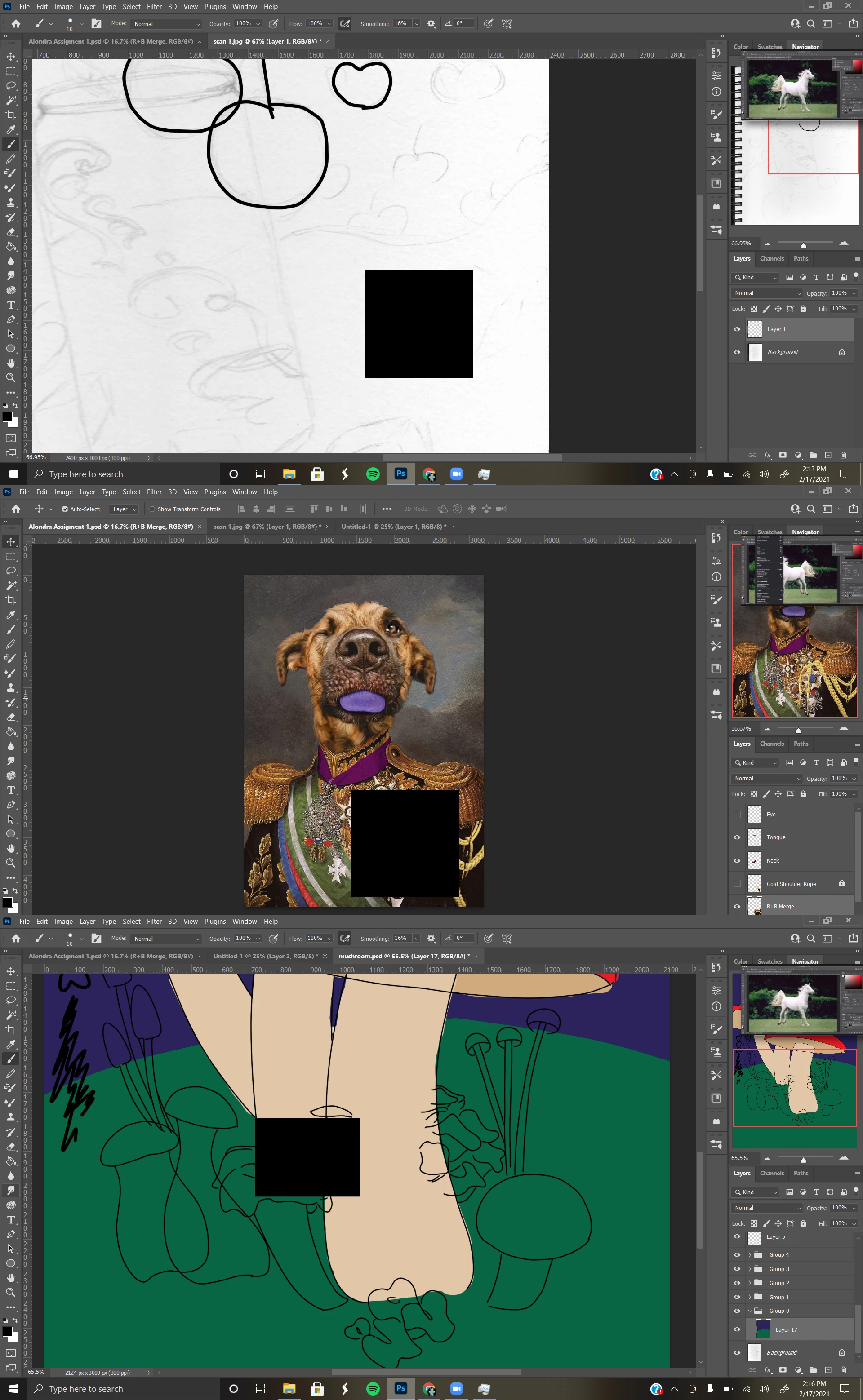
I have this issue where when I'm drawing and I'm zoomed it, it will create these black out areas that cant be removed unless I zoom out or zoom in. But the issue remains that if i zoom back in to where i was originally it comes back or if I move to a new spot it will create a new one. Sometimes its not an issue but other times its so large that I cant work around it. I changed the performance to be at 80% but that didn't fix it. Any ideas how to fix or what might be causing it?
This topic has been closed for replies.

1 reply

davescm
Community Expert
Community Expert
February 17, 2021

That looks like a GPU issue.


As a fault finding measure try turning of "Use Graphics Processor" in preferences performance and restarting Photoshop.


If that resolves the issue , and confirms the GPU as the problem, then the next step is to update the GPU driver before re-enabling "Use Graphics processor". If you have an NVidia GPU then look at the Studio drivers rather than the Game-ready drivers and when installing choose "Advanced" and then check "Clean Install". That will ensure remnants of the old driver are not carried forward.


Dave

Musing Men
Participant
February 18, 2021

I have a AMD Radeon integrated graphics card. It does seem like its a GPU problem as I didn't get the black square but even after updating it and re-enabling the graphic processor the issue presist.