
Participant
May 12, 2022
Answered

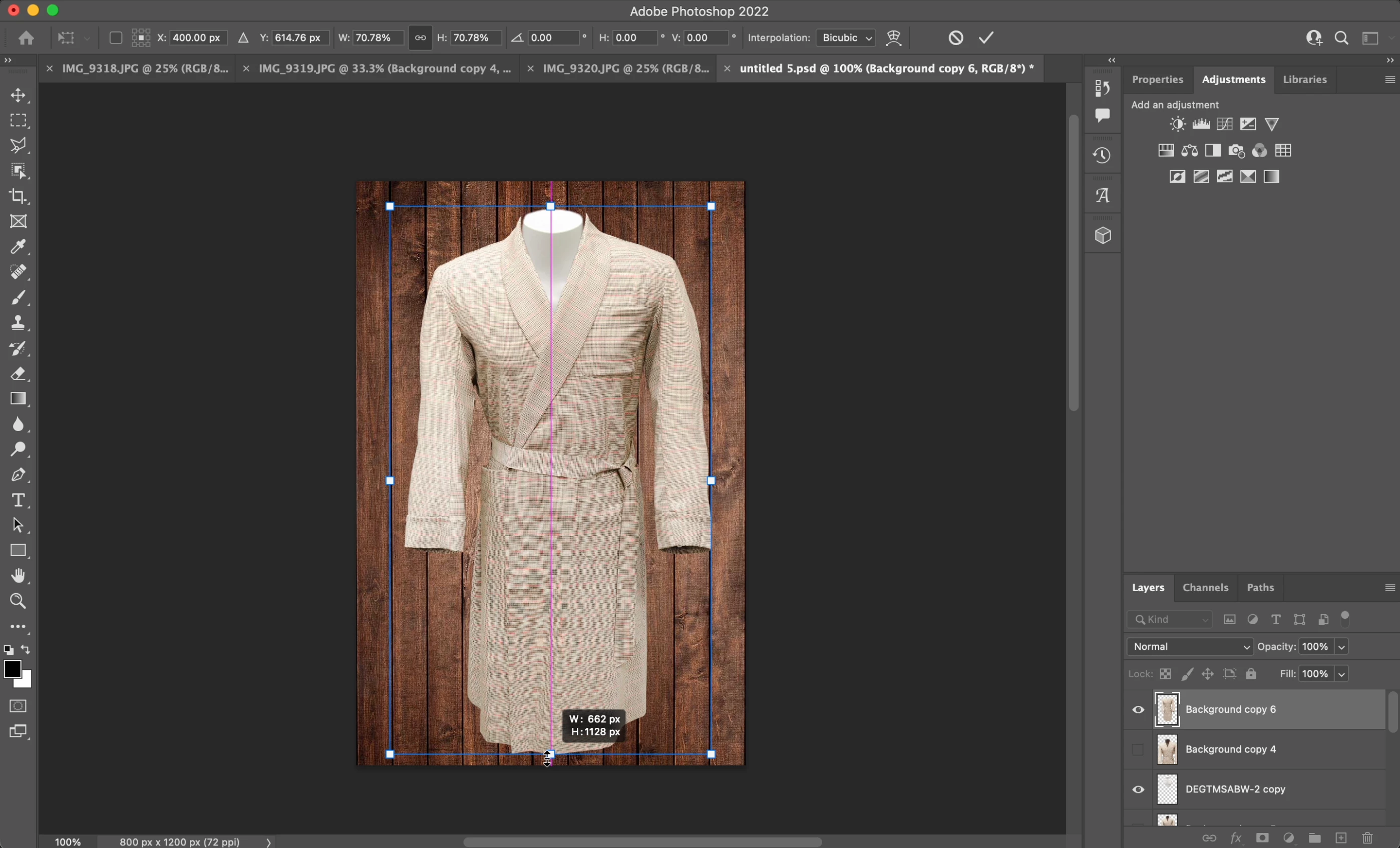
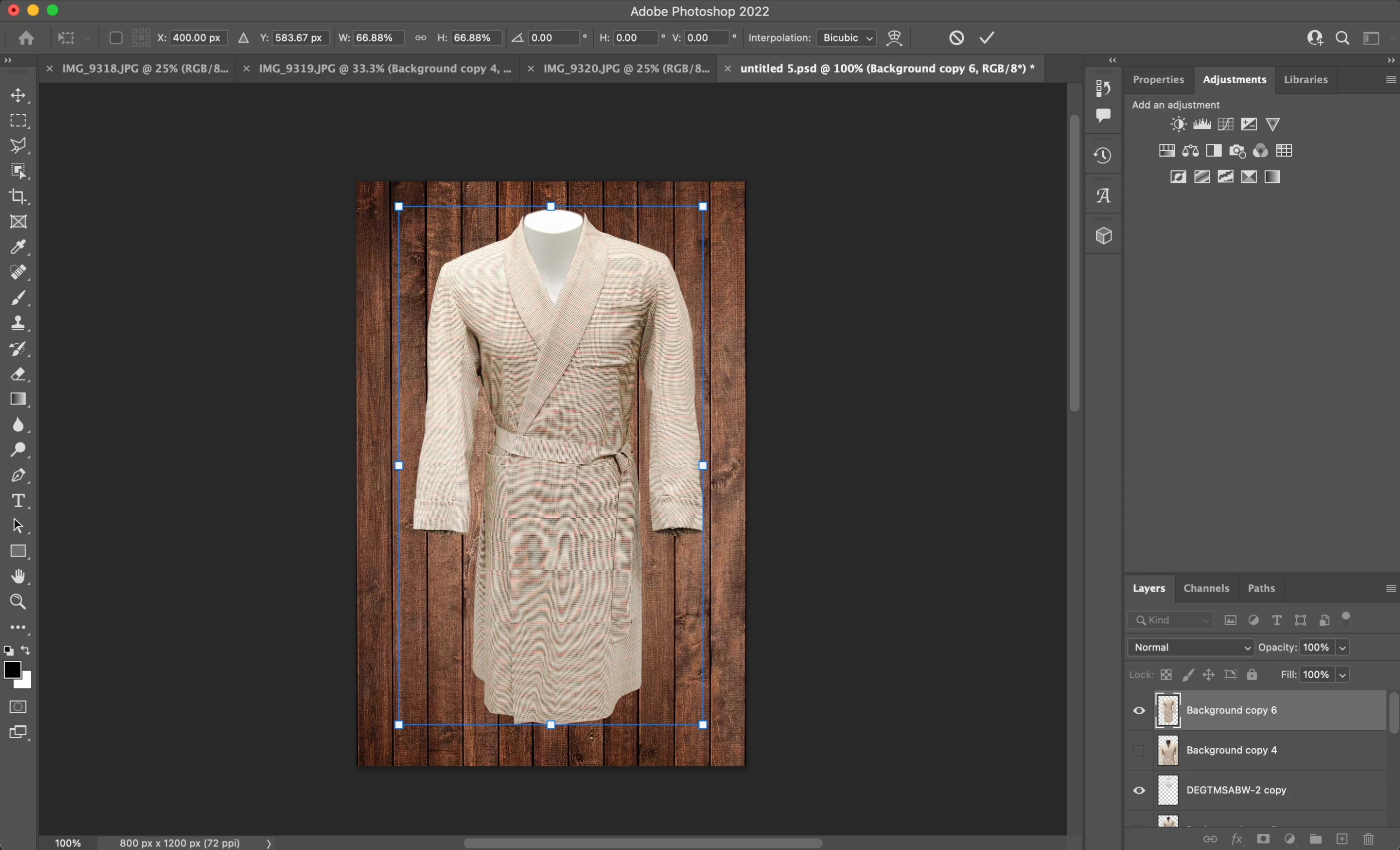
Random moire pattern that morphs when I transform the image

  • May 12, 2022
  • 2 replies
  • 453 views

I've been experiencing this moire pattern on some of my photos, I originally thought it was just my monitor but after exporting this image and airdropping it to my phone I've discovered that it isn't just my monitor. It also isn't the raw photo itself causing it, because the moire pattern morphs when the image is transformed. I'm working on a 2020 13-inch M1 MacBook Pro. Any help would be appreciated, thanks.


This topic has been closed for replies.
Correct answer Stephen Marsh

This isn't a bug, it is a natural aliasing result of resampling a repeating pattern.


You can use different resampling methods, I'd suggest bilinear.


You can also try a 1-2 pixel blur before transforming a high resolution image.


You may also wish to try converting to 32 bpc mode and then transforming, then converting back to 16/8 bpc mode using 0 exposure and 1 gamma.


EDIT: Forgot to mention, only evaluate at 100% or greater views, as additional moiré may be introduced between the monitor pixel grid and the image pixel grid.

2 replies

Stephen Marsh
Community Expert
Stephen MarshCommunity ExpertCorrect answer
Community Expert
May 12, 2022

This isn't a bug, it is a natural aliasing result of resampling a repeating pattern.


You can use different resampling methods, I'd suggest bilinear.


You can also try a 1-2 pixel blur before transforming a high resolution image.


You may also wish to try converting to 32 bpc mode and then transforming, then converting back to 16/8 bpc mode using 0 exposure and 1 gamma.


EDIT: Forgot to mention, only evaluate at 100% or greater views, as additional moiré may be introduced between the monitor pixel grid and the image pixel grid.

Participant
May 12, 2022

Here's an example of the same photo after being exported to a JPG