Participant
August 24, 2021
Question

Rasterize Layer Style Problem : Buggy Rendering

  • August 24, 2021
  • 3 replies
  • 1655 views

Hey there! First time here so mind my awful formatting!


I am currently having an issue when it comes to trying to render some layer stylels in Photoshop, Version 22.5.


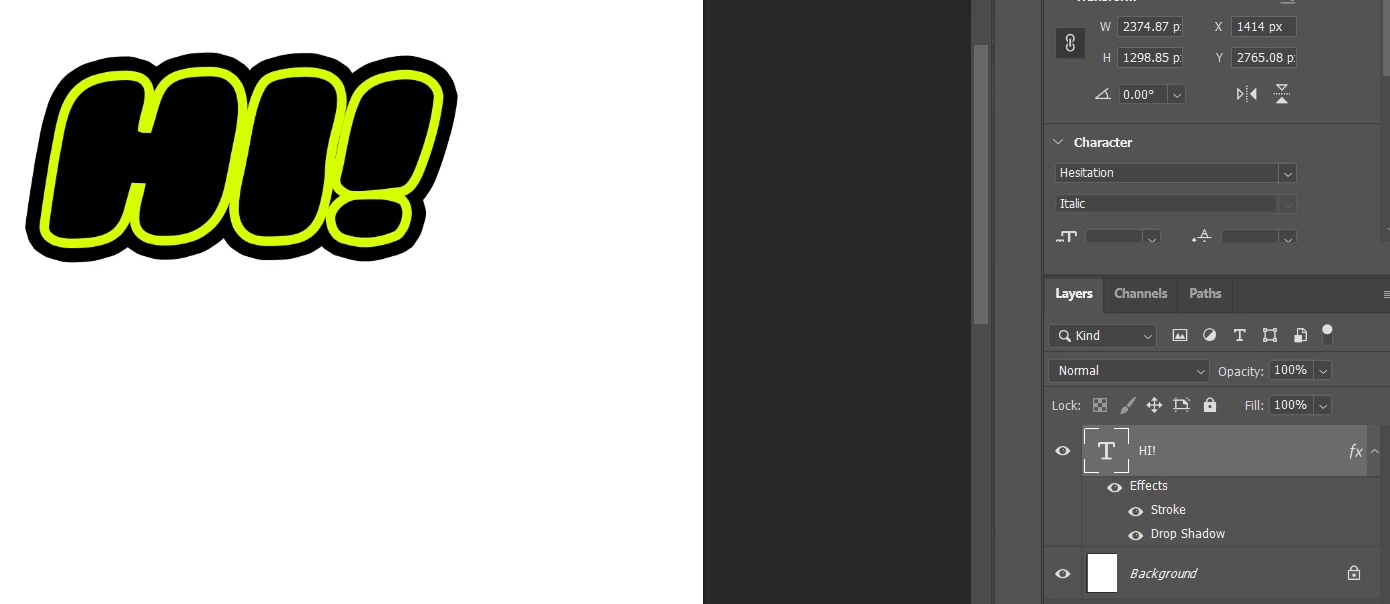
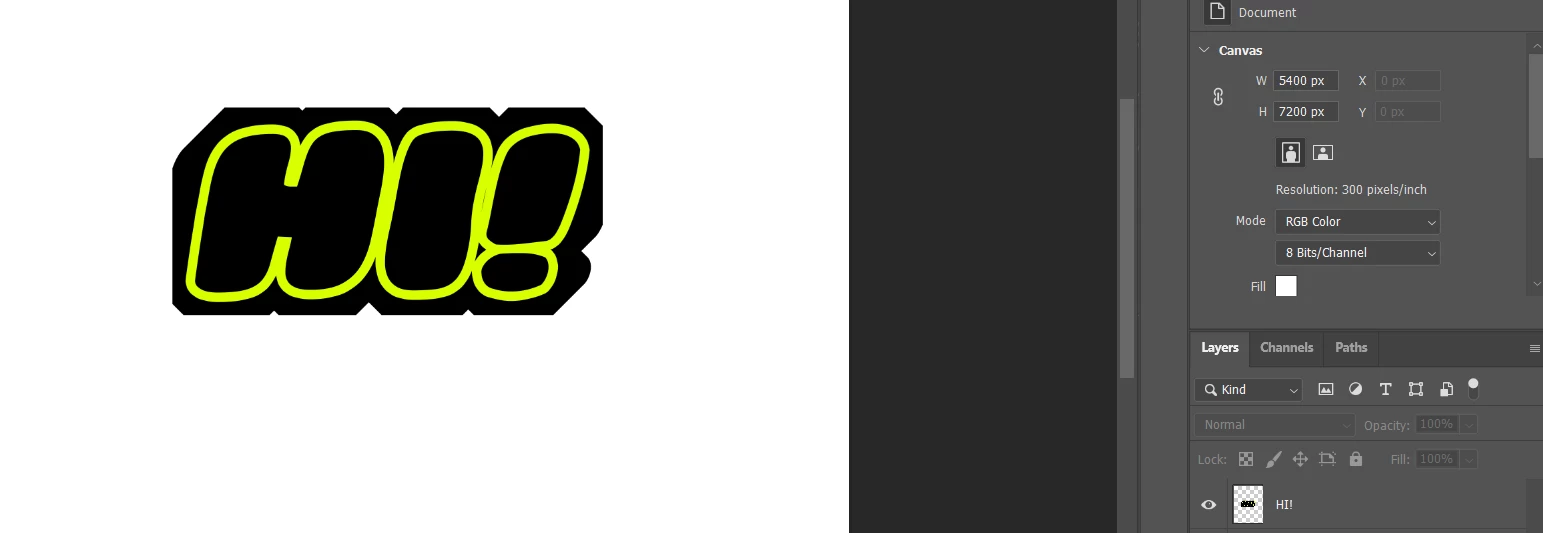
I am trying to do some layer styling on some text though when I rasterise the layers style, the result is a strange buggy mess in comparison to what its supposed to be. Working completely fine the previous day but got back to whatever this is.


Any help woud be extremely appreciated!


This topic has been closed for replies.

3 replies

Jeff Arola
Community Expert
Community Expert
August 25, 2021

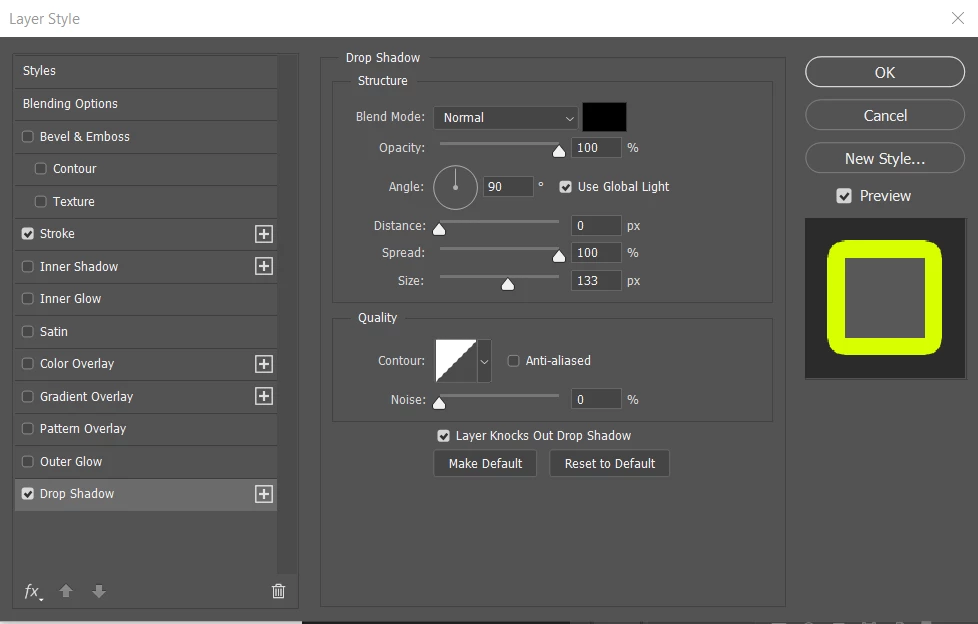
It seems to only happen if the drop shadow spread is at 100. If it's just reduced to 99 it doesn't happen.


Jonathan Lewis
Participating Frequently
November 10, 2023

Thanks Jeff, that was exactly right in my case. I changed the drop shaddow spread to 99% and it looks precise after export to png. Thank you for the reply!

Legend
August 24, 2021

Would it be possible to post the PSD from your example that reproduces this issue? (url link to CC files or dropbox)

AlgoprismAuthor
Participant
August 24, 2021

Hi!


Thanks for getting back to me everyone so far. I'll post the PSD tommorow as i'm currently away from my desk. Is there anything else that might be helpful? 

JJMack
Community Expert
Community Expert
August 24, 2021

It may be a rendering issue on your machine. Have you tried disabling Native canvas and  un-check USE GPU?

JJMack
Participant
August 24, 2021
I tried, notting change ...

--
Jos Brands
Pyckestraat 41
2018 Antwerpen

email: jos_brands@hotmail.com
phone: +32(0)486442325