Participant
February 16, 2021
Question

Rasterizing/merging layers or saving to PNG changes my picture

  • February 16, 2021
  • 1 reply
  • 675 views

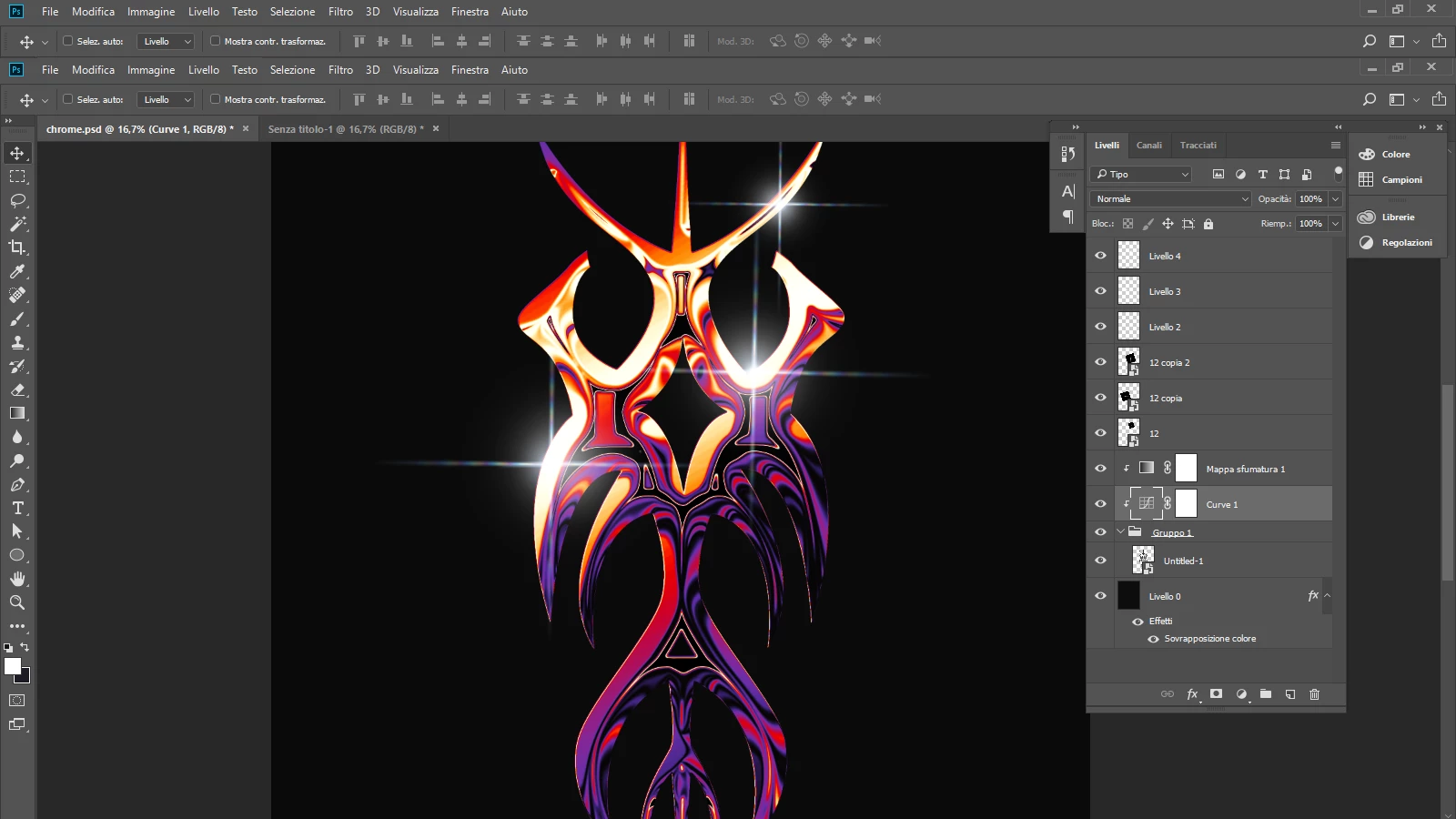
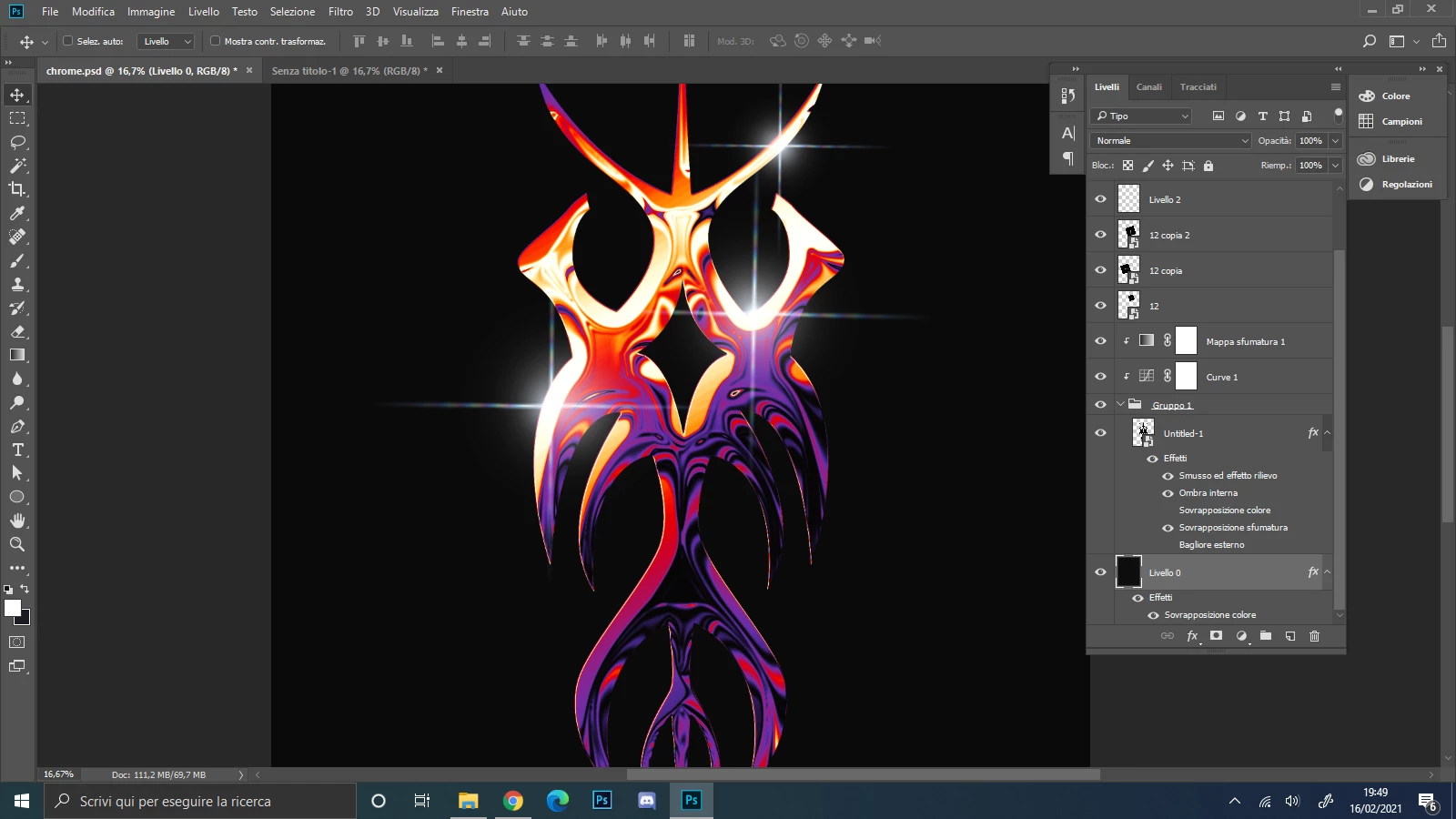
So i have this PNG with some layers on, like bevel and emboss, gradient, inner shadow, and when i try to merge them i get this annoying thing where the colors change in the middle (and there are those black parts that they weren't there before) 


This happens also when i try to rasterize the layers or even when i save the picture.


  • How can i merge the layers or save the picture without it being changed?
 

This topic has been closed for replies.

1 reply

Participating Frequently
February 16, 2021

Hi,

not sure if this will help you but have you tried first with a "stamp visible"?

It's the same as "flatten image" but on a separate layer.

To do this select your top layer, use the shortcut cmd+option+shift+e

You will get a rasterised "flatten image" on a new layer on top of your layer window, exactly how your image looked like before.

Probably it should be okay now.

br

Carl.


Participant
February 16, 2021

Hi Carl,
Unfortunately this doesn't work.
I think the major issue here is bevel and emboss, because when i try to rasterize the layer with only bevel and emboss activated it changes the picture.
Also when i zoom at 100% the black spaces appear.

I really don't know what to do 😞

Participating Frequently
February 16, 2021

okay I'm sorry to hear that.

In my experience, Photoshop sometimes doesn't show you the right preview from 100% and below when using lots of effects.

Normally when you zoom in a lot like 200% or more, you should see the image as it really is.

If it changes when you make your preview smaller, you can see something that is not really there.

And this is probably the case because you told that you see this already at zoom 100%.

Increase your cache size may help a bit but I'm afraid I cannot help you further with this.

br