


Re-accessing a selection after copying it to its own layer in the original layer
I’m wondering if anyone can help with the following. I want to remove the graffiti from an image and was using Clone Stamp. But ideally, I’d like to not replace pixels and want to use Blend If to retain them while matching the color of the graffiti to the wall.
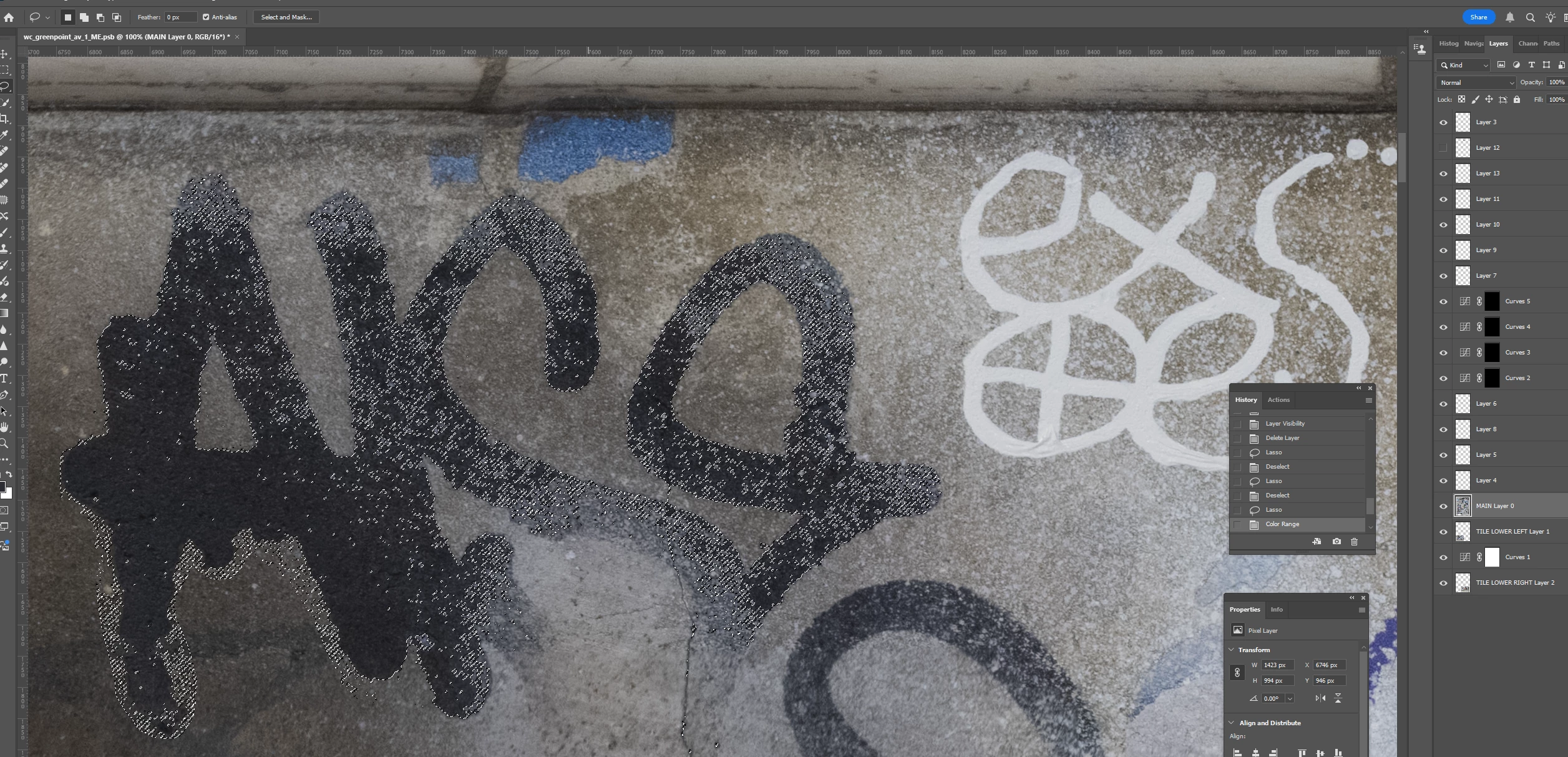
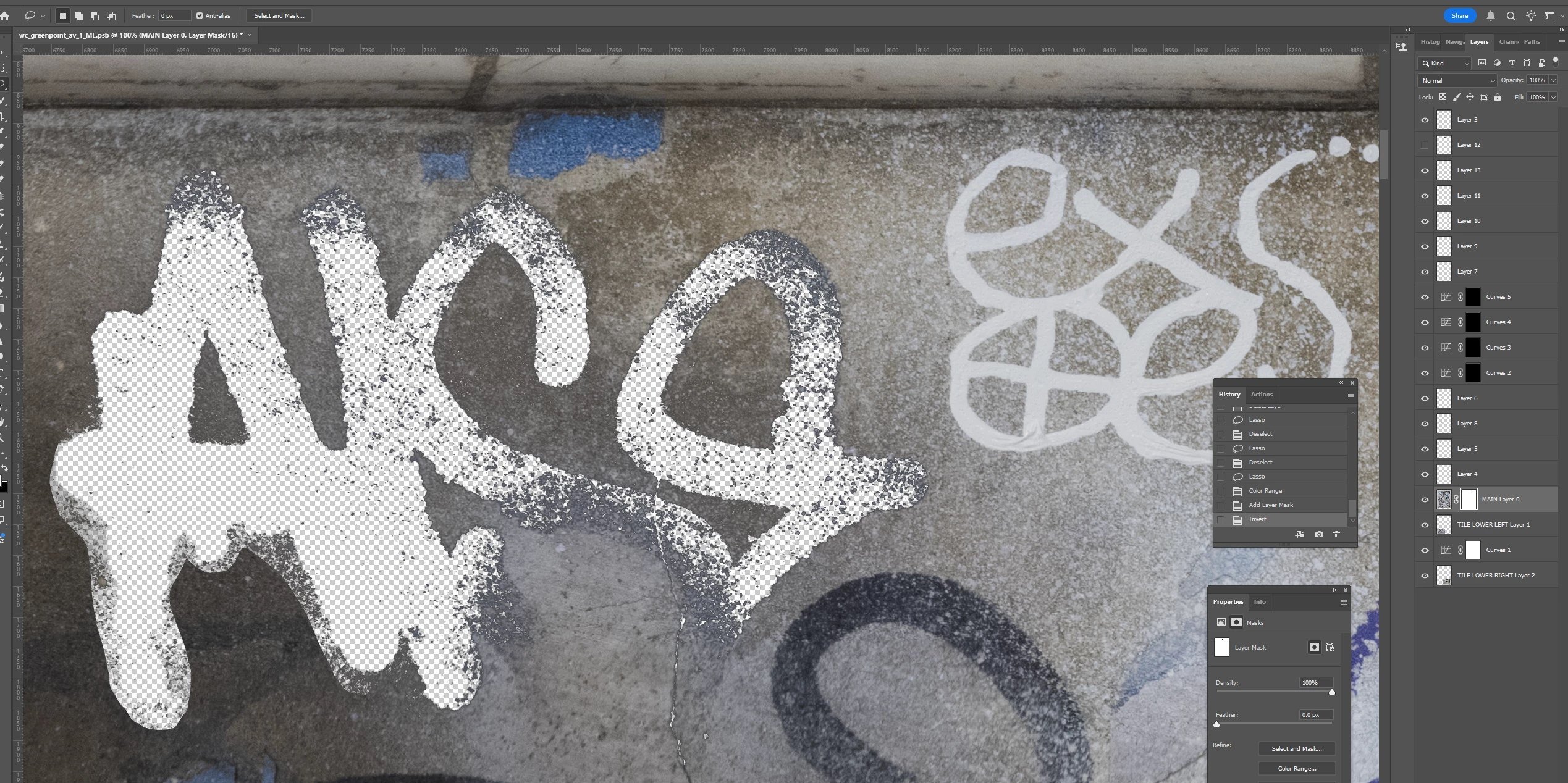
I lassoed a section of graffiti and used Select>Color Range to select the graffiti. I’m assuming I need to make my selection of graffiti (1) its own layer and (2) transparent in the main layer because otherwise pixels might appear through the Blend If layer. But since completing the actions for both results in a deselection of the graffiti, I don’t know how to achieve both. Put another way, it seems I have to go back in my History to access the selection, but that undoes the action of either creating the Layer or masking the selection in the underlying layer. I hope this is clear.
The screenshots show the graffiti selection (screenshot 1); and the selection masked (screenshot 2). At this point, I would want to load the selection as its own layer to apply Blend If – but I don’t know how to get it back unless I go back in my History to Lasso, in which case I have undone my masking of the underlying layer. Similarly, if instead of masking the selection I load it to its own layer first, I don’t know how to access it again except by going back in the History to Lasso, in which case the new Layer has been deleted. I’m sure there is an easy answer to this (I hope). Thanks for any help.

 AdChoices