
Participant
April 30, 2020
Question

Re: How to disable live shape in photoshop

  • April 30, 2020
  • 2 replies
  • 1449 views

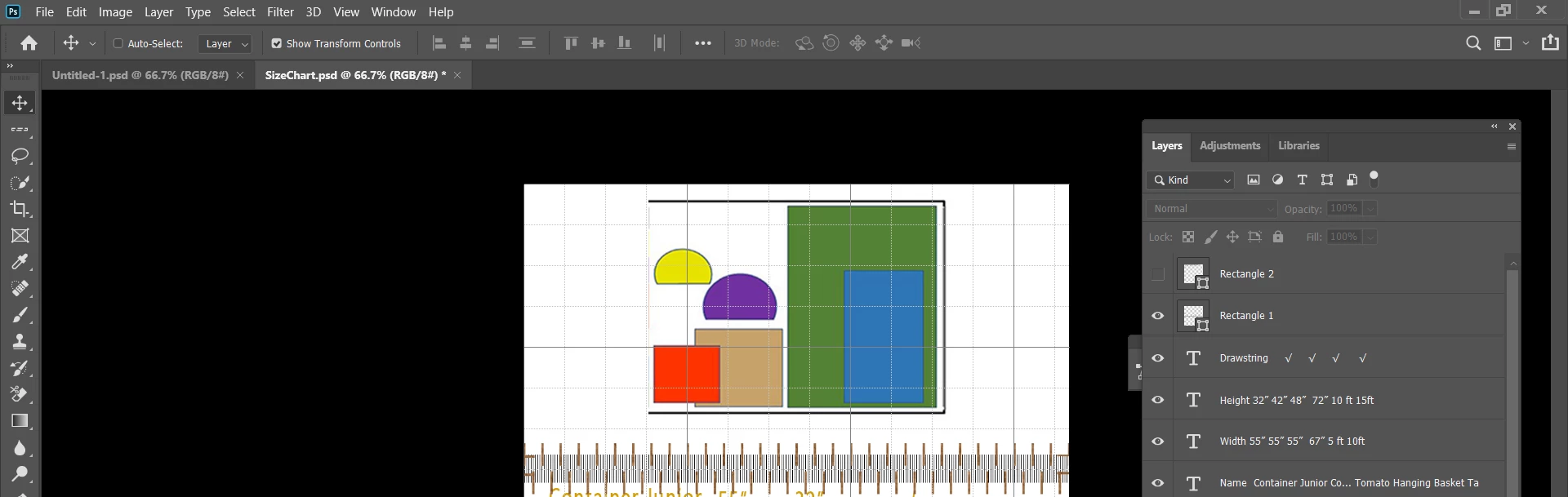
Posted this in March and thank responder for suggestion but I am beginner and don't know how to make fix suggested. Any shape I create is auto filled with pattern - I do not want any pattern in any shape. see screen shot.  Colored shapes were imported from paint. photoshop is creating the horizontal rectangle filled with brown cross hatch. Not being able to create shape in PS has me dead in the water. Help needed. Thank you.


This topic has been closed for replies.

2 replies

jane-e
Community Expert
Community Expert
May 1, 2020

Hi

When a tool does not work the way you it did originally, the easiest way to put it back is to reset the tool. Select the tool in the Tools panel, then Right-Click the tool in the options bar (not Tools panel), and choose either Reset tool or Reset all tools. You will need to do this for the rectangle and ellipse (and maybe others).

https://blogs.adobe.com/jkost/2016/05/resetting-tool-options-in-photoshop.html


~ Jane

PECourtejoie
Community Expert
Community Expert
April 30, 2020

Hello, can we see your Properties panel?
Can you make a screenshot with the rectangle shape tool active and the properties?