Answered
Re: Photoshop 2017 CC "Target 1" symbol
How do I remove the "target 1" symbol? It appears everytime I use the Zoom, Rotate, Erase and Brush tool. I tried restarting the software but it did not go away.
Here's a photo:
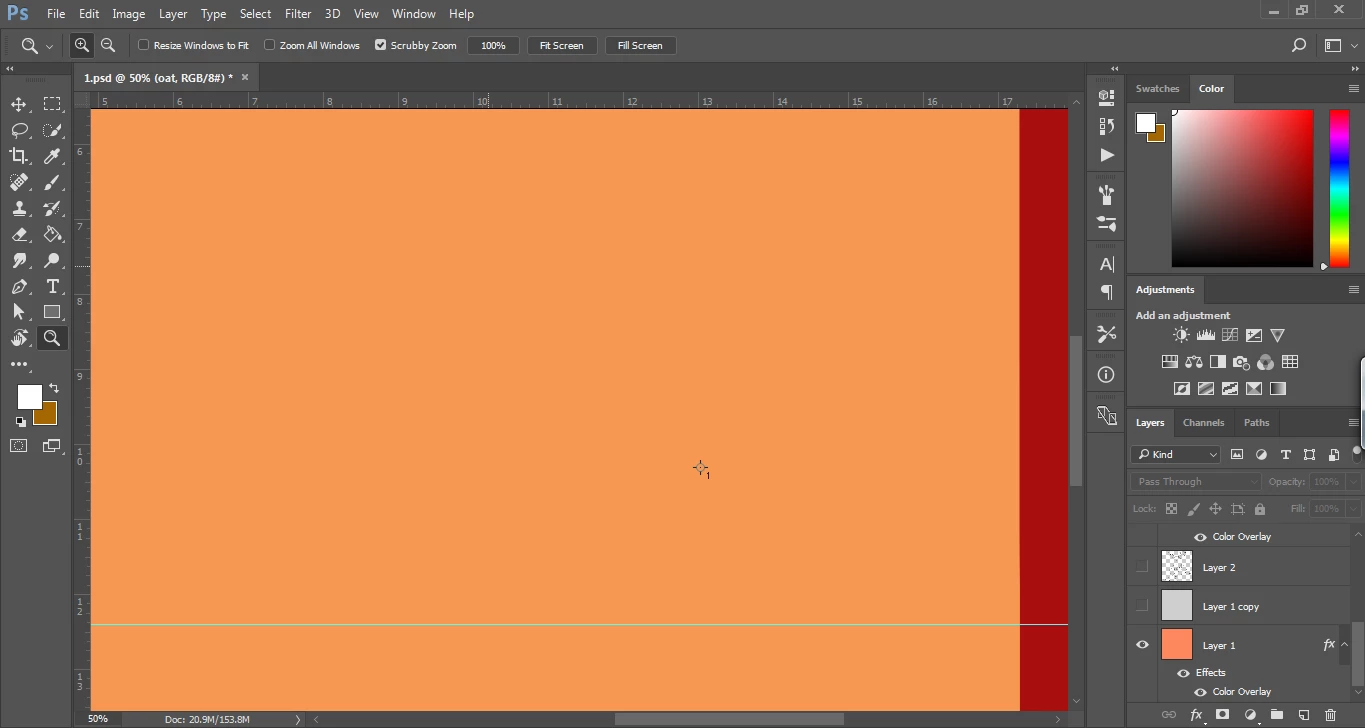
How do I remove the "target 1" symbol? It appears everytime I use the Zoom, Rotate, Erase and Brush tool. I tried restarting the software but it did not go away.
Here's a photo:
That looks like a point from the Color Sampler tool. Select the Color Sampler tool. It is in the same cell in the Tools panel as the Eyedropper tool. You can either press on the Eyedropper tool or right click on it to select the Color Sampler tool. Then hold down Alt/Option and click on the point to delete it. When you hold down Alt/Option and hover over the point, your cursor should look like a little scizzors.
Already have an account? Login
Enter your E-mail address. We'll send you an e-mail with instructions to reset your password.
 AdChoices