
SteveJM
Inspiring
November 29, 2019
Answered

Re: Where I can find more custom shapes?

  • November 29, 2019
  • 1 reply
  • 5589 views

I'm new to Photoshop as well, and just getting onto using shapes etc, so very interested in this.         

On my custom shape box I only have a very limited number, and even when I open it up using the cogwheel, it doesn't bring anything else up.  I don't know how to do a screenshot to show what I get.      

In the drop down box I only have Text only, Small Thumbnail, Large Thumbnail, Small List, Large List, Restore Default Shapes, Import Shapes.  So nothing after Large List as this box shows.       

Any ideas or advice on what's wrong and how I can fix it??      

Thanks
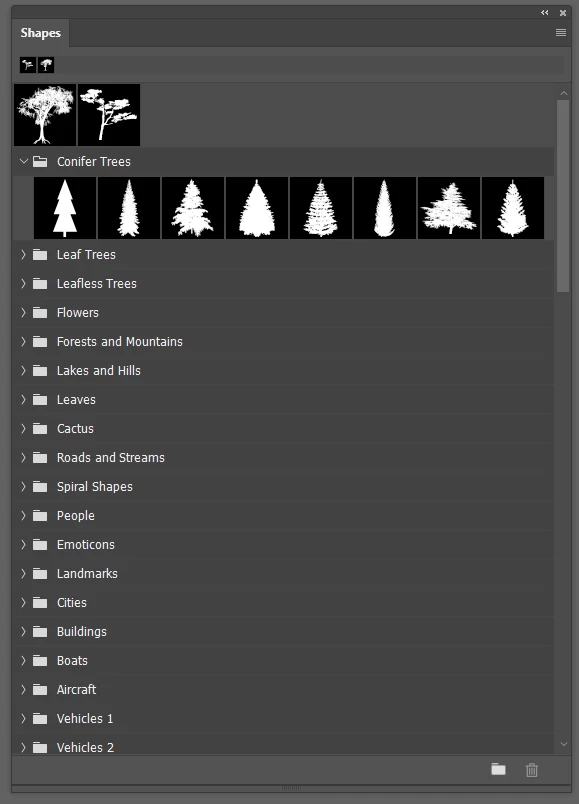
    Correct answer Trevor.Dennis

    Steve, what version are you using?   There's a Shapes panel (under the Window menu) now, but it has the same information as the Options bar pull down shapes window.  Mine appears to be full to bursting, and I don't remember adding all the groups so they must be the new normal. 


    I think the new panels works the same as the 2017 brush ponel.  You can delete groups and reload them.  I have not played with it enough to be sure.

    1 reply

    Trevor.Dennis
    Community Expert
    Trevor.DennisCommunity ExpertCorrect answer
    Community Expert
    November 30, 2019

    Steve, what version are you using?   There's a Shapes panel (under the Window menu) now, but it has the same information as the Options bar pull down shapes window.  Mine appears to be full to bursting, and I don't remember adding all the groups so they must be the new normal. 


    I think the new panels works the same as the 2017 brush ponel.  You can delete groups and reload them.  I have not played with it enough to be sure.

    SteveJM
    SteveJMAuthor
    Inspiring
    November 30, 2019

    Thanks Trevor, I'm using the latest install -----V21.0.1

    Found a load now, not quite the same panel as your earlier post, or in the using shapes video from Adobe, but I can work with that fine.

    Cheers.

    Steve.