Participant
May 24, 2022
Question

Re: why transparent background turns white

  • May 24, 2022
  • 1 reply
  • 6146 views

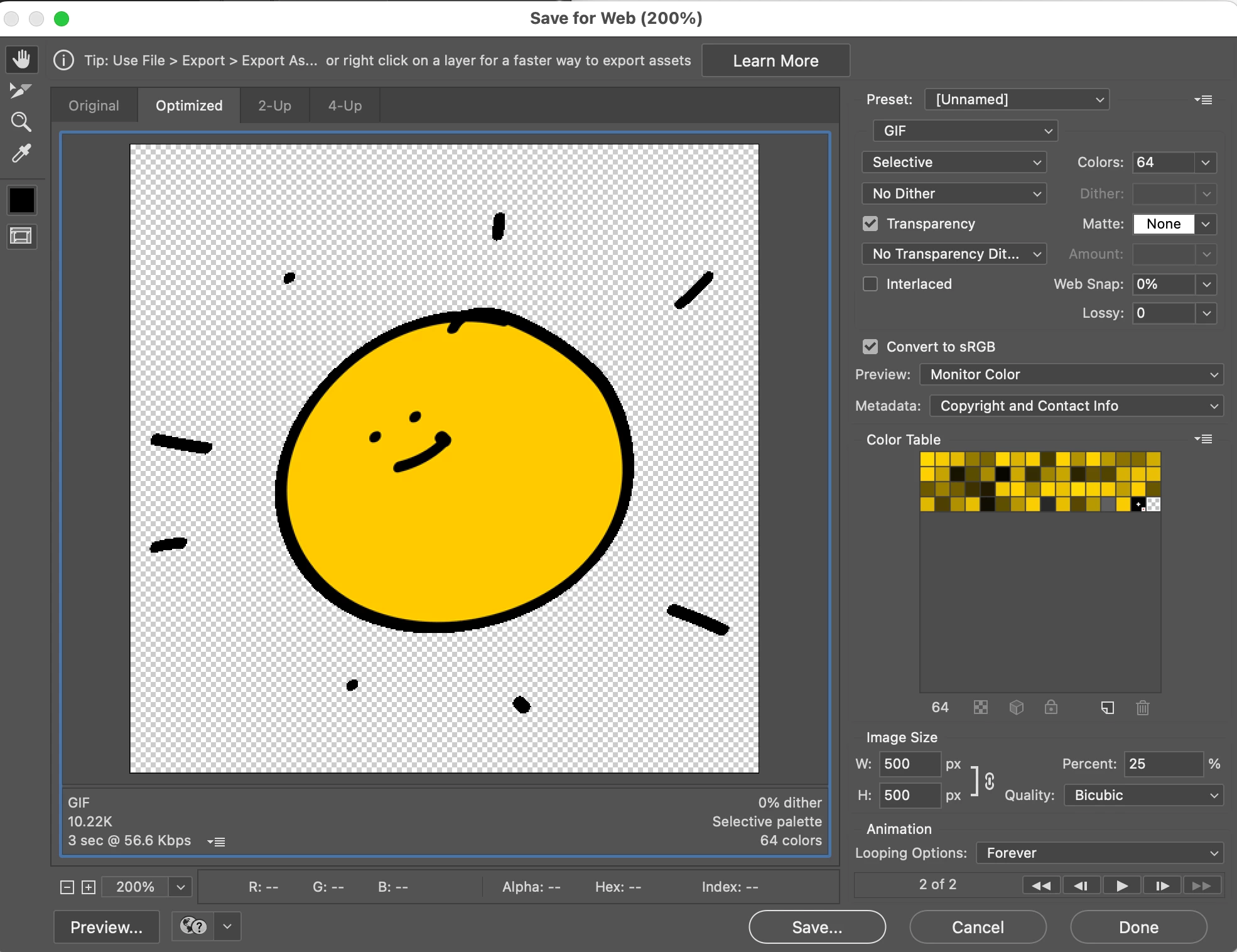
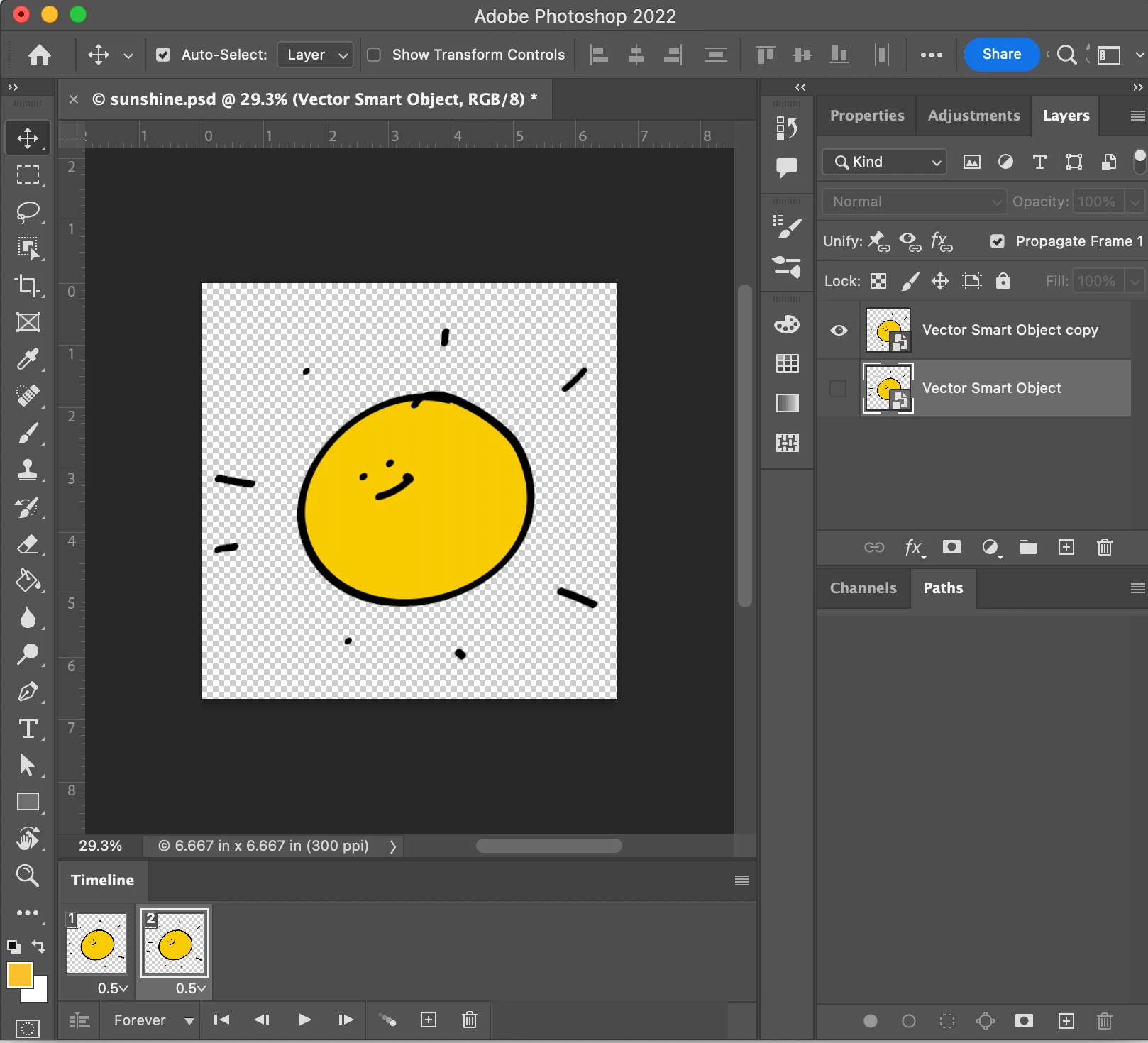
Hi there, Even though I am following every step to get a transpararent GIF I am still not getting a transparent background. I also changed the preferences and turned off GPU composition. I am not sure if this issue has to do with the new Mac Pro M1 computer. Just in case, I will upload the screen shots just in case. thanks for your help


Pati


[Branched to new thread by moderator]


This topic has been closed for replies.

1 reply

Community Expert
May 24, 2022

It looks transparent in Photoshop, transparent in Save for Web Dialogue... and the animation also looks transparent. Seems likes it working... not sure what the issue is?


best,

mark

headTrix, Inc. | Adobe Certified Training & Consulting
Pati AAuthor
Participant
May 24, 2022
I appreciate you checking on it. Even though it looks transparent, even
when i upload the image to GIFHY, when i share it, in several platforms, it
losses the transparency. I know it is crazy, but here’s the same image. The
one with black background is transparent. The one with white background is
the same imaged after i shared it. Thanks again for your help. I’m about to
give up though. 😛


--
Patricia Awapara
LinkedIn <>
Community Expert
May 24, 2022

I am not seeing anything attached here. But I downloaded your previous GIF which does look like it is showing a background.

I have been making GIFS for decades... it definitely works. Do you have the most current version of Photoshop? Perhaps trying restarting Photohsop while holding down Command+Option+Shift? See if that helps?

headTrix, Inc. | Adobe Certified Training &amp; Consulting