Participant
February 22, 2022
Resuelto

Really bad color shift with same hex values

  • February 22, 2022
  • 3 respuestas
  • 836 visualizaciones

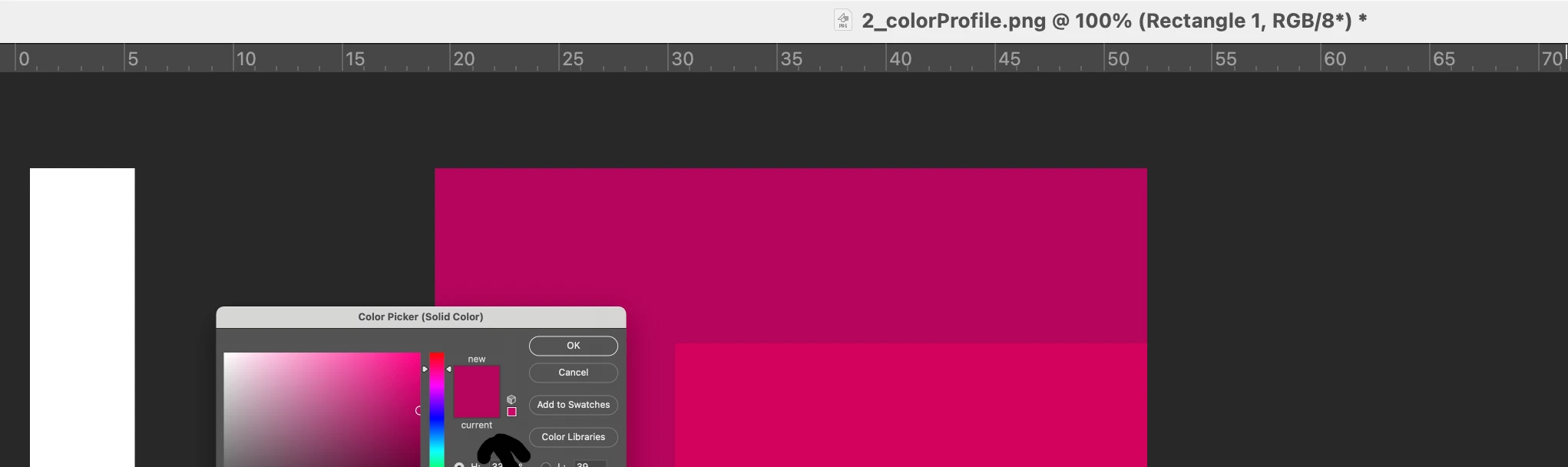
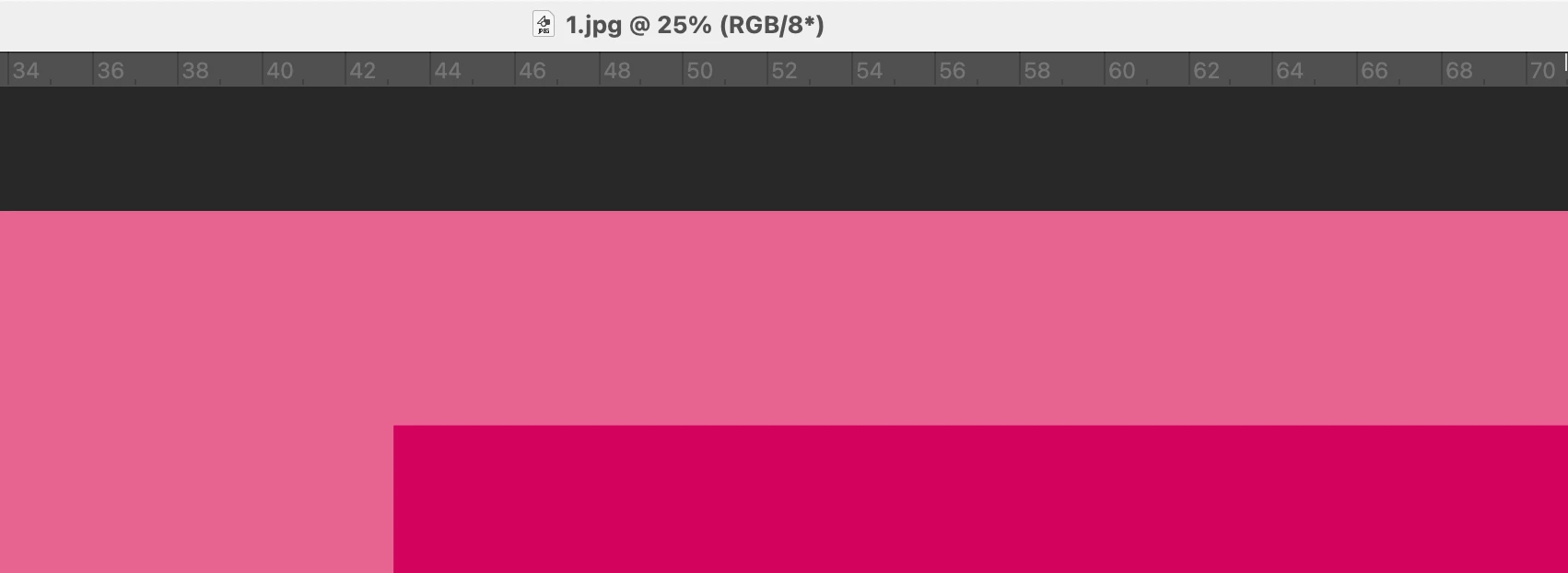
Im hoping people can help with this maddening issue I'm having with color swatches and hex values looking completely different in different documents. Attached is a screenshot for a color value of #b4005b. It looks wildly different in 3 different documents despite being the same hex value and in the same color space. I'm trying to find the source of the issue while working with multiple vendors who keep sending us different looking colors, but are working from the same provided swatches and hex values. 


All 3 documents are set to RGB, 8-bit.

Color settings are North America General Purpose 2, sRGB IEC61966-2.1

Photoshop version: 23.2.0

Mac OSX 11.6

Thank you
Este tema ha sido cerrado para respuestas.
Mejor respuesta de D Fosse

Thank you for your clarifying comment. Ive uploaded the files into the comment your referencing above. Is this what you're looking for?


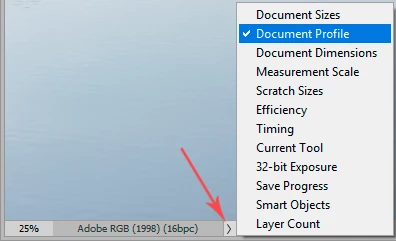
This is what we need to see:


We need to see if the document profile is sRGB, Adobe RGB, ProPhoto RGB etc. Or it could be untagged, meaning it doesn't have a document profile at all (in which case all bets are off).


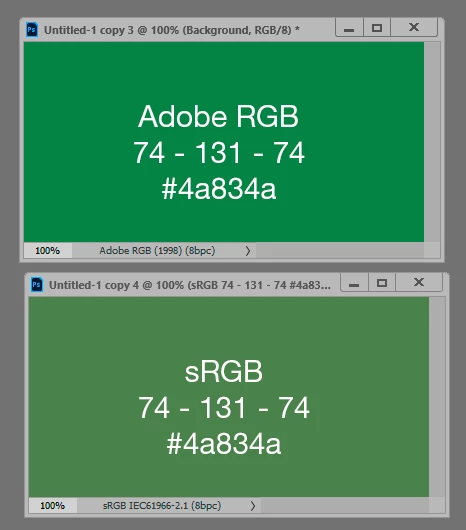
The color space defines the numbers as actual colors. That's what a color space is. Any given set of numbers will produce different colors in different color spaces. And vice versa, the same color will yield different numbers.


3 respuestas

Stephen Marsh
Community Expert
Community Expert
February 22, 2022

Just as RGB numbers are device (ICC profile) dependent, so are hex colours.

Legend
February 22, 2022

"Please set the Status Bar to Document Profile and post more meaningful screenshots. "

By that, we mean, screen shots that show the document AND the status bar. 

You have decided to show us the Acrobat Color Settings rather than the document profile - the Color Settings are interesting, but the Color Settings do not tell you the document profile...

Participant
February 22, 2022

Thank you for your clarifying comment. Ive uploaded the files into the comment your referencing above. Is this what you're looking for?


TheDigitalDog
Inspiring
February 22, 2022

They look different in three different documents within Photoshop or you're viewing them elsewhere (and if so, what)?

Author “Color Management for Photographers" & "Photoshop CC Color Management/pluralsight"
Participant
February 22, 2022

This is all being viewed in Photoshop, on the same device, in separate documents. I've attached links to the comment above. Thanks.

c.pfaffenbichler
Community Expert
Community Expert
February 22, 2022

Please set the Status Bar to »Document Profile« and post more meaningful screenshots. 

Because I am not yet convinced the images do indeed share one Color Space- 

Participant
February 22, 2022

   Here's two different files and their color spaces. Does this help?