
Rectangle Tool Dimensions incorrect?
Whenever I select a layer in my PSD Layers palette with a shape I created using the rectangle tool, the dimension properties of the shape are listed incorrectly (see example below). It always seems to list the width as the entire width of the PSD document and seemingly picks a random number for the height.
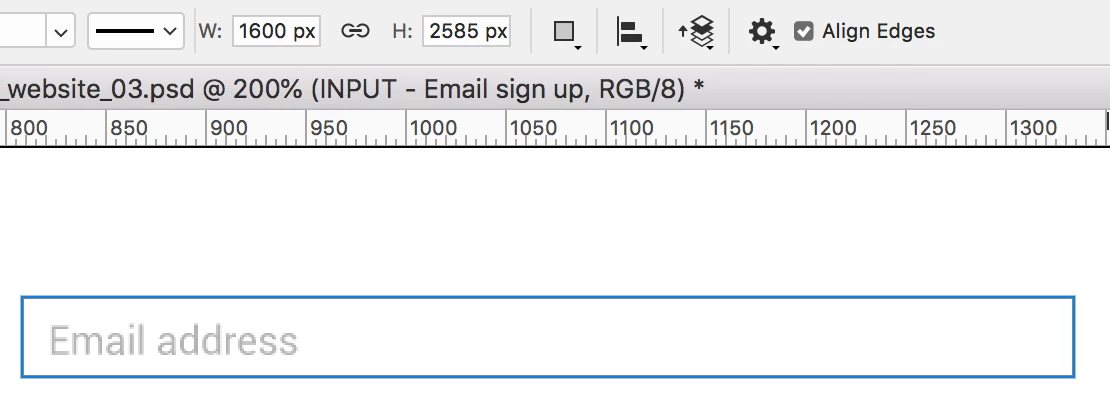
This email input box is clearly not 1600px wide nor 2585px in height. If I try to alter the size by typing new dimensions in the W/H boxes, it seems to have selected the desired shape, and some other random shape in my document and resize/move both shapes.
Only after I alter the dimensions am I able to determine which other shape it's chosen to 'pair' with the desired shape as they both change shape/position. Then only after I undo and hide the entire layer folder that second shape is in do the W/H properties of the desired shape appear correctly.
Has anyone else encountered this issue? Am I overlooking something painfully simple? If so please make me feel like an idiot and let me know what I'm doing wrong–this is driving me nuts!
Thanks
JP
 AdChoices