


BEGINNER_X
Legend
June 9, 2017
Answered

Rectangular Marquee tool

  • June 9, 2017
  • 1 reply
  • 1443 views

Hi All,

Hi All,

New to Photoshop & Photoshop Scripting.

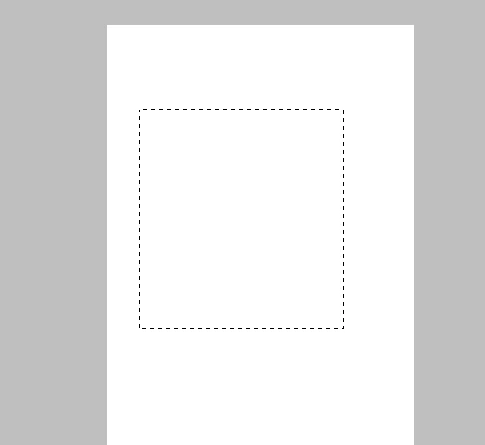
How to create Rectangle using Rectangle Marquee Tool?
Regards

Siraj

This topic has been closed for replies.
Correct answer pixxxelschubser

Hi BEGINNER_X,

replace these lines

// other code

Circle(0,0,Height,Height,0);

function Circle(Top,Left,Bottom,Right,Feather) {

if(Feather == undefined) Feather = 0;

var desc3 = new ActionDescriptor();

        var ref1 = new ActionReference();

        ref1.putProperty( charIDToTypeID('Chnl'), charIDToTypeID('fsel') );

    desc3.putReference( charIDToTypeID('null'), ref1 );

        var desc4 = new ActionDescriptor();

        desc4.putUnitDouble( charIDToTypeID('Top '), charIDToTypeID('#Pxl'), Top );

        desc4.putUnitDouble( charIDToTypeID('Left'), charIDToTypeID('#Pxl'), Left );

        desc4.putUnitDouble( charIDToTypeID('Btom'), charIDToTypeID('#Pxl'), Bottom );

        desc4.putUnitDouble( charIDToTypeID('Rght'), charIDToTypeID('#Pxl'), Right );

    desc3.putObject( charIDToTypeID('T   '), charIDToTypeID('Elps'), desc4 );

    desc3.putUnitDouble( charIDToTypeID('Fthr'), charIDToTypeID('#Pxl'), Feather );

    desc3.putBoolean( charIDToTypeID('AntA'), true );

    executeAction( charIDToTypeID('setd'), desc3, DialogModes.NO ); 

};

with these lines

// other code

rectangleSelection (0, 0, Height, Height, 0);

function rectangleSelection(Top,Left,Bottom,Right,Feather) {

if(Feather == undefined) {Feather = 0;}

    var desc1 = new ActionDescriptor();

        var ref5 = new ActionReference();

        ref5.putProperty( charIDToTypeID('Chnl'), charIDToTypeID('fsel') );

    desc1.putReference( charIDToTypeID('null'), ref5 );

        var desc2 = new ActionDescriptor();

        desc2.putUnitDouble( charIDToTypeID('Top '), charIDToTypeID('#Pxl'), Top );

        desc2.putUnitDouble( charIDToTypeID('Left'), charIDToTypeID('#Pxl'), Left );

        desc2.putUnitDouble( charIDToTypeID('Btom'), charIDToTypeID('#Pxl'), Bottom );

        desc2.putUnitDouble( charIDToTypeID('Rght'), charIDToTypeID('#Pxl'), Right );

    desc1.putObject( charIDToTypeID('T   '), charIDToTypeID('Rctn'), desc2 );

    desc1.putUnitDouble( charIDToTypeID('Fthr'), charIDToTypeID('#Pxl'), Feather );

    executeAction( charIDToTypeID('setd'), desc1, DialogModes.NO );

};

Have fun

1 reply

JJMack
Community Expert
Community Expert
June 9, 2017

With DOM code you would just set a rectangle selection.  You could of course use Action manager code for the Rectangle Marquee tool as well.

I use Action Manager code for the Marquee tool in my Plug-in Aspect Ratio Selection Plug-in Script.  It Support the Marquee tool rectangle and ellipse option and can set rectangle an ellipse selection or path that have a Aspect Ratio and which is centered or top left of the document. I use Action manager code because I wanted an easy way to support  ellipse. and support all the other marquee tool's options as well.

The link may not be current AspectRatioSelection.jsx

JJMack
BEGINNER_X
Legend
June 9, 2017

Hi Mack,

Thank you for your immediate reply...

Using forum, I got the Circle_Marquee and the code is below..

Like the below code, am looking for Rectangle_Marquee.

var rulerUnits = app.preferences.rulerUnits;

app.preferences.rulerUnits = Units.PIXELS;

var docRef = documents.add(501, 501, 72, "My Document", NewDocumentMode.RGB);

var StrokePixels = 5;

var Red = new SolidColor;

Red.rgb.hexValue = 'ff0000';

var Blue = new SolidColor;

Blue.rgb.hexValue = '0000ff';

var Width = activeDocument.width.as('px');

var Height = activeDocument.height.as('px');

Circle(0,0,Height,Height,0);

//~ activeDocument.selection.fill(Red);

//~ activeDocument.selection.stroke (Blue, StrokePixels, StrokeLocation.INSIDE,ColorBlendMode.NORMAL,100);

//~ activeDocument.selection.deselect();

function Circle(Top,Left,Bottom,Right,Feather) {

if(Feather == undefined) Feather = 0;

var desc3 = new ActionDescriptor();

        var ref1 = new ActionReference();

        ref1.putProperty( charIDToTypeID('Chnl'), charIDToTypeID('fsel') );

    desc3.putReference( charIDToTypeID('null'), ref1 );

        var desc4 = new ActionDescriptor();

        desc4.putUnitDouble( charIDToTypeID('Top '), charIDToTypeID('#Pxl'), Top );

        desc4.putUnitDouble( charIDToTypeID('Left'), charIDToTypeID('#Pxl'), Left );

        desc4.putUnitDouble( charIDToTypeID('Btom'), charIDToTypeID('#Pxl'), Bottom );

        desc4.putUnitDouble( charIDToTypeID('Rght'), charIDToTypeID('#Pxl'), Right );

    desc3.putObject( charIDToTypeID('T   '), charIDToTypeID('Elps'), desc4 );

    desc3.putUnitDouble( charIDToTypeID('Fthr'), charIDToTypeID('#Pxl'), Feather );

    desc3.putBoolean( charIDToTypeID('AntA'), true );

    executeAction( charIDToTypeID('setd'), desc3, DialogModes.NO );

}; 

pixxxelschubser
Community Expert
pixxxelschubserCommunity ExpertCorrect answer
Community Expert
June 9, 2017

Hi BEGINNER_X,

replace these lines

// other code

Circle(0,0,Height,Height,0);

function Circle(Top,Left,Bottom,Right,Feather) {

if(Feather == undefined) Feather = 0;

var desc3 = new ActionDescriptor();

        var ref1 = new ActionReference();

        ref1.putProperty( charIDToTypeID('Chnl'), charIDToTypeID('fsel') );

    desc3.putReference( charIDToTypeID('null'), ref1 );

        var desc4 = new ActionDescriptor();

        desc4.putUnitDouble( charIDToTypeID('Top '), charIDToTypeID('#Pxl'), Top );

        desc4.putUnitDouble( charIDToTypeID('Left'), charIDToTypeID('#Pxl'), Left );

        desc4.putUnitDouble( charIDToTypeID('Btom'), charIDToTypeID('#Pxl'), Bottom );

        desc4.putUnitDouble( charIDToTypeID('Rght'), charIDToTypeID('#Pxl'), Right );

    desc3.putObject( charIDToTypeID('T   '), charIDToTypeID('Elps'), desc4 );

    desc3.putUnitDouble( charIDToTypeID('Fthr'), charIDToTypeID('#Pxl'), Feather );

    desc3.putBoolean( charIDToTypeID('AntA'), true );

    executeAction( charIDToTypeID('setd'), desc3, DialogModes.NO ); 

};

with these lines

// other code

rectangleSelection (0, 0, Height, Height, 0);

function rectangleSelection(Top,Left,Bottom,Right,Feather) {

if(Feather == undefined) {Feather = 0;}

    var desc1 = new ActionDescriptor();

        var ref5 = new ActionReference();

        ref5.putProperty( charIDToTypeID('Chnl'), charIDToTypeID('fsel') );

    desc1.putReference( charIDToTypeID('null'), ref5 );

        var desc2 = new ActionDescriptor();

        desc2.putUnitDouble( charIDToTypeID('Top '), charIDToTypeID('#Pxl'), Top );

        desc2.putUnitDouble( charIDToTypeID('Left'), charIDToTypeID('#Pxl'), Left );

        desc2.putUnitDouble( charIDToTypeID('Btom'), charIDToTypeID('#Pxl'), Bottom );

        desc2.putUnitDouble( charIDToTypeID('Rght'), charIDToTypeID('#Pxl'), Right );

    desc1.putObject( charIDToTypeID('T   '), charIDToTypeID('Rctn'), desc2 );

    desc1.putUnitDouble( charIDToTypeID('Fthr'), charIDToTypeID('#Pxl'), Feather );

    executeAction( charIDToTypeID('setd'), desc1, DialogModes.NO );

};

Have fun