
Participant
April 8, 2020
Question

Red colour cast when opening photos in photoshop cc 2020

  • April 8, 2020
  • 2 replies
  • 1960 views

Hi,

When I open a photo in photoshop, it has a very strong red cast, especially in highlighted areas. This also happens in lightroom. The colours are fine when I open them up in Windows photo viewer. This occurs both JPEG and Raw Files.

This is how it looks normally
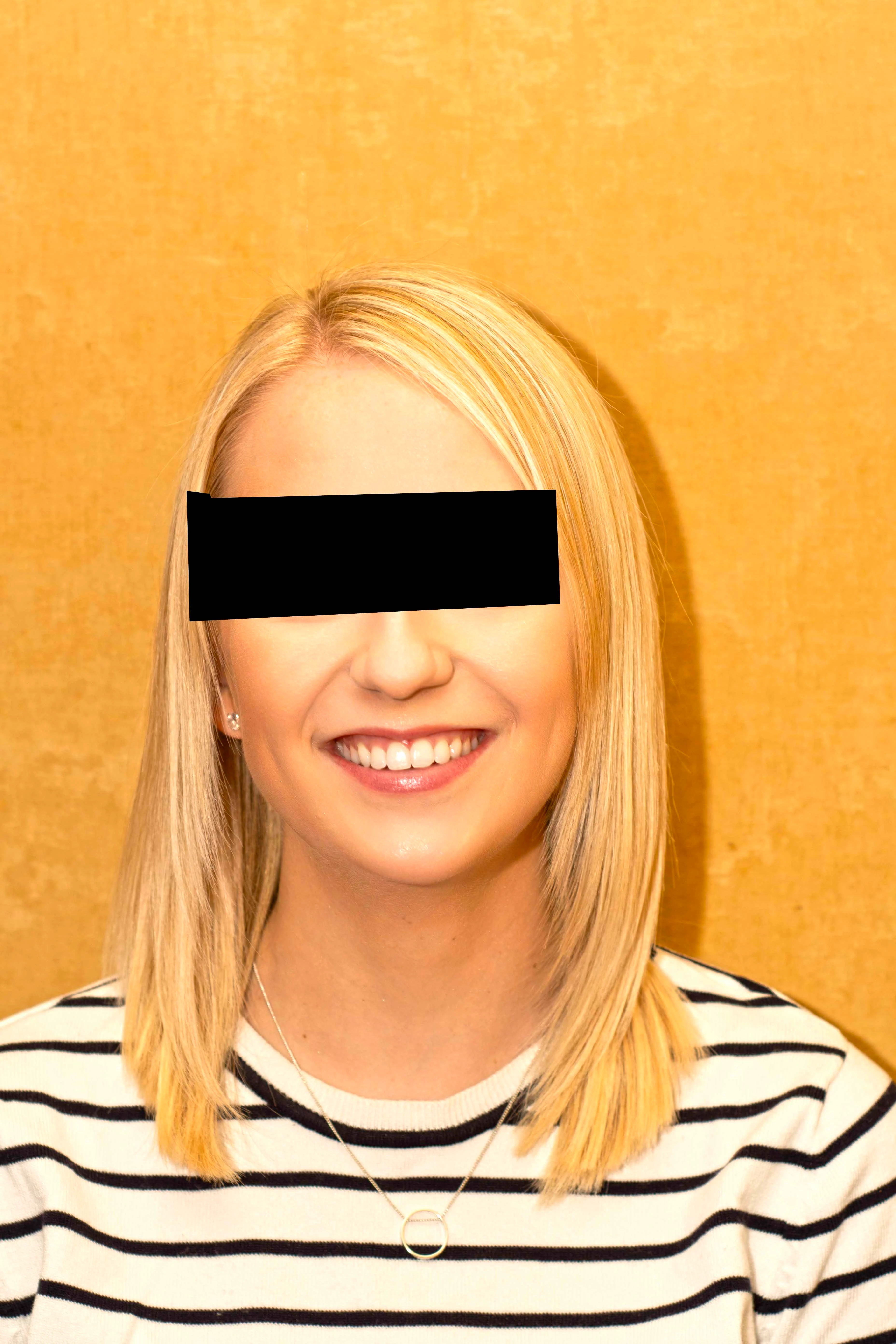
and this is a screen shot of photoshop.
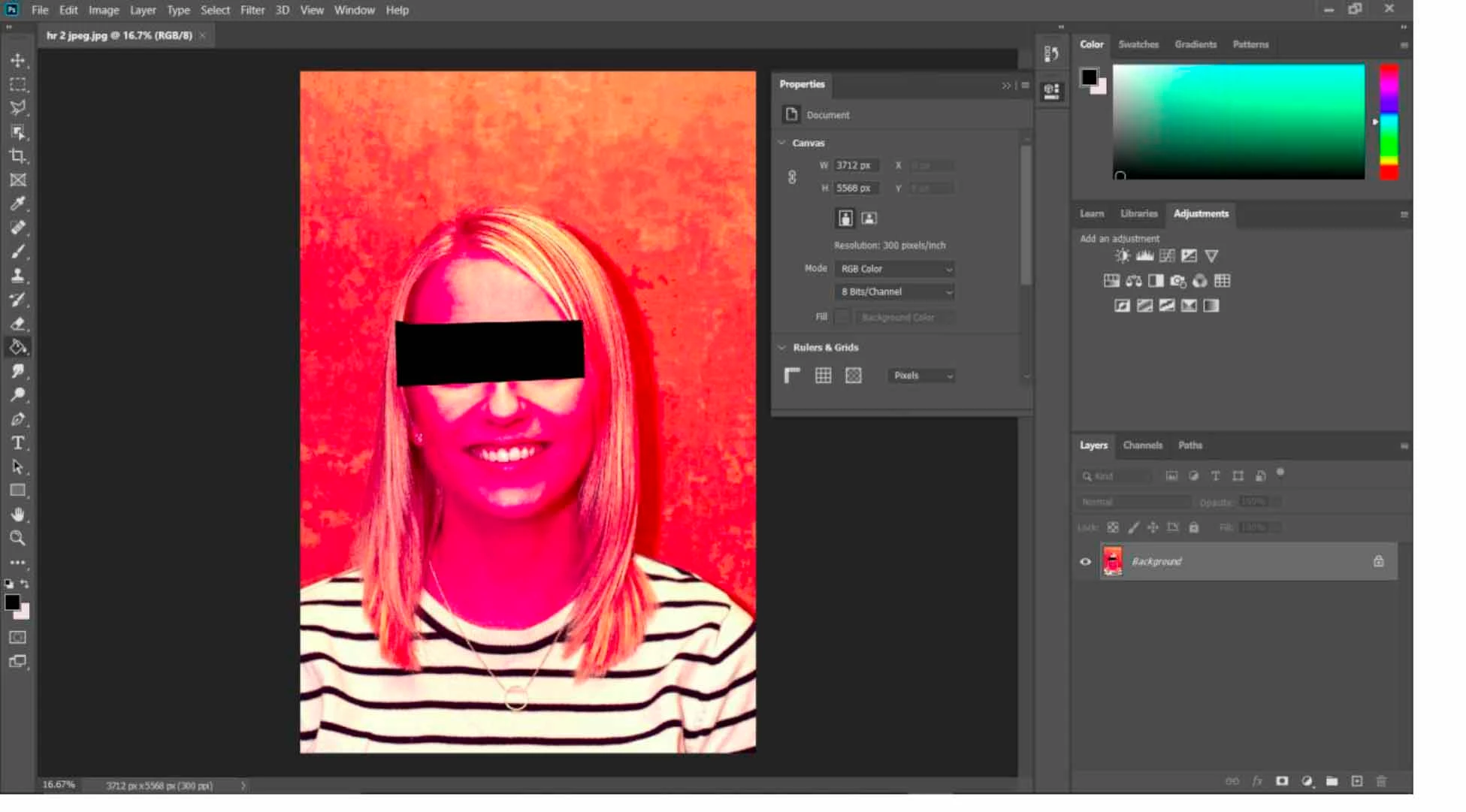


Does anyone know what has happened?

Thanks in advance


This topic has been closed for replies.

2 replies

Participant
October 11, 2021

Hi . I had a similar problem with some GPEG photos. The problem was solved by activating "missing profile" in color setting  and selecting sRGB IEC61966-2.1 at time of opening the photo .

D Fosse
Community Expert
Community Expert
April 8, 2020

That's most likely a severely broken/corrupt monitor profile. These bad manufacturer profiles can sometimes be distributed through Windows Update. Replace it with sRGB IEC61966-2.1 until you can make a new profile with a calibrator:


Relaunch Photoshop when done, it needs to load the new profile at application startup. Windows "Photos" is not color managed and doesn't use the profile.


If that doesn't do anything, it's a video driver bug. Update or roll back your driver.

AndyD47Author
Participant
April 8, 2020

Great, thanks I will give it a try